Need help?
Do you have a question about the Cabela's 55B30BP and is the answer not in the manual?
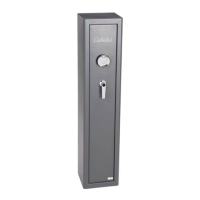
Image showing the exterior view of the safe.
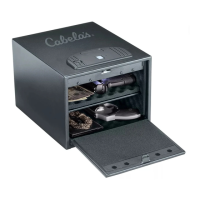
Image showing the interior view of the safe.
Step-by-step guide for capturing and saving a fingerprint.
Explains successful access, rejected scans, and lockout conditions.
Specific warranty coverage for locks and painted surfaces.
This document is an owner's manual for a Cabela's Quick Access Safe with a Biometric Lock, model 55B30BP. The manual provides essential information for the safe's operation, maintenance, and warranty.
The Cabela's Quick Access Safe is designed to securely store valuable items, offering quick access through a biometric lock. It features a robust construction to protect contents and includes a backup key system for alternative entry. The biometric lock allows for the registration of multiple fingerprints, providing personalized and secure access. The safe is intended for indoor use in a cool and dry location, ensuring the longevity of its electronic components and the integrity of its contents. It is crucial to keep the safe locked and closed when not in use and to prevent children from accessing it. The safe is equipped with an internal LED light that illuminates upon opening, aiding visibility of the contents.
For the first-time opening, the backup key is used. Insert the key into the keyhole and turn it clockwise to open the door. It is critical not to store the backup keys inside the safe itself to ensure access in case of electronic failure or forgotten fingerprints. After opening, the key must be turned back to the locked position before the cover can be closed and locked.
The safe operates on 4 AA batteries, which are included. To install or replace batteries, open the battery compartment cover, located inside the safe. Carefully insert the batteries, following the positive (+) and negative (-) guides within the compartment. Once inserted, snap the battery cover back into place. A red light flashing during use indicates a low battery, signaling the need for replacement to maintain optimal functionality.
The biometric lock allows for the registration of up to 20 different fingerprints. Initially, any fingerprint will open the safe until the first fingerprint is recorded. To begin the recording process, press the red reset button located inside the safe. The scanner will flash white and blue lights twice, accompanied by two audible beeps (if the sound is turned on), indicating it's ready for recording. The same finger must be scanned three times consecutively to successfully record a fingerprint.
To open the safe after fingerprints have been recorded, press the scanner with a registered finger. The scanner will light up in white as it begins the scan.
To lock the safe, simply push the cover closed until it latches securely.
To erase all recorded fingerprints from the safe's memory, press and hold the reset button for approximately 5 seconds. The green light will flash 10 times with 10 audible beeps (if the sound is turned on), confirming that all recorded scans have been erased.
The safe comes with the audible sound turned on by default.
It is crucial to record the serial number of the safe, which is located on a tag on the back of the unit. This serial number is essential for all warranty claims and customer service inquiries.
The safe comes with a warranty covering defects in workmanship and materials for the lock and painted surfaces for one year from the date of purchase. This warranty is contingent on the safe being properly installed and cared for as per the Owner's Instruction Manual. Misuse, neglect, unusual conditions, or modifications that affect the safe's intended use will void the warranty. The safe must be registered within 60 days of purchase. The warranty explicitly states that it applies only to the safe itself and does not extend to the contents stored within. For optimal security, it is recommended to bolt the safe down, with details provided in a separate instruction sheet.
For any customer service needs, including warranty inquiries or technical support, contact Cabela's at 1-888-577-9823, fax at 1-585-486-1198, or email at cs@heritagesafe.com. Replacement keys are available for purchase through customer service upon verification of ownership.
The manual includes a prominent warning regarding Proposition 65 (P65Warnings.ca.gov), indicating that the product may expose users to chemicals, including lead, known to the State of California to cause cancer, birth defects, or other reproductive harm. Additionally, a warning emphasizes that the safe must be secured as detailed in the instructions, as failure to do so can result in death or serious injury.
 General
| Brand | Cabela's |
|---|---|
| Model | 55B30BP |
| Category | Safes |
| Type | Gun Safe |
| Exterior Dimensions | 55"H x 30"W x 20"D |
| Door Organizer | Yes |
| Bolt Down Kit | Yes |
| Color | Black |
| Capacity | 30 guns |
| Lock Type | Electronic |

 To Next Page