106
CLEARING THE MEMORY
audible
beeps (if the sound is turned on). All recorded scans will be erased.
beeps (if the sound is turned on), the alarm lasts 30 seconds, you will have an
automatic lockout for 5 minutes before you can try a scan again
I
over.
LOCKING THE SAFE
To lock your safe, simply push the cover closed until locked.
Your safe comes with the audible sound turned on.
NOTE: Alarm cannot be disabled.
TURNING THE KEYPAD SOUND OFF/ON
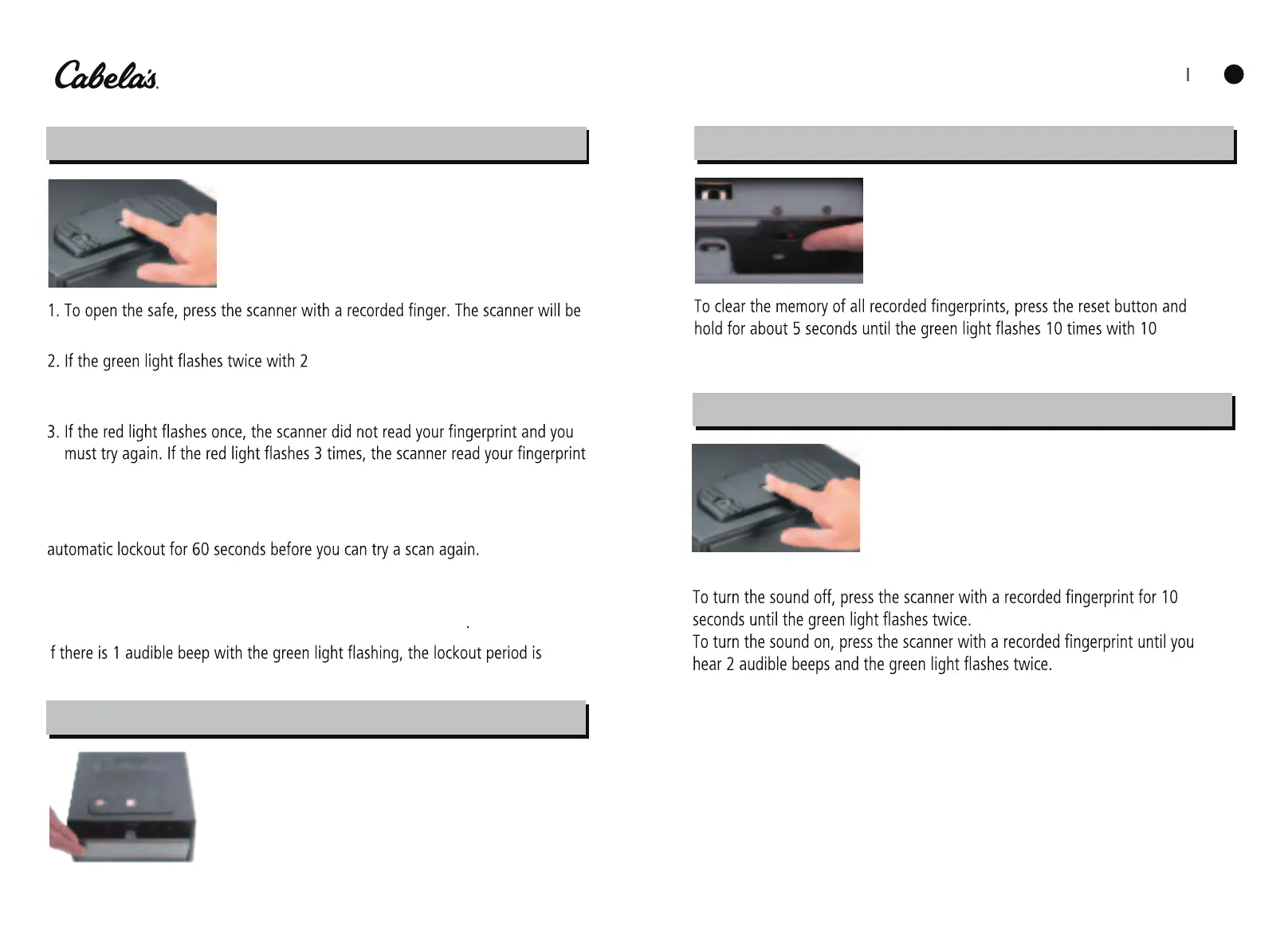
OPENING THE SAFE USING YOUR FINGERPRINTS
lighted in white and the scan will begin.
audible
beeps (if the sound is turned on),
the scan has been accepted and the safe will open with inside LED light turned
on for 60 seconds.
but rejected it.
beeps (if the sound is turned on), the alarm lasts 10 seconds, you will have an
NOTE: If there are 3 rejected scans and the red light fashes 5 times with 5 audible
If there is 1 more rejected scan and the red light fashes 5 times with 5 audible


 To Next Page