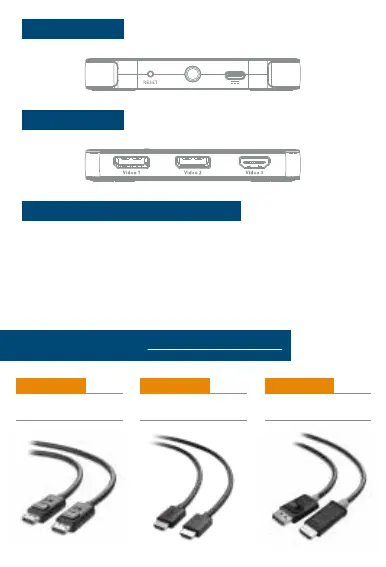
DisplayPort™ 1.4 Cable
Model 102025
48Gbps HDMI
®
Cable
Model 300026
DisplayPort
TM
to HDTV Cable
Model 102013
View compatible products at www.cablematters.com
Front Panel Ports
• Video graphics card support for 3 external monitors
• Mini DisplayPort 1.4 port or DisplayPort 1.4 port on the computer
• Optional USB-C power with a USB-A to USB-C cable (Included)
• DisplayPort 1.4 cable up to 15 feet
• HDMI 2.0 cable up to 15 feet
Computer Host System Requirements
(for the maximum video resolution rate)
Rear Panel Ports
1) Power on the host computer and all displays
2) If computer has a DisplayPort, connect included DisplayPort to mini DisplayPort
adapter to the MST Hub
3) Connect the MST Hub to the computer
4) Connect the USB-C power cable to a wall charger or computer’s USB port (optional)
5) Connect DisplayPort and HDMI cables to the Hub
6) Set the video resolution for each monitor in Windows
7) Choose to Mirror or Extend the host screen



 To Next Page