9
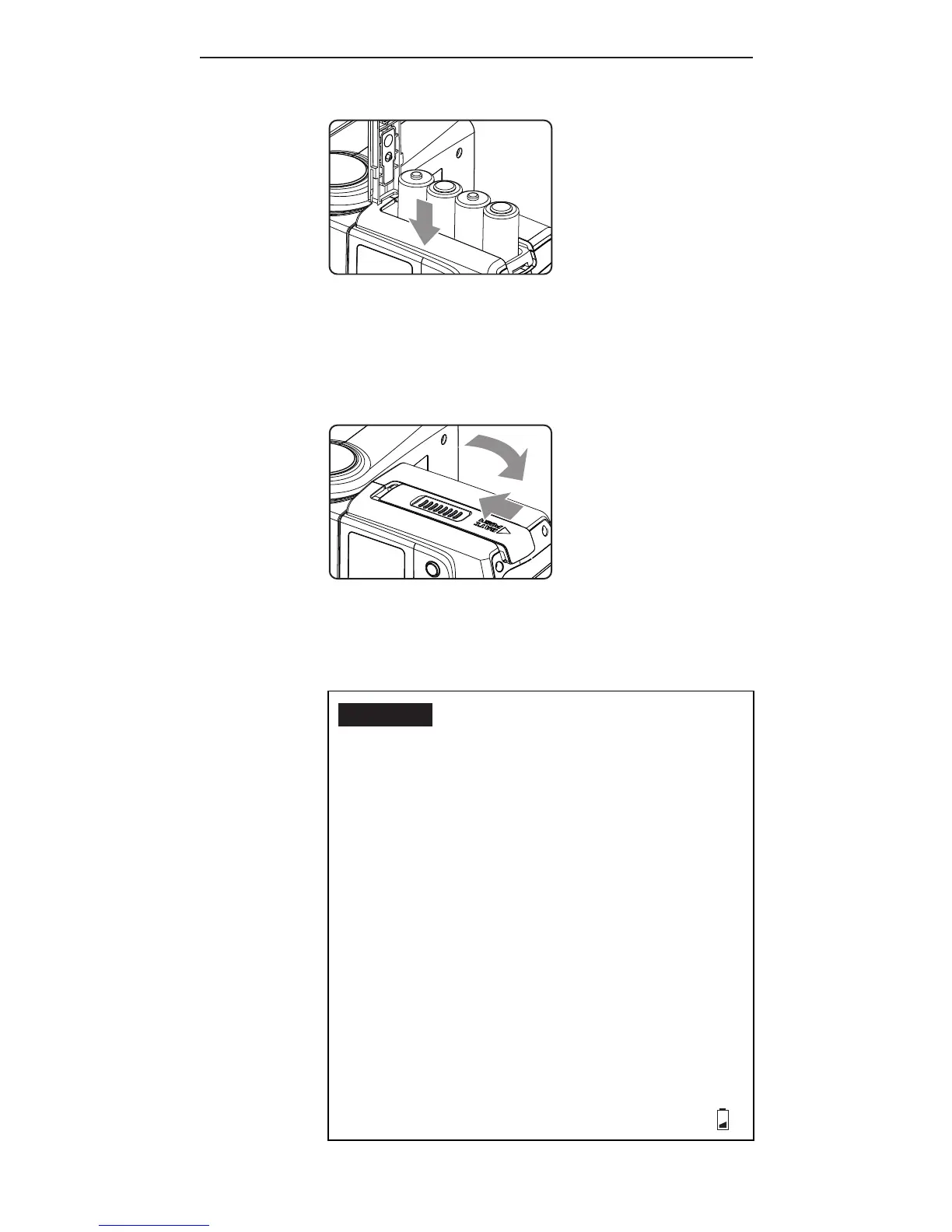
2. Install the batteries.
Make sure the positive (+) and
negative (-) battery contacts are
properly oriented as shown in the
compartment.
3. Slide the battery compartment
door in the direction shown by
the arrow to close it.
Caution:
1. Use a new set of AA batteries of
the same brand and type. When
replacing batteries, replace all
four at the same time.
2. AA-sized alkaline, Ni-MH, or
lithium batteries can be used.
Use only one type of batteries at
a time. Do not mix battery types.
3. If you change batteries after
f iring many ashes continuously,
be aware that the batteries may
be hot.
4. For alkaline or lithium
batteries, the battery level
indicator on the LCD will show



 To Next Page