38
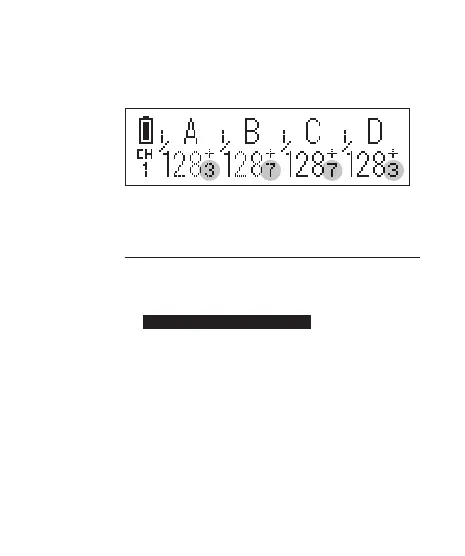
show the relative power levels of all
activated groups.
Note that the small single digit indicates
the increment between major power levels.
12.1.1 Single Group Power Adjustment
There are two ways to adjust the power level
of a particular slave group.
1. Press and hold the group button until the
power level of the chosen group is
highlighted on the LCD. Turn the
selection dial to the desired power
level. Press shortly the group button to
leave the group selection.
2. Short cut: Press and hold the group
button and turn the selection dial
simultaneously. Once the adjustment is
f inished, release the group button.



 To Next Page