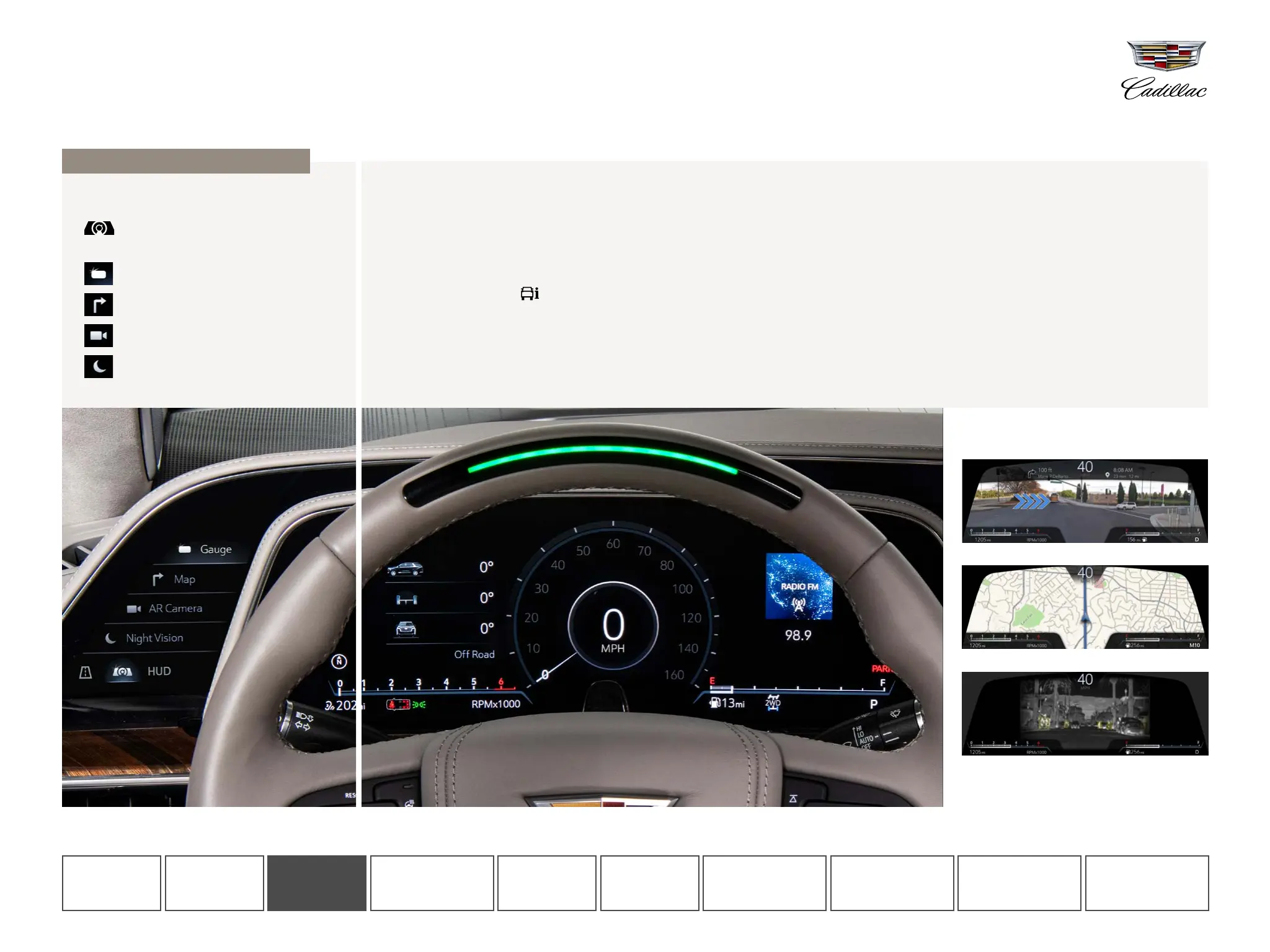
ADDITIONAL CLUSTER VIEW OPTIONS
Augmented Reality view
Map view
Night Vision view (if equipped)
SELECT CLUSTER LAYOUT
To change the layout, tap the CLUSTER icon
on the Control Panel screen (left of
the steering wheel), then choose from:
Gauge View
Map View
Augmented Reality
Night Vision View (if equipped)
CHANGE THE CLUSTER DISPLAY
GAUGE/SPEEDOMETER OPTIONS
When you pick "Gauge View," you can change the content on the left and right sides of the speedometer. You can also select a digital
speedometer, speed sign and speed warning color by going to the SETTINGS app on the Infotainment Screen.
Left zone (Vehicle Information)
View oil life, tire pressure, etc. To change it, tap the VEHICLE
INFORMATION app icon on the Infotainment Screen, select the
vehicle information you would like to see in the Cluster, then tap
“Show in Cluster.”
Right zone (Navigation, phone, audio, alerts)
Shows your active Navigation route, audio selection or phone
call information. Vehicle alerts will also appear here. Use the
right-hand steering wheel controls to browse content in this zone.
If you're using Navigation, directions will take priority in this part
of the display.
The 14.2-inch diagonal driver-centric Cluster Display is fully customizable, putting you at the center of Escalade’s technology.
CLUSTER DISPLAY
Shown with optional content.
CONTROL
PANEL
INFOTAINMENT
SCREEN
PHONE AUDIO NAVIGATION
GETTING
STARTED
VEHICLE
INFORMATION
REAR SEAT
INFOTAINMENT
ADDITIONAL
FEATURES
CLUSTER
DISPLAY





 To Next Page