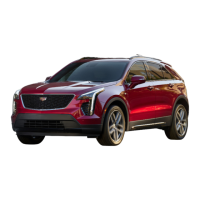
The Cadillac XT4 Convenience & Personalization Guide for 2024 provides a comprehensive overview of the vehicle's features, controls, and systems, designed to enhance the driving experience through convenience, personalization, and safety.
Instrument Panel and Infotainment System
The instrument panel is designed for intuitive control and information display. Key components include:
- Memory Seat Buttons: For storing and recalling seat positions.
- Electric Parking Brake/Instrument Panel Illumination Controls: Manage parking brake and panel lighting.
- Control Panel: Central hub for interacting with the infotainment system.
- Turn Signal Lever/Exterior Lamps Control: Controls turn signals and exterior lighting, including IntelliBeam.
- Cluster Display: Shows vehicle information, trip data, headlights, and Head-Up Display (HUD) content. Configurable for Tour or Sport views.
- Windshield Wipers/Rear Wiper Lever: Controls front and rear wipers, including Rainsense™ sensitivity.
- Infotainment Touchscreen: Primary interface for navigation, audio, phone, and vehicle settings.
- Climate Controls: Manages cabin temperature, fan speed, and air conditioning.
- Rear Park Assist/Hazard Warning Flasher/Lane Keep Assist Buttons: Controls parking assistance, hazard lights, and lane-keeping features.
- Power Window/Mirror Controls: Operates windows and power mirrors.
- Cruise Control/Forward Collision Alert/Heated Steering Wheel Buttons: Controls cruise control, collision alerts, and steering wheel heating.
- Steering Wheel Adjustment Control: Adjusts steering wheel position.
- Audio & Phone Steering Wheel Controls/Driver Information Center Controls: Manages audio, phone calls, and DIC menus.
- Engine Start/Stop Button: Starts and stops the engine, also controls accessory mode.
- Heated/Ventilated Seat Buttons: Activates seat heating or ventilation.
- Electronic Precision Shift Lever: Controls transmission gears (Park, Reverse, Neutral, Drive).
- Infotainment Controls: Rotary knob and buttons for navigating the infotainment system.
- USB Ports/Acc. Power Outlet: For charging devices and connecting accessories.
- Locking Glove Box: Secure storage compartment.
Infotainment System Features:
- Touch Controls: Supports gestures like swipe, scroll, tap, and press-and-hold.
- Multi-Color Head-Up Display (HUD): Projects information onto the windshield. Adjustable height and brightness. Content can be customized via Settings > System > Display.
- Cluster Display Configuration: Allows selection of Tour or Sport layout.
- Vehicle Information (Gauge View - Left Reconfigurable Zone): Displays vehicle status and other information.
- Home Page Icons: Customizable arrangement of app icons.
- Radio Station Favorites: Stores AM, FM, or SiriusXM stations.
- SiriusXM® with 360L: Offers over 200 channels, on-demand content, and personalized listening. Requires subscription and Connected Access plan.
- Audio Sources: Supports radio, USB, and Bluetooth devices.
- Google Built-In: Provides access to Google Assistant, Google Maps, and Google Play for hands-free assistance, navigation, and app downloads. Requires service plan and account linking.
- Apple CarPlay and Android Auto: Integrates compatible smartphones for navigation, communication, and entertainment. Supports wired (USB) and wireless (Bluetooth) connections.
- Voice Recognition: Controls music, navigation, and phone calls hands-free. Activated via Push to Talk button on the steering wheel or "Hey Google" command.
- Bluetooth® System: Pairs compatible phones for calls and audio streaming. Supports multiple paired phones, with a "First to Connect" priority setting.
- Wireless Phone Charging: Located under the center console armrest. Supports compatible phones placed screen up on the pad. Charging status displayed on the infotainment screen.
Keyless Entry and Start
- Remote Keyless Entry Transmitter (Key Fob):
- Lock: Locks all doors. Press and hold to fold power mirrors.
- Unlock: Unlocks driver's door (first press), all doors (second press within 5 seconds). Press and hold to unfold power mirrors and open all windows.
- Remote Start: Starts the engine remotely (press twice).
- Vehicle Locator/Panic Alarm: Locates vehicle (press and release) or activates alarm (press and hold for 3 seconds).
- Power Liftgate: Opens/closes liftgate (press twice) or stops operation (press once).
- Door/Glove Box Key: Physical key stored within the fob for manual access.
- Keyless Access System: Allows locking/unlocking doors and liftgate without removing the key fob from pocket or bag, provided the fob is within 3 feet of the door/liftgate.
- Keyless Unlocking: Press button on door handle or touchpad above license plate.
- Keyless Locking: Press button on any door handle. Passive Locking automatically locks doors after a short delay if enabled.
- Keyless Start: Engine starts by pressing the brake pedal and ENGINE START/STOP button with the key fob inside the vehicle. Green indicator illuminates.
- Stop/Off: Engine turns off by shifting to Park and pressing ENGINE START/STOP button. Power remains for audio, windows, and sunroof for 10 minutes until driver's door opens.
- Accessory Mode: Press ENGINE START/STOP button without depressing brake pedal to activate accessory mode. Amber indicator illuminates.
Driving and Operating
- Auto Engine Stop/Start: Fuel-saving system that automatically turns off the engine (Auto Stop) when the vehicle is at a complete stop and brake pedal is pressed. Engine restarts when brake is released or accelerator is pressed. Can be disabled via the Auto Stop button on the center console.
- Electronic Precision Shift: Automatic transmission shift lever with illuminated gear positions. Always returns to center position after shifting. Includes Park (button A), Reverse (hold shift-lock button B and move forward), Neutral (move forward to detent), and Drive (move rearward).
- Tap Shift Mode: Activates Manual mode in Drive. Uses steering wheel paddles for upshift/downshift.
- Automated Car Wash Mode: Specific procedures for placing transmission in Neutral for car washes.
- Driver Mode Control: Adjusts steering, suspension, and powertrain tuning. Activated by pressing the MODE button on the center console.
- All-Wheel-Drive (AWD) Operation: Select Tour (front-wheel drive), AWD, Sport, or Off-Road mode. Defaults to Tour mode when vehicle is restarted (if not in AWD mode).
- Front-Wheel-Drive (FWD) Operation: Select Tour, Snow/Ice, or Sport mode. Defaults to Tour mode when vehicle is restarted.
Steering Wheel Controls
- Cruise Control/Adaptive Cruise Control:
- On/Off: Activates/deactivates cruise control.
- SET-: Sets speed.
- RES+: Resumes speed.
- Adjust Speed: Increases/decreases speed by 1-mph or 5-mph increments.
- Cancel: Cancels cruise control without erasing set speed.
- Switch between Cruise Control and Adaptive Cruise Control: Press and hold.
- Follow Distance Gap (Adaptive Cruise Control): Selects far, medium, or near gap setting.
- Voice Recognition:
- Push to Talk: Answers calls, activates voice recognition for Bluetooth or infotainment system.
- End Call/Mute: Ends/declines calls, mutes/unmutes audio.
- Heated Steering Wheel: On/Off control.
- Audio/Phone Controls:
- Volume: Adjusts audio volume.
- Next/Previous: Skips radio stations or tracks.
- Audio: Views audio source.
- Phone: Views phone menu.
- Driver Information Center Controls:
- Select/Scroll: Opens menu, selects/resets items, clears messages, scrolls through menus.
Vehicle Customization
- Settings Menus: Adjust various vehicle features like Rear Seat Reminder, Remote Start, Safety Alert Seat, Mirror Folding, and Wipers. Accessed via Settings on the Home page.
Connectivity
- Wi-Fi® Hotspot: Built-in 5G Wi-Fi Hotspot for up to 7 devices. Provides high-speed internet access.
Sunroof
- UltraView Sunroof:
- Open/Close Sunshade: Uses Sunshade switch (rear or front) for express-open or express-close.
- Open/Close Sunroof: Uses Sunroof switch (rear for vent, press again for express-open; front for express-close).
Universal Remote System
- Overhead Console: Controls up to 3 different devices (garage doors, gates, home lighting). Programming instructions available at homelink.com.
Climate Controls
- Climate Control Buttons/Infotainment Screen: Adjusts temperature, fan speed, air delivery, and air conditioning.
- ON/OFF: Turns climate system on/off.
- AUTO: Automatic operation for fan speed, air delivery, A/C, and recirculation to reach set temperature.
- Defog Mode: Defogs windshield.
- Vent Mode: Directs air through vents.
- Floor Mode: Directs air to floor.
- Driver's Temp. Controls: Adjusts driver's side temperature.
- Fan Speed Controls: Adjusts fan speed.
- Passenger's Temp. Controls: Adjusts passenger's side temperature.
- A/C Air Conditioning Control: Activates/deactivates air conditioning.
- Recirculation Mode: Recirculates cabin air.
- SYNC Synchronize passenger's settings to driver's settings: Synchronizes all climate zone settings to the driver's settings.
- Defrost: Defrosts windshield.
- Rear Window Defogger: Defogs rear window.
Seat Features
- Set Front Seat Memory Positions: Stores driver's seat, power steering column, and power outside mirror positions. Uses SET button and buttons 1 or 2 on the driver's door. Also includes an Exit button for storing clearance positions.
- Recall Front Seat Memory Positions: Recalls stored positions by pressing and holding buttons 1, 2, or Exit. Automatic recall options can be set in Settings > Vehicle > Seating Position.
- Front Seat Lumbar Massage: Activates massage settings via the Massage button (A) on the seat side. Feature Select knob (B) displays adjustment features on the infotainment screen.
- Automatic Heated/Ventilated Front Seats: Automatically activates based on interior temperature. Can be manually turned off. Settings > Vehicle > Climate and Air Quality.
- Folding the Rear Seatback: Folds rear seatback by pressing button (A) on head restraint and pulling lever (B) on seatback top.
Exterior Lighting
- Control Dial: Activates exterior lamps.
- Off/On: Turns lights off/on.
- AUTO Automatic Headlamp System: Automatically activates exterior lamps based on outside light conditions.
- Parking Lamps: Activates parking lights.
- Headlamps: Activates headlamps.
- IntelliBeam System: Automatically turns high-beam headlights on/off based on traffic conditions. Activated via button on the end of the lever when lamp control is in AUTO or Headlamps position. Green indicator displays on instrument cluster. Operates above 25 mph.
Windshield Wipers
- Lever Control: Activates windshield wipers.
- HI Fast Wipes: Fastest wipe speed.
- LO Slow Wipes: Slowest wipe speed.
- INT Intermittent Wipes/AUTO Rainsense™ Sensitivity: Adjustable intermittent wipe speed. Rainsense™ can be turned on/off in Settings > Vehicle > Comfort and Convenience.
- OFF: Wipers off.
- 1x Single Wipe: Single wipe.
- Washer Fluid: Sprays washer fluid.
- Rear Wiper:
- OFF-INT-ON: Activates rear wiper.
- Rear Washer Fluid: Sprays washer fluid on rear window and camera lens.
Driver Assistance Systems
- Safety or driver assistance features: Not a substitute for driver responsibility. Settings can be adjusted via Settings > Vehicle > Collision/Detection Systems.
- Safety Alert Seat: Driver's seat pulses to alert of potential hazards.
- Forward Collision Alert: Green indicator for detected vehicle ahead, amber for too close. Red alert flashes on windshield, Safety Alert Seat pulses or beeps for rapid approach. Alert timing (Far, Medium, Near) can be set via steering wheel button or Adaptive Cruise Control Following Gap setting.
- Automatic Emergency Braking: Works with Forward Collision Alert below 50 mph to avoid or reduce front-end collisions. Uses camera technology.
- Blind Zone Steering Assist: Helps avoid collisions with detected vehicles in adjacent lanes. Displays warning symbol on side mirror. Flashes if turn signal is activated. Gently turns steering wheel if approaching lane marking. Green/amber Lane Keep Assist indicator. Provides urgent steering wheel turn and Safety Alert Seat pulses/beeps if vehicle detected in adjacent lane during entry.
- Front Pedestrian Braking with Bicycle Detection: Detects pedestrians and bicycles ahead below 50 mph. Displays amber indicator, red alert flashes, Safety Alert Seat pulses/beeps for rapid approach. Provides emergency braking.
- Rear Pedestrian Alert: Detects pedestrians behind vehicle in Reverse. Displays amber indicator on infotainment screen. Flashes red, Safety Alert Seat pulses/beeps for close detection.
- Reverse Automatic Braking: Provides alerts and hard emergency braking for objects behind vehicle in Reverse at very low speeds.
- Rear Park Assist: Provides "distance to closest object" information, Safety Alert Seat pulses or beeps during low-speed parking maneuvers. Activated/deactivated via P▲ Park Assist button (B) on instrument panel.
- Rear Cross Traffic Braking: Warns of detected cross-traffic in Reverse. Displays red triangle with directional arrow, Safety Alert Seat pulses/beeps. Provides emergency braking. Settings > Vehicle > Collision/Detection Systems.
- HD Rear Vision Camera: High-resolution view behind vehicle below 8 mph in Reverse.
- HD Surround Vision: Uses multiple cameras for 360-degree view around vehicle, plus front- and rear-camera views. Operates in Reverse or Drive below 8 mph.
- Rear Camera Mirror: Provides wider, less obstructed field of view than traditional mirror. On/Off lever (A), Selection Control (B) for brightness, zoom, tilt, and Adjustment buttons (C).
Traction Control
- Function: Limits wheelspin in difficult driving conditions. Turns on automatically at vehicle start.
- Disable: Press Traction Control button on center console. Traction Control Off light illuminates on instrument cluster.
Electric Parking Brake
- Apply: Press Parking Brake switch on left side of instrument panel.
- Release: Turn on ignition, press brake pedal, then press (P) switch. Automatically releases if vehicle is running, in gear, and attempting to drive away.
Power Liftgate
- Open/Close:
- Remote Keyless Entry (RKE) transmitter: Press twice.
- Power Liftgate knob (A) on driver's door.
- Touchpad under liftgate handle.
- Button (B) next to pull handle to close.
- Programming Height:
- Turn Power Liftgate knob (A) to 3/4 mode.
- Open liftgate, adjust manually.
- Press and hold button (B) for 3 seconds to save.
- Liftgate opens to saved position in 3/4 mode.
- Hands-Free Operation: Kick foot straight under left corner of rear bumper (indicated by Cadillac logo projection). RKE transmitter must be within 3 feet.
Tire Pressure Monitoring System
- Low Tire Pressure Warning Light: Illuminates on instrument cluster when one or more tires are significantly underinflated.
- Tire Fill Alert: Provides visual and audible alerts during inflation. Horn sounds and turn signals change from flashing to solid when recommended pressure is reached.
- Current Tire Pressures: Viewable on Driver Information Center.
Owner Privileges
- Roadside Assistance: 1-800-224-1400 (TTY Users: 1-888-889-2438). Provides towing, battery jump starting, lock-out service, fuel delivery, flat-tire assistance for up to 6 years/70,000 miles.
- OnStar® Roadside Assistance: Available with current OnStar Safety & Security plan. Uses blue OnStar button or red Emergency button. GPS technology pinpoints vehicle location.
- Customer Assistance: 1-800-333-4223.
- myCADILLAC Mobile App: Downloadable app for compatible smartphones to start/turn off engine, lock/unlock doors, view diagnostics, parking information, and more.
- My Cadillac Account: Online account at cadillac.com/owners for personalized information, Owner's Manual, service history, warranty status, OnStar/Connected Services plans, and Vehicle Diagnostics reports.
Maintenance:
- Key Fob Battery: Replace if weak; place in forward cupholder to start engine if battery is low.
- ACDelco or GM Genuine Parts: Recommended for all vehicle maintenance.
This guide emphasizes the advanced technology and user-friendly design of the Cadillac XT4, providing drivers with tools for a connected, comfortable, and safe journey.

 Need help?
 General












 To Next Page