Need help?
Do you have a question about the Cafe CHS900P4MW2 and is the answer not in the manual?
Instructions for securing the range to prevent tipping.
General precautions for safe operation and use of the appliance.
Guidelines for keeping flammable items away and fire prevention steps.
Precautions for safe use of the induction cooktop surface.
Precautions for cleaning and using the glass cooktop safely.
Precautions for safe operation and use of the oven.
Specific safety instructions for the self-cleaning oven function.
Safety guidelines for using the warming drawer.
Safety and operational information regarding remote connectivity.
Information on potential interference and user actions.
Explanation of how induction elements generate heat through magnetic fields.
Instructions for using the cooktop controls and indicators.
Instructions for operating the warming zone feature.
How to combine two left burners for larger cookware.
Steps to pair a Bluetooth device for cooking control.
Process for connecting Bluetooth-enabled cookware or probes.
How to start a cooking mode using precision controls.
Steps to identify and activate cookware for precision cooking.
Overview of App Control and Local Control modes for precision cooking.
How to use the sync burners feature with precision cooking.
Guidance on selecting pans that fit induction elements for optimal performance.
Recommended materials and types of cookware for induction cooktops.
Explains normal sounds produced by cookware during induction cooking.
Information on potential power adjustments during surface unit operation.
General advice on cookware material, finish, and size for best results.
Temperature ranges for specific devices used with precision cooking.
Tips for maintaining low temperatures with a precision probe.
Explanation of convection cooking for improved air circulation and performance.
Overview of standard cooking modes like Bake and Broil.
Information on Self Clean and Steam Clean oven cleaning functions.
Function of the Start/Enter button for initiating operations.
Function of the Cancel/Off button to stop operations.
How to use the countdown timer for cooking cycles.
How to activate or deactivate the control lockout feature.
Accessing detailed menus for additional functions and modes.
How to turn the oven interior light on or off.
Function and use of the warming drawer.
Setting a specific duration for cooking, which automatically turns off the oven.
Scheduling the oven to start at a later time.
Using the probe to monitor internal food temperature and auto shut-off.
Connecting the oven to a smart device for remote control.
Steps and requirements for setting up WiFi connectivity.
Instructions for pairing the oven with the mobile app.
Enabling remote operation of the oven via WiFi.
How to set the oven's clock time and display format.
Pairing the oven with other compatible Chef Connect appliances.
Automatically adjusts baking temperatures for convection modes.
Feature to automatically shut down the oven after prolonged use.
Customizing oven alert volumes and tones.
Changing the temperature display between F and C.
Calibrating oven temperature for Bake and Convection Bake modes.
Displays model number and software version.
Steps to enable Sabbath mode, disabling certain functions.
How to start a continuous baking cycle in Sabbath mode.
Method for changing temperatures during Sabbath mode baking.
How to start a timed baking cycle in Sabbath mode.
Procedure to disable Sabbath mode after use.
How power outages affect Sabbath mode operation.
Information on using and maintaining oven extension racks.
Step-by-step guide to safely remove an extension rack.
Step-by-step guide to safely replace an extension rack.
Instructions for applying lubricant to extension rack mechanisms.
Advice on how cookware material and finish affect baking performance.
Instructions for using the standard Bake mode for baking and roasting.
How to use the Warm mode to keep food hot at serving temperature.
Instructions for using Broil High and Broil Low modes for searing and cooking.
Using the oven for cooking frozen snacks on one or two racks.
Using the oven for cooking frozen pizzas on one or two racks.
Using the oven for baking cakes, breads, and cookies on a single rack.
Using convection fan for roasting whole cuts of meat.
Creating a warm environment for rising dough.
Importance and procedure for preheating the oven before cooking.
Using convection fan for baking on multiple racks simultaneously.
Guidelines for inserting the temperature probe into food for accurate readings.
How to use the probe with preheating and without preheating.
Instructions for cleaning and maintaining the oven probe.
Instructions for cleaning the oven interior manually without special modes.
Using steam for light cleaning of the oven interior.
Instructions for operating the high-temperature self-cleaning cycle.
Cleaning and maintenance of oven racks.
Information on cleaning the oven's heating elements.
Routine cleaning procedures for the glass cooktop surface.
Methods for removing stubborn residues from the glass cooktop.
Advanced techniques for cleaning severe residue on the glass cooktop.
How to remove metal marks and prevent scratches on the glass cooktop.
Special care for removing sugary spills and melted plastics from the cooktop.
How to clean the oven temperature probe.
Information on the removable warming drawer and its cleaning.
Step-by-step instructions for removing the warming drawer.
Step-by-step instructions for reinstalling the warming drawer.
Step-by-step instructions for removing the oven door.
Step-by-step instructions for reinstalling the oven door.
Troubleshooting problems with surface units not working or flashing settings.
Addressing surface unit settings turning off unexpectedly.
Troubleshooting scratches and discoloration on the glass cooktop.
Solutions for plastic melted on the cooktop and surface pitting.
Addressing issues with oven cooking not matching expectations or temperature accuracy.
Troubleshooting problems related to food not baking or broiling properly.
Addressing oven temperature inaccuracies.
Troubleshooting why the oven isn't working or if the door is crooked.
Explaining normal heating and cooling sounds from the oven.
Explaining normal clicking sounds from heating element cycling.
Troubleshooting problems with the clock and timer functions.
Addressing problems with the oven light and self-cleaning function.
Troubleshooting steam clean issues and excessive smoke during cleaning.
Addressing issues with the oven door lock and function error codes.
Troubleshooting blank displays, persistent settings, and power outage indicators.
Addressing new oven odors, strong odors, and fan noise.
Explaining the appearance of oven door glass, including tints or rainbow colors.
Troubleshooting longer preheat times and flashing displays.
Addressing oven racks that are difficult to slide and steam from the vent.
Troubleshooting warming drawer not working and condensation in the drawer.
Addressing food drying out in the warming drawer and moisture after steam cleaning.
Troubleshooting probe display messages and unstable temperatures.
Addressing issues with precision probe pairing and maintaining low temperatures.
Troubleshooting pan pairing, activation, and performance issues.
Addressing instances where the precision cooking mode is cancelled.
 General
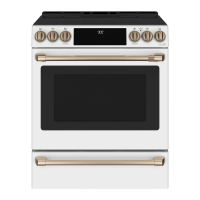
| Type | Slide-In |
|---|---|
| Fuel Type | Electric |
| Cooktop Burners | 5 |
| Convection Oven | Yes |
| Self-Cleaning | Yes |
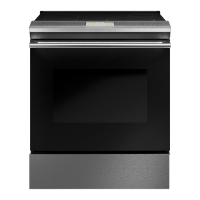
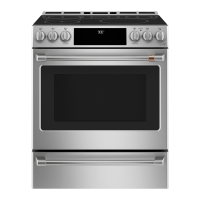
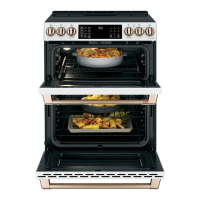
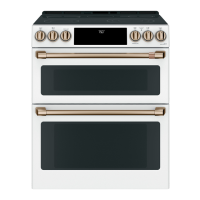
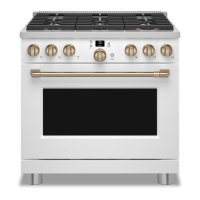
| Color | Matte White |
| Width | 30 inches |
| Cooktop Material | Ceramic Glass |
| Power Source | Electric |

 To Next Page