EasyManua.ls Logo

Cafe CES750 - User Manual

Cafe CES750
32 pages
Print Icon
To Next Page IconTo Next Page
Loading...
49-2001029 Rev. 1 01-22 GEA
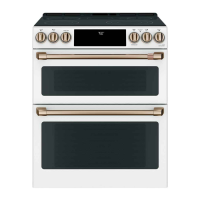
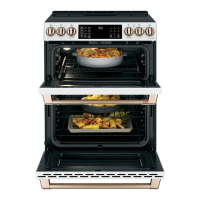
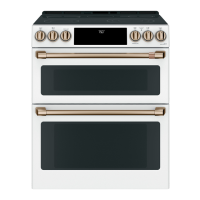
Double Oven Radiant Slide-In Ranges
Model: CES750
Contents
Safety Information ...............................3
Using the Range
Surface Units ..................................8
Cookware for Induction Cooktop ..................10
Oven Controls ................................12
Options ......................................13
Settings .....................................13
Sabbath Mode ................................15
Oven Racks ..................................16
Aluminum Foil and Oven Liners ...................17
Cookware ....................................17
Cooking Modes ...............................17
Oven Probe ..................................19
Cooking Guide ................................20
Care And Cleaning
Cleaning the Range – Exterior ....................21
Cleaning the Range – Interior ....................22
Cleaning the Glass Cooktop .....................23
Oven Probe ..................................24
Oven Light ...................................25
Oven Door ...................................26
Troubleshooting Tips ...........................27
Limited Warranty ...............................30
Accessories ...................................31
Consumer Support .............................32
Owner's Manual
Español
Para consultar una version en español de este manual de instrucciones,
visite nuestro sitio de internet cafeappliances.com.
Write the model and serial numbers here:
Model # _______________________________
Serial # _______________________________
You can find the rating label under the manifold panel.
TM

Questions and Answers

  • M
    madison92Sep 12, 2025
    Why is there a strong odor coming from my new Cafe Ranges oven?
    • P
      parkernicoleSep 12, 2025
      A strong odor from the insulation around the inside of the oven is normal when the oven is first used. This is temporary and will go away after several uses or a self-clean cycle.
  • H
    hartmichaelAug 25, 2025
    Why does "LOCK DOOR" flash on my Cafe Ranges display?
    • D
      Diana GibbsAug 25, 2025
      The "LOCK DOOR" message flashes when the self-clean cycle has been selected, but the oven door is not fully closed. Ensure the oven door is completely closed to start the cleaning cycle.
  • C
    Carl MorseAug 25, 2025
    What to do if my Cafe CES750 oven does not work?
    • B
      biancarochaAug 26, 2025
      First, ensure the range is fully plugged into a properly grounded electrical outlet. Check your home's fuse or circuit breaker and replace or reset it if needed. Also, verify that the oven controls are correctly set. Finally, check to see if the oven is accidentally in Sabbath Mode and disable it if necessary.
  • K
    Kaitlyn ThompsonSep 23, 2025
    Why does my Cafe Ranges control signal after entering cooking time or start time?
    • E
      ernestortegaSep 23, 2025
      You likely forgot to enter a bake temperature or cleaning time. Touch the Bake pad and desired temperature, or the Self Clean pad and desired clean time.
  • T
    Terri GarciaSep 13, 2025
    What causes fan noise in Cafe Ranges?
    • P
      philip17Sep 13, 2025
      A convection fan may automatically turn on and off to maximize cooking evenness. It will operate during preheat and turn off after the oven reaches the set temperature. A cooling fan may also turn on and off to cool internal parts, even after the oven is turned off. This is normal operation.
  • M
    Michael LewisSep 18, 2025
    Why does food dry out in my Cafe CES750 warming drawer?
    • W
      watsonamandaSep 18, 2025
      Food can dry out if moisture is escaping, or if the drawer is not fully closed. Cover food with a lid or aluminum foil and ensure the drawer is pushed in until the latch engages.
  • I
    Ian McdonaldSep 6, 2025
    Why does my new Cafe CES750 Ranges oven cook differently than my old one?
    • M
      Marc FergusonSep 6, 2025
      Your new oven may cook differently because it has a different cooking system. Carefully follow recipe times and temperatures for the first few uses. If you still think your new oven is too hot or cold, you can adjust the temperature to meet your cooking preference. This adjustment affects Bake and Convection Bake temperatures, but not Broil or Clean.
  • J
    james55Sep 6, 2025
    What to do if my Cafe CES750 Ranges oven will not steam clean?
    • J
      Jacob NelsonSep 7, 2025
      If the display flashes HOT, allow the oven to cool to room temperature and then reset the controls. Ensure the oven controls are set correctly. Also, make sure the oven door is closed to start the steam clean cycle.
  • R
    robinsonstephanieSep 23, 2025
    Why is there water remaining on the oven floor after the Steam Clean cycle of my Cafe CES750?
    • P
      pierceloganSep 23, 2025
      It is normal for water to remain on the oven floor after a Steam Clean cycle. Remove any remaining water with a dry cloth or sponge.
  • A
    Andrew VanceAug 30, 2025
    Why did my Cafe Ranges surface unit setting change or turn off?
    • J
      josephandersonAug 30, 2025
      This can occur due to high cooktop temperature. Allow the internal fan to cool the cooktop. Also, check to see if the pan has boiled dry.

Cafe CES750 Specifications

General IconGeneral
TypeElectric Range
Self-CleaningYes
Wi-Fi ConnectivityYes
Cooktop SurfaceCeramic Glass
Number of Elements5
Power SourceElectric
Color OptionsStainless Steel
Width30 in
Cooktop ConfigurationSmooth

Related product manuals