EasyManua.ls Logo

Cafe CHS90XP2MS1 - User Manual

Cafe CHS90XP2MS1
37 pages
Print Icon
To Next Page IconTo Next Page
Loading...
Write the model and serial numbers here:
Model # _______________________________
Serial # _______________________________
You can find the rating label on the front behind the
range drawer.
49-2000573 Rev. 5 01-23 GEA
Induction Slide-In Ranges
Model: CHS90XP
Contents
Safety Information ...............................3
Using the Range
Surface Units ..................................8
Cookware for Induction Cooktop ...................9
Precision Cooking .............................12
Oven Controls ................................16
Oven Door Camera ............................16
Cooking Options ...............................17
Settings .....................................17
Sabbath Mode ................................19
Oven Racks ..................................20
Aluminum Foil and Oven Liners ...................21
Cookware ....................................21
Oven Cooking Modes ..........................21
Oven Probe ..................................23
Oven Cooking Guide ...........................24
Air Fry Cooking Guide ..........................26
Care And Cleaning
Range – Exterior ..............................27
Range – Interior ...............................28
Glass Cooktop ................................29
Oven Probe ..................................30
Drawer ......................................31
Oven Lights ..................................32
Oven Door ...................................33
Troubleshooting Tips ...........................34
Limited Warranty ...............................38
Accessories ...................................39
Consumer Support .............................40
Owner's Manual
Español
Para consultar una version en español de este manual de instrucciones,
visite nuestro sitio de internet cafeappliances.com.
TM
Question and Answer IconNeed help?

Do you have a question about the Cafe CHS90XP2MS1 and is the answer not in the manual?

Overview

This document is the Owner's Manual for the Cafe Induction Slide-In Ranges, specifically model CHS90XP. It provides comprehensive information on the appliance's operation, maintenance, and safety.

Function Description:

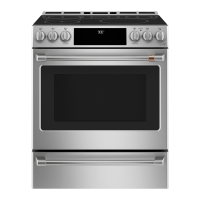
The Cafe Induction Slide-In Range is a cooking appliance featuring an induction cooktop and a multi-mode oven. The induction cooktop utilizes electromagnetic fields to directly heat ferrous metal cookware, offering efficient and responsive cooking. The oven provides various cooking modes, including traditional Bake and Broil, Convection Bake and Roast, Air Fry, Baked Goods, Frozen Snacks (Single and Multi-rack), Frozen Pizza (Single and Multi-rack), Warm, and Proof. It also incorporates advanced features such as Precision Cooking with a Cooktop Sensor or compatible Bluetooth devices (Hestan Cue® cookware or Precision Probe) for precise temperature control, and an Oven Door Camera for remote viewing of the oven cavity via the SmartHQ mobile app. The range includes a Warming Drawer on some models to keep cooked foods at serving temperature.
Important Technical Specifications:

  • Induction Cooktop: Operates by generating heat in ferrous metal pans. Requires cookware made of magnetic materials (iron or steel). Minimum pan sizes are specified for each element (e.g., 4-1/2" Min. Dia. for some, 5" Min. Dia. for others, 7" Min. Dia. for larger elements).
  • Precision Cooking Temperature Range:
    • Precision Cooktop Sensor: 100°F-425°F
    • Hestan Cue® Cookware: Small to medium elements: 100°F-500°F; Large elements: 150°F-500°F; Left front element: 100°F-425°F
    • Precision Cooktop Probe: Small to medium elements: 100°F-200°F; Large element: 100°F-200°F
  • Oven Temperature Adjustment: Can be adjusted up to 35°F hotter or down to 35°F cooler for Bake and Convection Bake modes.
  • Oven Light Bulbs: 40-watt appliance bulb or 50-watt halogen lamp bulb, depending on the model.
  • Oven Probe: Monitors internal food temperature up to a maximum of 200°F.
  • Self-Clean Cycle: Offers 3-hour (moderately soiled) and 5-hour (heavily soiled) options.
  • Sabbath Mode: Disables tones, oven lights, and introduces delays in display changes. Allows continuous or timed baking. Preset temperatures for continuous bake: 200°F, 250°F, 300°F, 325°F, 400°F. Preset times: 2 hours, 2.5 hours, 3 hours, 3.5 hours, 4 hours.
  • Auto Off Feature: Shuts down the oven after 12 hours of continuous operation.
  • Connectivity: WiFi Connect and Bluetooth® (Chef Connect) for smart features and device pairing.

Usage Features:

  • Surface Units: Knobs control heat settings. A HOT COOKTOP indicator light signals when the surface is hot. Sync Burners feature allows controlling left elements together for griddle cooking.
  • Warming Zone: Keeps hot, cooked food at serving temperature. Always start with hot food and cover for best results.
  • Precision Cooking: Can be controlled via range knobs, SmartHQ app, or Hestan Cue® app. Only one precision cooking device can operate at a time. Cookware must make good contact with the Precision Cooktop Sensor.
  • Oven Controls: Includes pads for Bake, Broil, Warm, Conv Bake, Conv Roast, Options, Clean (Self Clean and Steam Clean), Timer, Oven Light, Warming Drawer, Lock Controls, and Start/Enter.
  • Oven Door Camera: Allows remote viewing of the oven cavity via the SmartHQ mobile app. Oven lights illuminate during streaming.
  • Cooking Options:
    • Air Fry: No-preheat mode for crispier foods. Temperature range 300°F-500°F. Single rack cooking recommended.
    • Baked Goods: Single rack mode for cakes, breads, cookies, providing lighter top browning and better volume.
    • Frozen Snacks/Pizza: Single and Multi-rack modes for frozen foods. Some modes do not require preheating.
    • Warm: Keeps food hot. No preheating required.
    • Proof: Maintains a warm environment for rising yeast dough.
  • Oven Probe Usage: Insert into the thickest part of the food, avoiding bone, fat, or gristle. Can be used with or without preheating.
  • Oven Racks: Extension racks and traditional flat racks. Instructions for removal, replacement, and lubrication are provided.
  • Settings: Allows adjustment of Clock, Bluetooth® pairing, Auto Conv (Auto Conversion) On/Off, Auto Off On/Off, Sound volume and type, F/C (Fahrenheit or Celsius) display, Oven temperature adjustment, Oven Info display, and WiFi Connect.

Maintenance Features:

  • Range Exterior: Clean with mild soap and water or vinegar and water. Avoid abrasive cleansers on control panel and painted surfaces. Stainless steel surfaces should be cleaned with warm sudsy water or a stainless steel cleaner/polish, wiping in the direction of the grain.
  • Range Interior: Can be cleaned manually, with Steam Clean, or Self Clean.
    • Manual Cleaning: Use gentle abrasive (e.g., Bar Keepers Friend®) on enameled surfaces; soft cloth with mild soap and water or vinegar and water on door glass.
    • Steam Clean: For light soil. Requires 1 cup of water in the oven bottom.
    • Self Clean: For moderate to heavy soil. Requires removal of all items except self-clean (black) racks.
  • Glass Cooktop:
    • Normal Daily Use: Use ceramic cooktop cleaner and non-scratch cleaning pad.
    • Burned-On Residue: Allow to cool, apply ceramic cooktop cleaner, and rub with non-scratch pad. For Precision Cooktop Sensor, use soapy water and non-abrasive sponge.
    • Metal Marks and Scratches: Removable with ceramic cooktop cleaner.
    • Sugary Spills/Melted Plastic: Remove while still hot using a new, sharp razor scraper (except on Precision Cooktop Sensor).
  • Oven Probe: Clean with soap and water or a soap-filled scouring pad when cool.
  • Warming Drawer: Can be removed for thorough cleaning with soap and warm water.
  • Oven Lights: Instructions for replacing 40-watt appliance bulbs and 50-watt halogen lamp bulbs are provided. Disconnect power before replacement.

Cafe CHS90XP2MS1 Specifications

General IconGeneral
BrandCafe
ModelCHS90XP2MS1
CategoryRanges
LanguageEnglish

Related product manuals