EasyManua.ls Logo

Cafe CHS90XM - User Manual

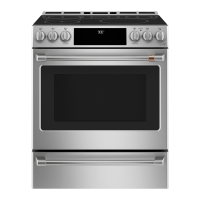
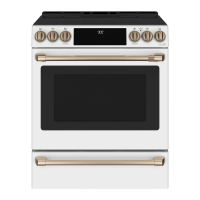
Cafe CHS90XM
44 pages
Print Icon
To Next Page IconTo Next Page
Loading...
TM
Write the model and serial numbers here:
Model # _______________________________
Serial # _______________________________
You can find them on a label behind the door
or drawer.
49-2001001 Rev. 1 11-21 GEA
Owner's Manual
Español
Para consultar una version en español de este manual de instrucciones,
visite nuestro sitio de internet cafeappliances.com.
Induction Front Control Ranges
Models: CHS900M and CHS90XM
Contents
Safety Information ...............................3
Using the Range
Surface Units ..................................7
Cookware for Induction Cooktop ...................9
Precision Cooking .............................11
Oven Controls ................................18
Settings .....................................19
Sabbath Mode ................................21
Oven Racks ..................................22
Aluminum Foil and Oven Liners ...................23
Cookware ....................................23
Cooking Modes ...............................23
Oven Door Camera ............................24
Probe .......................................25
Cooking Guide ................................26
Air Fry Cooking Guide ..........................27
Care And Cleaning
Cleaning the Range – Exterior ....................28
Cleaning the Range – Interior ....................29
Glass Cooktop ................................30
Probe .......................................32
Oven Light ...................................32
Oven Doors ..................................33
Removable Storage Drawer ......................34
Troubleshooting Tips ...........................35
Limited Warranty ...............................42
Accessories ...................................43
Consumer Support .............................44
Question and Answer IconNeed help?

Do you have a question about the Cafe CHS90XM and is the answer not in the manual?

Overview

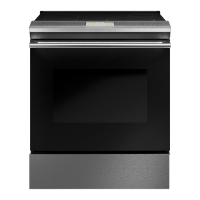
This document is the owner's manual for the Café Induction Front Control Ranges, specifically models CHS900M and CHS90XM. It provides comprehensive information on safety, operation, care, and troubleshooting for the appliance.

Function Description:

The Café Induction Front Control Range is a kitchen appliance designed for cooking, featuring an induction cooktop and a multi-functional oven. The induction cooktop utilizes electromagnetic fields to directly heat cookware, offering precise and efficient cooking. The oven provides various cooking modes, including traditional bake, broil, convection, precision cooking, proof, warm, and air fry (on some models). The range also integrates smart features, allowing for Wi-Fi connectivity and remote operation via the SmartHQ mobile app, as well as compatibility with Bluetooth-enabled cooking accessories like Hestan Cue® cookware and a Precision Probe.
Important Technical Specifications:

  • Cooktop Elements: Induction technology for efficient heating.
  • Minimum Pan Size: Specific minimum diameters are required for each cooking element (e.g., 4-1/2" to 7" minimum diameter depending on the element).
  • Precision Cooktop Sensor: Located on the front left burner (on some models), it controls cookware temperature based on sensor readings, with a temperature range of 100°F-425°F.
  • Hestan Cue® Cookware Compatibility: Works with small to medium elements (100°F-500°F) and large elements (150°F-500°F) for precise temperature control and guided cooking recipes.
  • Precision Probe Compatibility: Controls liquid load temperature for sous-vide or low-temperature cooking, with a range of 100°F-200°F for small to medium elements and 120°F-200°F for large elements.
  • Oven Temperature Range: Adjustable up to 35°F hotter or down to 35°F cooler from the set temperature.
  • Oven Light: 120/130-volt halogen bulb, not to exceed 50 watts (G9 bulb type) or 40-watt appliance bulb, depending on the model.
  • Wi-Fi Connectivity: Allows for remote control and software updates via the SmartHQ app.
  • Bluetooth Connectivity: For pairing with smart cooking accessories.
  • Sabbath Mode: Disables oven lights, sounds, convection modes, broil modes, warm, proof, and all time functions, usable only with traditional Bake.
  • Anti-Tip Device: Essential safety feature to prevent the range from tipping over.

Usage Features:

  • Cooktop Operation:
    • Turn elements On/Off by touching and holding the pad.
    • Select power level by swiping the gray arc, touching anywhere along the arc, or using +/- pads.
    • Shortcut to Hi/Low by touching +/- pads immediately after turning on.
    • Sync Burners: Controls two left elements together for large cookware like griddles.
    • Warming Zone: Keeps hot, cooked food at serving temperature (Low, Medium, High settings).
  • Precision Cooking:
    • Cooktop Sensor: Uses a sensor on the front left burner for precise temperature control of cookware.
    • Hestan Cue® Cookware: Pairs via Bluetooth for precise temperature control and guided recipes.
    • Precision Probe: Pairs via Bluetooth for precise liquid temperature control.
    • Control Modes: App Control (via SmartHQ or Hestan Cue app) or Local Control (via burner control).
    • Cookware Selection: Prompts to choose cookware type (conventional or Bluetooth-compatible) for optimal performance.
  • Oven Controls:
    • Bake: Traditional single-rack baking. Preheating recommended.
    • Broil: High or Low settings for grilling-like results. Door closed. No preheating needed.
    • Convection Bake Multi-Rack: For even cooking on multiple racks. Preheating recommended.
    • Convection Roast: For roasting whole cuts of meat, improves browning and reduces cooking time. Preheating recommended.
    • Proof: For rising bread doughs.
    • Warm: Keeps hot foods warm for up to 3 hours. No preheating needed.
    • Air Fry (on some models): Special no-preheat mode for crispier foods, single-rack cooking only.
    • Oven Light: Turns oven cavity lights on/off.
    • Settings: Accesses various options like Wi-Fi & Remote Enable, Bluetooth, Set Clock, Lock Control, Sabbath, Sound, Cooking (Fahrenheit/Celsius, Auto Recipe Conversion, 12 Hour Shut Off, Adjust Temperature), and System.
    • Favorite: Saves preferred cooking cycles for quick access.
    • Kitchen Timer: Countdown timer, does not turn off the oven.
    • Cook Time: Counts down cooking time and turns off the oven when complete.
    • Delay Time: Delays the start time of an oven cycle.
    • Oven Door Camera (on some models): Allows remote viewing of the oven cavity via the SmartHQ app.
  • Oven Racks: Extension racks and traditional flat racks. Lubrication instructions for smooth operation.
  • Precision Probe Usage: Insert into food, connect to outlet, select desired cooking mode and internal food temperature. Can be used with or without preheating.

Maintenance Features:

  • General Cleaning:
    • Control Lockout: Deactivates touchpads for cleaning.
    • Control Panel: Wipe with mild soap and water or vinegar and water.
    • Oven Exterior: Mild soap and water or vinegar and water. Avoid abrasive cleaners.
    • Painted Surfaces & Black Stainless Steel: Soap and water or vinegar and water.
    • Stainless Steel (excluding Black Stainless Steel): Warm sudsy water or stainless steel cleaner/polish, wipe with grain.
  • Oven Interior Cleaning:
    • Manual Cleaning: Mild soap and water or vinegar and water for door glass and interior surfaces. Gentle abrasive (e.g., Bar Keepers Friend®) for oven bottom.
    • Steam Clean Mode: For light soil, pour 1 cup of water into the oven bottom and run the cycle.
    • Self Clean Mode: For heavy soil, uses very high temperatures. Remove all items except self-clean (black) racks. 3-hour for moderate, 5-hour for heavy soil.
  • Glass Cooktop Cleaning:
    • Normal Daily Use: Ceramic cooktop cleaner and non-scratch cleaning pad.
    • Burned-On Residue: Allow to cool, apply ceramic cooktop cleaner, use non-scratch cleaning pad. For heavy residue, use a single-edge razor blade scraper at a 45° angle.
    • Precision Cooktop Sensor: ONLY use water and dish detergent with non-scratch pads.
    • Sugary Spills & Melted Plastic: Remove while hot using a single-edge razor blade scraper and paper towels to prevent pitting.
  • Oven Heating Elements: Do not clean; soil burns off when heated.
  • Oven Probe: Clean with soap and water or a soap-filled scouring pad. Do not immerse in water.
  • Oven Light Replacement: Disconnect power, remove glass cover, replace bulb (50-watt halogen or 40-watt appliance bulb).
  • Oven Door Removal/Replacement: Instructions for lifting off and re-installing the oven door, including camera harness disconnection for models with an oven camera.
  • Removable Storage Drawer: Remove for cleaning under the range. Clean with damp cloth or sponge. Instructions for removal and replacement.

Cafe CHS90XM Specifications

General IconGeneral
BrandCafe
ModelCHS90XM
CategoryRanges
LanguageEnglish

Related product manuals