EasyManua.ls Logo

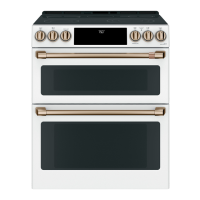
Cafe CES750 - User Manual

Cafe CES750
32 pages
Print Icon
To Next Page IconTo Next Page
Loading...
49-2001029 Rev. 1 01-22 GEA
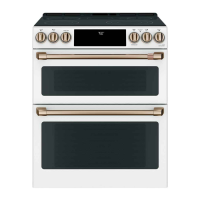
Double Oven Radiant Slide-In Ranges
Model: CES750
Contents
Safety Information ...............................3
Using the Range
Surface Units ..................................8
Cookware for Induction Cooktop ..................10
Oven Controls ................................12
Options ......................................13
Settings .....................................13
Sabbath Mode ................................15
Oven Racks ..................................16
Aluminum Foil and Oven Liners ...................17
Cookware ....................................17
Cooking Modes ...............................17
Oven Probe ..................................19
Cooking Guide ................................20
Care And Cleaning
Cleaning the Range – Exterior ....................21
Cleaning the Range – Interior ....................22
Cleaning the Glass Cooktop .....................23
Oven Probe ..................................24
Oven Light ...................................25
Oven Door ...................................26
Troubleshooting Tips ...........................27
Limited Warranty ...............................30
Accessories ...................................31
Consumer Support .............................32
Owner's Manual
Español
Para consultar una version en español de este manual de instrucciones,
visite nuestro sitio de internet cafeappliances.com.
Write the model and serial numbers here:
Model # _______________________________
Serial # _______________________________
You can find the rating label under the manifold panel.
TM

Questions and Answers

  • H
    hartmichaelAug 25, 2025
    Why does "LOCK DOOR" flash on my Cafe Ranges display?
    • D
      Diana GibbsAug 25, 2025
      The "LOCK DOOR" message flashes when the self-clean cycle has been selected, but the oven door is not fully closed. Ensure the oven door is completely closed to start the cleaning cycle.
  • C
    Carl MorseAug 25, 2025
    What to do if my Cafe CES750 oven does not work?
    • B
      biancarochaAug 26, 2025
      First, ensure the range is fully plugged into a properly grounded electrical outlet. Check your home's fuse or circuit breaker and replace or reset it if needed. Also, verify that the oven controls are correctly set. Finally, check to see if the oven is accidentally in Sabbath Mode and disable it if necessary.
  • C
    Chad MunozAug 26, 2025
    What to do if my Cafe Ranges oven door will not open after a clean cycle?
    • S
      Scott MooreAug 26, 2025
      If your oven door won't open after a clean cycle, it's likely because the oven is still too hot. Allow the oven to cool down below the locking temperature, and then the door should open.
  • S
    Stephen ScottAug 27, 2025
    What to do if my Cafe CES750 Ranges oven will not self-clean?
    • M
      Mary MartinezAug 27, 2025
      The oven may not self-clean if the temperature is too high. Allow the oven to cool, then reset the controls. Also, ensure the oven controls are properly set. Finally, remove the probe from the oven if it's plugged in.
  • L
    Laura WillisAug 27, 2025
    What to do if my Cafe CES750 display flashes?
    • J
      Joseph TorresAug 27, 2025
      If the display is flashing, it usually indicates a power failure. Reset the clock to resolve the issue.
  • B
    Brian MatthewsAug 28, 2025
    What to do if my Cafe Ranges clock and timer do not work?
    • J
      Jeremy HarringtonAug 28, 2025
      Check if a fuse in your home has blown or if the circuit breaker has tripped, and replace or reset it. Also, ensure the range is fully plugged into a live, properly grounded electrical outlet. Finally, verify that the oven controls are set correctly.
  • J
    Jeffery CarterAug 29, 2025
    What does it mean when “F— and a number or letter” flash on the Cafe CES750 display?
    • Y
      ycampbellAug 29, 2025
      This indicates a function error code. Press the Cancel/Off pad and let the oven cool for one hour before trying to use it again. If the error repeats, disconnect power to the oven for at least 30 seconds, then reconnect it. If the error continues, further assistance is needed.
  • E
    Erin BryantAug 30, 2025
    Why does my Cafe CES750 Ranges oven take longer to preheat?
    • M
      miranda51Aug 30, 2025
      The presence of cookware or food in the oven can extend preheating time, so remove these items to reduce preheat time. Also, the number of racks in the oven affects preheating time; removing some racks can help. Different cooking modes also use different preheat methods, with some modes, like convection bake, taking longer.
  • A
    Andrew VanceAug 30, 2025
    Why did my Cafe Ranges surface unit setting change or turn off?
    • J
      josephandersonAug 30, 2025
      This can occur due to high cooktop temperature. Allow the internal fan to cool the cooktop. Also, check to see if the pan has boiled dry.
  • C
    cwilliamsAug 23, 2025
    Why are my Cafe CES750 Ranges surface units not working or flashing?
    • M
      Matthew FrancoAug 25, 2025
      Several factors can cause this issue. The pan may not be centered in the cooking zone or might not be making full contact with the glass surface—ensure the pan is flat and properly positioned. Low voltage in your area can also be a factor; try covering the pan with a lid to retain heat. Additionally, check your home's fuse or circuit breaker and replace or reset if necessary. Finally, make sure the cooktop controls are correctly set by pressing On and then using the + or - buttons.

Cafe CES750 Specifications

General IconGeneral
TypeElectric Range
Self-CleaningYes
Wi-Fi ConnectivityYes
Cooktop SurfaceCeramic Glass
Number of Elements5
Power SourceElectric
Color OptionsStainless Steel
Width30 in
Cooktop ConfigurationSmooth

Related product manuals