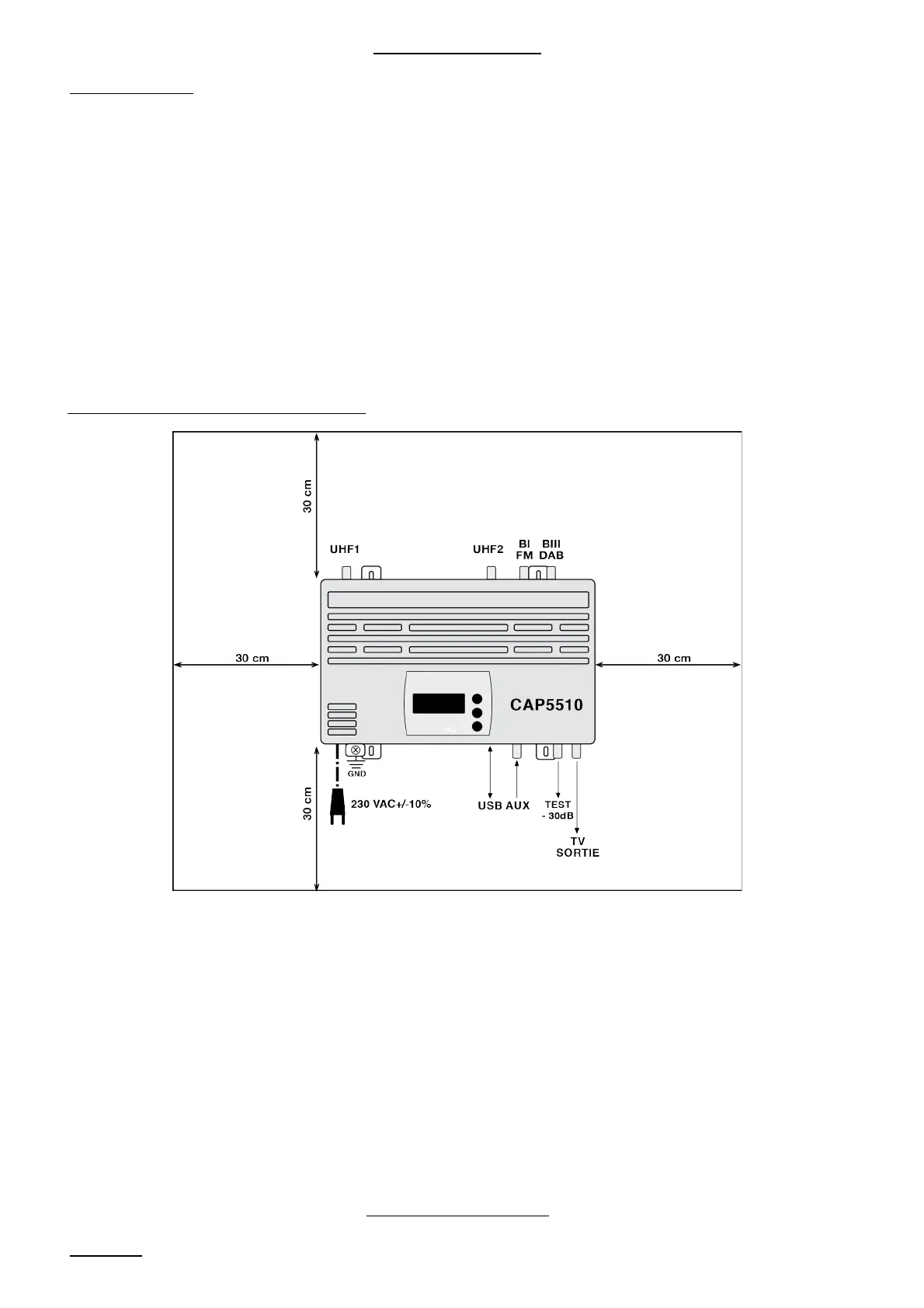
INSTALLATION
1 / Wall mount:
The central CAP5510 housing must only be installed indoors or in a protective
Cabinet.
The external dimensions of the CAP5510 are:
320 (width) x 260 (height) x 40 (depth) mm
It must be installed in a place protected and sufficiently ventilated to avoid any risk of
overheating (do not cover the different ventilation openings).
It shall be fixed on a flat surface by means of 4 mounting screws.
2 / Connecting the ANTENNAS:
Connect the antenna cables depending on the selected configuration; the measuring
device of output, plug cord to a 230V respecting the standard C 15-100 and the
ground wire to the chassis of the Central socket.
PROGRAMMING
1 / Power
5


 To Next Page