2.2 Controls and Power modes
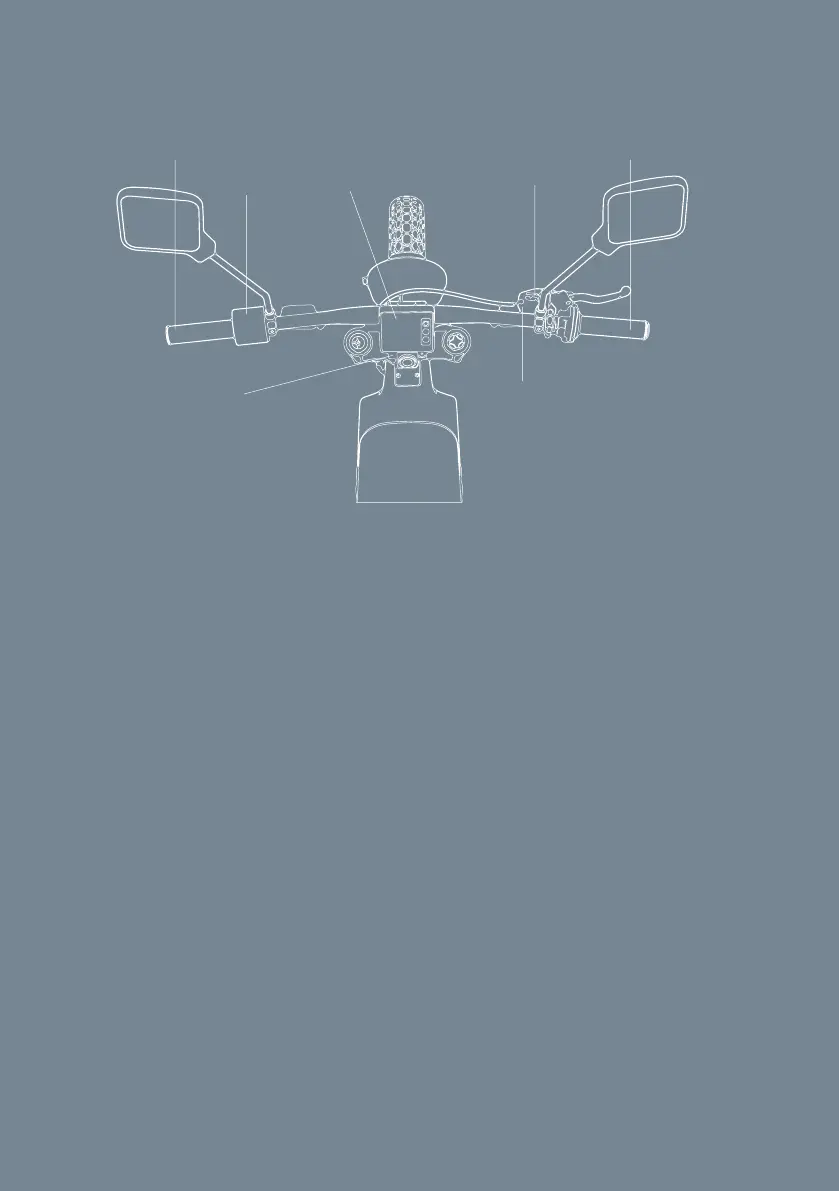
Rider controls and components
Grips, Throttle, Kill switch, Front brake, Stem, Display, Handlebar control
State Of Charge Indicator
The application includes a Battery SOC estimator, which uses an algorithm to
estimate the SOC of the battery. The SOC is indicated on the top right of the
display
Kill switch
The kill switch is located on the right side of the handlebar. When the kill
switch is connected with the magnet, the bike is turned on.
When you are done riding or in case of an emergency, pull the kill switch to
turn o the bike.
Kill switchStem
Handlebar
control
Display Front brake
Throttle
Grip
WARNING: Read and understand this manual and its safety instructions
before using this product. Failure to do so can result in serious injury or death.
The product shall only be used as described by the manufacturer. Any other
use is considered unprofessional and dangerous.


 To Next Page