COMMERCIAL IN CONFIDENCE
Page 17
Writing the Setpoint
Writing to the CAL Controller requires a three stage process which prevents simultaneous access from
the front panel. To prevent accidental changes caused by unreliable communications, a sequence of
messages must be sent in strict order.
1. Lock the keypad - a sequence referred to as enter program mode
2. Write new values to the CAL Controller
3. Unlock the keypad and restart with the new values - a sequence referred to as exit program
mode
1. Enter Program Mode
To enter the programming mode of the CAL Controller, two messages must be transmitted - both must
be recognised, in strict sequence, as valid for the operation to be successful. The first message
informs the controller that the next message is a security locking message, if the second message is
not acknowledged correctly, the whole sequence must be re-started from message 1.
1st Message:
byte 0 : Slave address xx
byte 1 : Function code (write register) 06 hex (always)
byte 2 : Register Address high byte 03 hex (always)
byte 3 : Register Address low byte 00 hex (always)
byte 4 : Register Value high byte 00 hex (always)
byte 5 : Register Value low byte 05 hex (always)
byte 6 : CRC low byte ??
byte 7 : CRC high byte ??
The controller should reply with an identical response, if not, this message should be re-
transmitted until the response is correct.
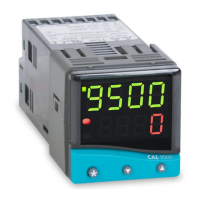
Note: the 9500 does not require the security message to be sent.
2nd Message:
byte 0 : Slave address xx
byte 1 : Function code (write register) 06 hex (always)
byte 2 : Register Address high byte 15 hex (always)
byte 3 : Register Address low byte 00 hex (always)
byte 4 : Register Value high byte 00 hex (always)
byte 5 : Register Value low byte 00 hex (always)
byte 6 : CRC low byte ??
byte 7 : CRC high byte ??
The CAL Controller should reply with an identical response, if not, the message pair is lost and
the sequence must be repeated from message 1.


 To Next Page
 Loading...