12 — KitchenCalc Pro
USING THE TIMER
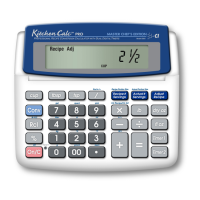
Your calculator functions not only as a cooking unit converter and
recipe scaler, but also as a kitchen timer. The audible timer counts
up and down. See instructions below:
Using the Timer
— Press [Timer] to access the built-in timer or
timer mode. The timer can be set to count down from 24 hours or
less. The timer will count up to 12 hours.
Count Up and Pause Timer
— Once in timer mode, press [Timer]
again to start counting up. Press it once more to pause or freeze
counting. Continue counting by pressing [Timer].
Count Down and Stop Timer
— To set the timer to count down,
follow this example: Set the timer for a baking time of 1 hour,
30 minutes:
Description/Keystroke Display
Access timer: [Timer] 0:00:00
Enter 1 hour: 1 0:00:01
Enter 30 min.: 3 0 0:01:30
Enter 0’s for sec.: 0 0 1:30:00
Start Timer: [Timer] 1:30:00
Note: Press [Timer] again to pause counting down. Press it once more to continue.
Clear the Timer Display
— Press [On/C]. Important Note: You
must first pause the timer if it’s counting, then press [On/C].
Exit the Timer
— To clear and exit the timer mode (once the timer
is paused), press [On/C] twice. To exit the timer mode without clear-
ing the timer, press [On/C] only once, or press any non-timer key.
Note: If the timer is not cleared, the clock symbol will continue to blink on the display
to remind you the timer is running.
Using the Calculator While Timing
— You can also use the calcu-
lator while timing and it will not interfere with timer operations. To do
this, press [On/C] to exit the timer mode and continue to use calcu-
lator functions. To return to the timer mode, press [Timer] again.
Note: The clock symbol will continue to blink on the display to remind you the timer is
running when in “calculator” mode.













 To Next Page