User's Guide — 17
Decreasing No. of Servings
You’d like to decrease your chicken recipe from 6 servings to 4
servings. The recipe contains the following ingredients:
- 2 tsp. dried rosemary leaves
- 1/2 tsp. salt
- 1/4 tsp. black pepper
- 3/4 lb. carrots, etc.
Convert the ingredients to 4 servings:
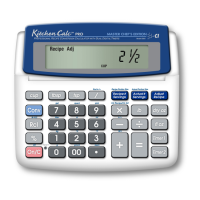
Keystroke Display
1) Clear Recipe Memory:
[Conv] [x] (Clear Recipe) 0.
2) Enter recipe’s Number of Servings:
6 [Recipe # Servings] 6. Recipe #
3) Enter desired Number of Servings:
4 [Actual # Servings] 4. Actual #
4) Enter ingredient measurements and press [Adjust Recipe]:
2 [tsp] [Adjust Recipe] 1-3/8 TSP (rosemary leaves)
1 [/] 2 [tsp] [Adjust Recipe] 0-3/8 TSP* (salt)
1 [/] 4 [tsp] [Adjust Recipe] 0-1/8 TSP* (pepper)
3 [/] 4 [lb] [Adjust Recipe] 0-1/2 LB (carrots)
*Due to rounding, there’s an extremely small remainder (0.042 of a teaspoon) you
can view by pressing [Conv] [/]. Note
: The displayed values are “kitchen fractions,” or
rounded fractions. To display the actual value, press [Adjust Recipe] again. Press it
once more to display the actual decimal value.













 To Next Page