User's Guide — 19
Decreasing Portion Size
Say the previous recipe has a stated portion size of 8 oz., but you
only want 3 oz. per person. What are the adjusted ingredients?
- 1 lb. flank steak
- 2 tbsp. Chinese cooking wine
- 1 tbsp. minced garlic
- 2 tsp. soy sauce
- 3/4 cup chicken stock, etc.
Convert the ingredients:
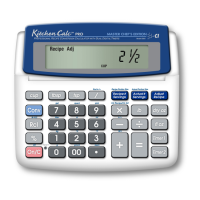
Keystroke Display
1) Clear Recipe Memory:
[Conv] [x] (Clear Recipe) 0.
2) Enter recipe’s Portion Size:
8 [Conv] [Recipe # Servings] (Recipe Portion Size)
8. Recipe Size
3) Enter desired Portion Size:
3 [Conv] [Actual # Servings] (Actual Portion Size) 3. Actual Size
4) Enter ingredient measurements and press [Adjust Recipe]:
1 [lb] [Adjust Recipe] 0-3/8 LB (flank steak)
2 [tbsp] [Adjust Recipe] 1 TBSP*
(Chinese cooking wine)
1 [tbsp] [Adjust Recipe] 1-1/8 TSP (minced garlic)
2 [tsp] [Adjust Recipe] 0-3/4 TSP (soy sauce)
3 [/] 4 [cup] [Adjust Recipe] 0-1/4 CUP**
(chicken stock)
*Convert to teaspoons to avoid the remainder (i.e., [Conv] [tsp] = 2-1/4 TSP).
**Convert to tablespoons (i.e., [Conv] [tbsp] = 4-1/2 TBSP).













 To Next Page