User's Guide — 9
If you do not want to view “kitchen” values, you can display actual
values by pressing the cooking unit key again. Important Note
: The
calculator will tell you when an actual value is displayed by display-
ing the word “Actual.”
See examples below:
Basic Math—Displaying Actual vs. Kitchen Fractions
Find 5-1/2 tbsp [÷] 2:
Keystroke Display
5 1 [/] 2 [tbsp] [÷] [2] [=] 2-3/4 TBSP (Actual Fraction)
[tbsp] 3 TBSP (Kitchen Fraction)*
[tbsp] 2.75 TBSP (Actual Decimal Value)
*Here, the calculator rounded up to a measuring spoon value you can actually meas-
ure with (as there are no “3/4 tbsp” size measuring spoons).
Conversions—Displaying Actual vs. Kitchen Fractions
Convert 2-3/4 tbsp to a “kitchen fraction,” actual decimal value, then
return to the entered value:
Keystroke Display
2 3 [/] 4 [tbsp] 2-3/4 TBSP
[Conv] [tbsp] 3 TBSP (Kitchen Fraction)*
[tbsp] 2.75 TBSP (Actual Decimal Value)
[tbsp] 2-3/4 TBSP (Actual Fraction)
*Here, the calculator rounded up to a unit you can actually measure with.
Recipe Scaling—Actual vs. Kitchen Fractions Displayed
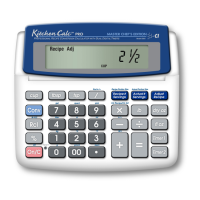
When performing Recipe Scaling using the [Adjust Recipe] key and
the answer is in a fractional format that does not support existing
measuring spoons or cups (see “Available Kitchen Fractions” on pre-
vious page), the “kitchen fraction” value will be displayed first. A sec-
ond press of the [Adjust Recipe] key will display the actual fraction
value. A third press will display the actual decimal value.













 To Next Page