EasyManua.ls Logo

Calea Ambix Activ - Setting Ramp Mode

Default Icon
16 pages
Print Icon
To Next Page IconTo Next Page
To Previous Page IconTo Previous Page
Loading...
Ambix Activ Ambulatory Pump and Accessories - User Guide
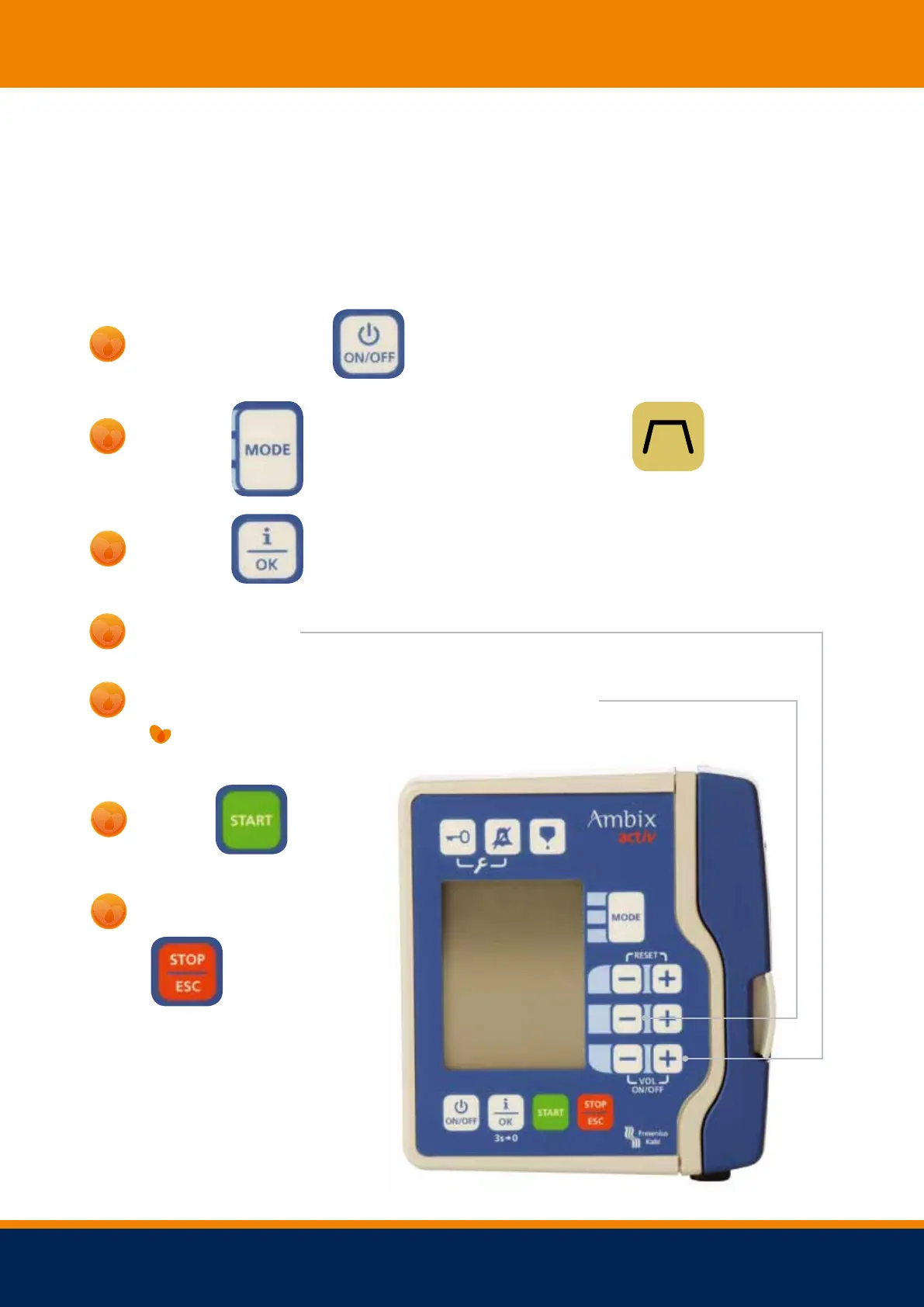
To set your specific mode - Ramp Mode
This mode is used if you would like your fluids administered continuously, with the flow rate
increasing at the beginning and decreasing at the end, if required.
Switch the pump on
1
Press
until you get to the following symbol
2
Hold
to reset for new infusion.
3
Set the volume.
4
Use the top -/ + buttons to switch between the screens:
5
Set the total time andUP andDOWN time by using top -/ + buttons.
Press
6
To stop the pump, hold
7
for 3 seconds
NOTE:
The pump will calculate the
rate of the infusion
8
Freephone 24 hour Advice Line 0 8 0 0 121 830 0

Other manuals for Calea Ambix Activ