Ambix Activ Ambulatory Pump and Accessories - User Guide
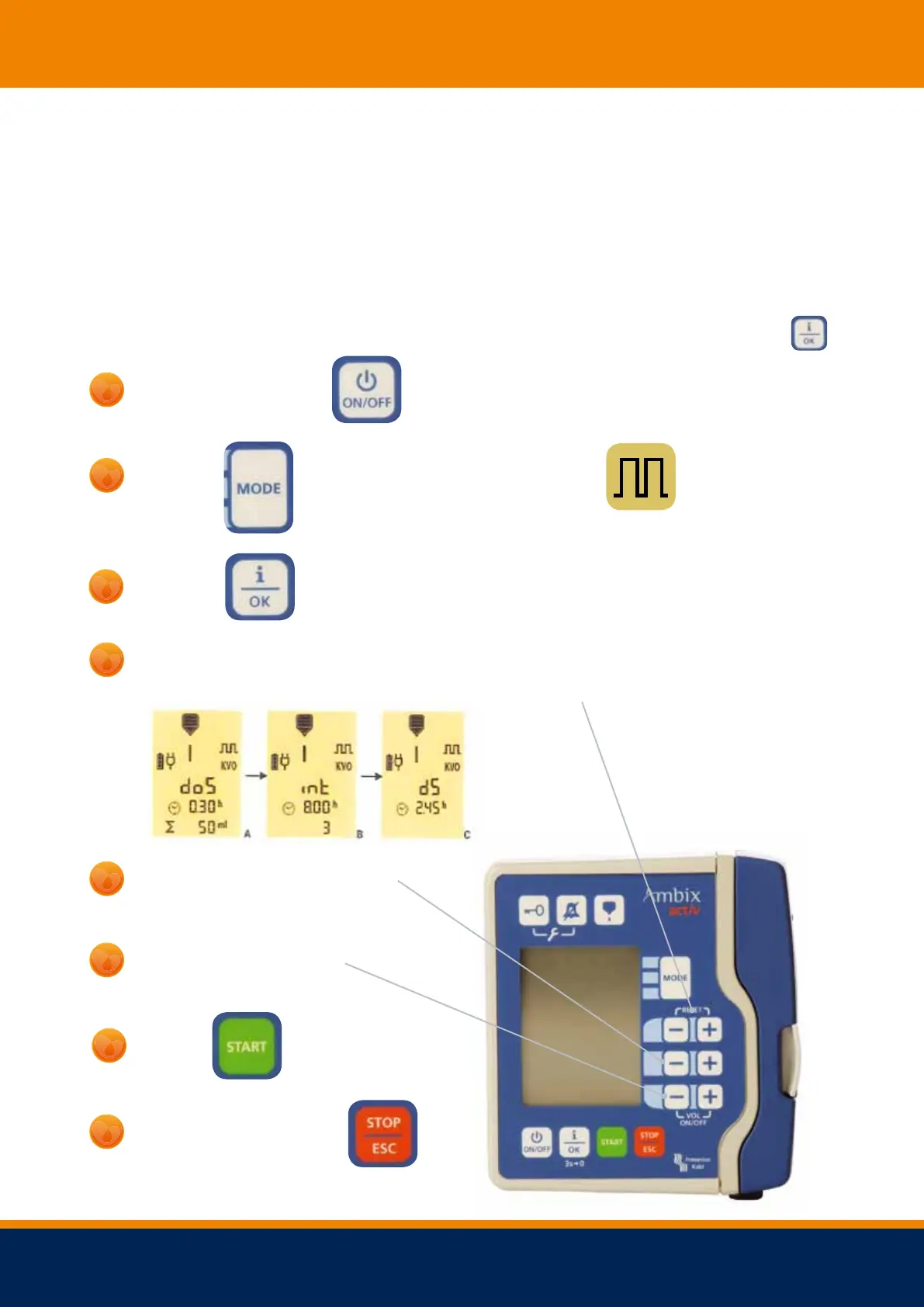
To set your specific mode - Intermittent Mode
NOTE: This mode is not suitable for use with parenteral nutrition
This mode is used if you have been instructed to administer your fluids at a calculated rate.
After the dose has been administered the pump stops for a defined period or before delivering
additional doses required. To show the total infusion duration and remaining volume press.
until you get to the following symbol
to reset for new infusion.
Use the top +/ - buttons to switch between the screens:
dose settings (dos, A), interval setting (int, B) and start delay (ds, C).
Set the dose time, interval time
Freephone 24 hour Advice Line 0 8 0 0 121 830 0



 To Next Page