Need help?
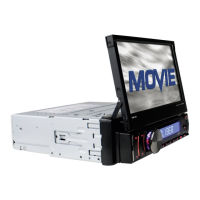
Do you have a question about the Caliber RMD 571 and is the answer not in the manual?
Safety guidelines for installation and use, avoiding liquids and cleaning agents.
Instructions for replacing the remote control battery and important notes about battery usage.
Explains the wiring connections for Socket 1, including ISO connectors and harness plugs.
Explains the wiring connections for Socket 2, including RCA and camera inputs.
Describes how to connect the parking brake line to the car's system for video display.
Steps for installing the unit into the car's dashboard, including anti-theft features.
Instructions for turning the unit on/off and operating the sliding monitor.
How to switch between RADIO, USB, SD/MMC CARD, and AUX modes.
Solutions for problems like no picture, no sound, picture/sound flaws, and remote control issues.
 General
| Brand | Caliber |
|---|---|
| Model | RMD 571 |
| Category | Car Video System |
| Language | English |

 To Next Page