Need help?
Do you have a question about the Caliber RMD 804DAB-BT and is the answer not in the manual?
Shows unit connections and ISO speaker wiring.
Details general, radio, DAB+, multimedia, and Bluetooth specs.
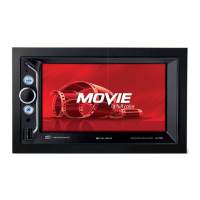
Identifies physical buttons and ports on the main unit.
Lists and describes remote control buttons and their functions.
Navigating menus, adjusting volume, brightness, and system settings.
Band selection, tuning, presets, RDS, DAB, USB/SD playback.
Pairing, calls, music, and screen mirroring via Bluetooth.
Precautions for safe driving, listening, electrical use, and environment.
Guides on antenna positioning on the windshield and sticking.
Instructions for connecting the antenna's 12V remote wire.
Legal obligations for disposing of old devices and batteries separately.
 General
| Type | Car Video System |
|---|---|
| Resolution | 800 x 480 pixels |
| Bluetooth | Yes |
| USB Port | Yes |
| MicroSD Slot/SD card reader | Yes |
| AUX Input | Yes |
| Touchscreen | Yes |
| Steering Wheel Control Support | Yes |
| Rear Camera Input | Yes |
| Audio Output/Maximum Power | 4 x 75W |
| Display Size | 7 inch |

 To Next Page