General Information
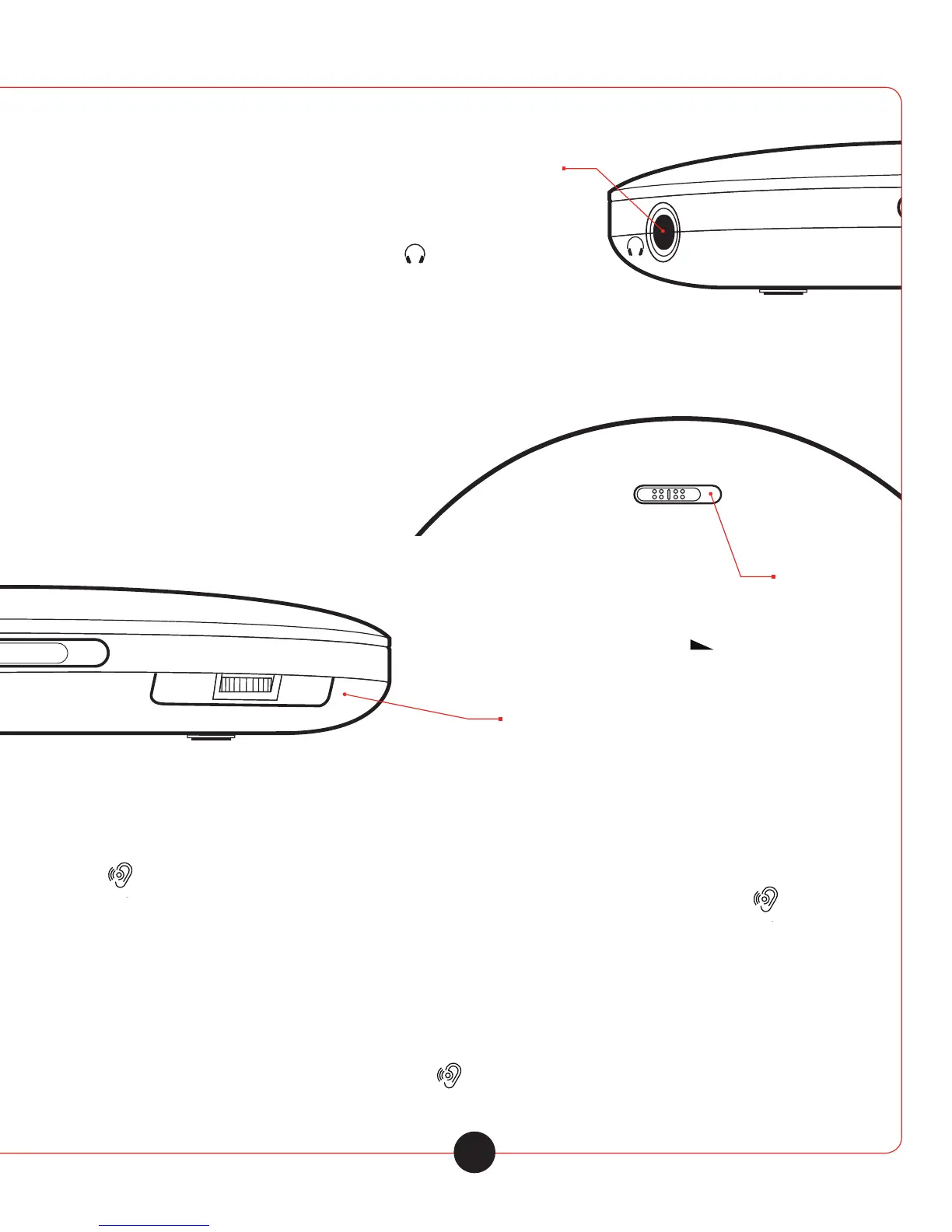
Connecting Earphones
1 Connect the earphones to the » PHONES « socket (ǿ 3.5 mm).
Notes
• Excessive volume can be hazard ous to yourself and other users. listen at a volume which still
allows you to hear outside noises clearly.
• The output of the device guaran tees the best possible sound at medium volume.
Prolonged listen ing at loud volumes can damage your hearing.
Switching on / o the key lock
1 Switch on the keylock by moving the slider
»HOLD« to the position »ON« - The keys on
the device are locked.
2 Switch o the keylock by moving the
slider »HOLD« to the position »OFF«
Adjusting the volume
1 Adjust the volume with »VOLUME «
Switch o the Maximum Volume limiter
To protect your hearing, alter switching on the device, only reduced volume is available. You can switch o
this “Volume restriction”.
1 » « press and hold. - Display: »HIGH« flashes for 5 sec onds.
2 While HIGH is flashing on the display, depress the Max. Vol. limiter button once more. » «
Note: The volume restriction is reacti vated after switching o or chang ing the disk.
Sound eects
During playback you can choose between the following sound eects: Voice (no display),
BBS, Pop, Jazz, Rock, Classic.
1 Select the sound eects by short pressing » «
6



 To Next Page