12 HOW TO USE
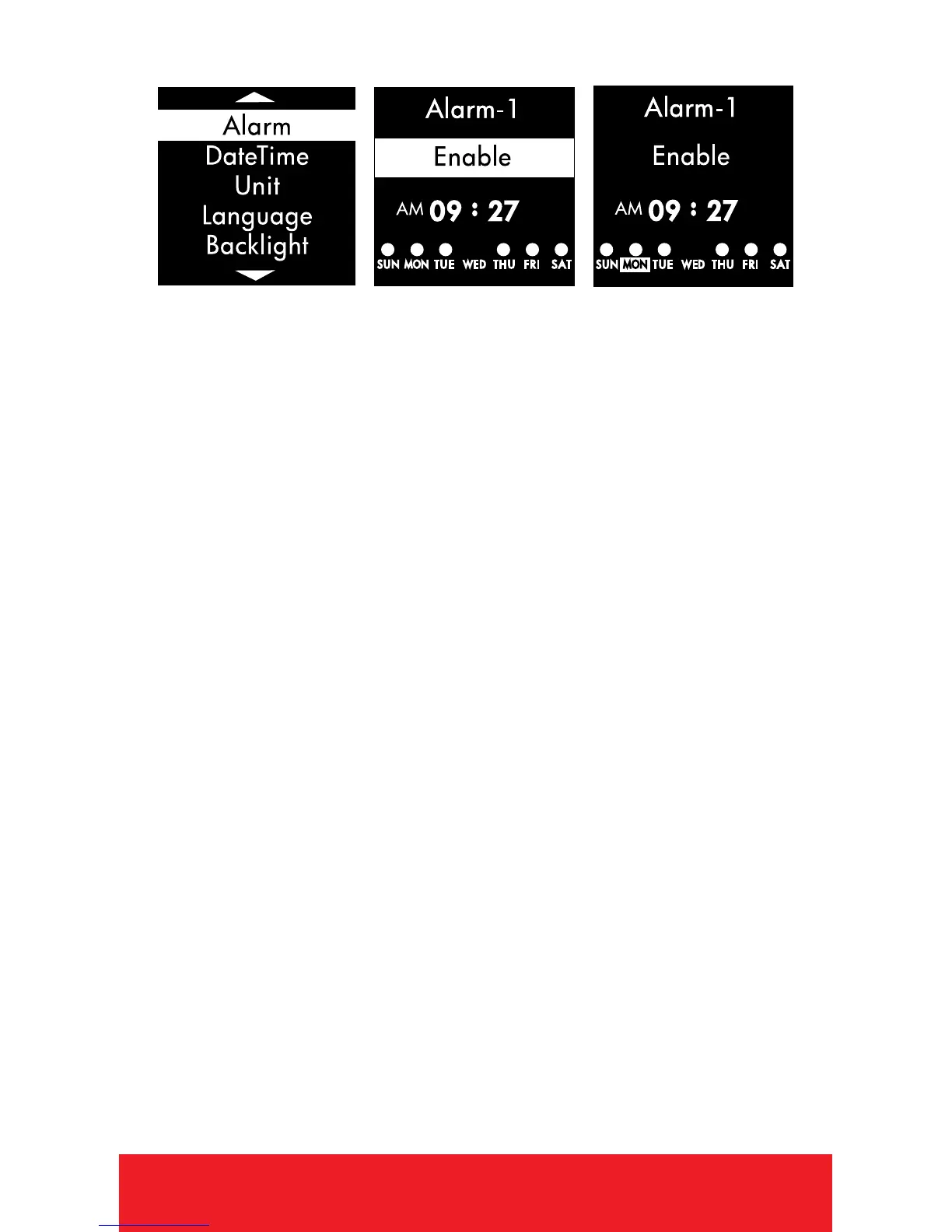
ALARM
1. Use
[
UP/DOWN
]
buttons to select Alarm 1,
Alarm 2, or Alarm 3.
2. PRESS
[
OK
]
button to scroll down. PRESS
[
UP/DOWN
]
buttons to Enable/Disable Alarm.
3. PRESS
[
OK
]
button to scroll down. Use
[
UP/DOWN
]
buttons to set the Hour.
4. PRESS
[
OK
]
button to scroll to Minutes.
Use
[
UP/DOWN
]
buttons to set the Minutes
then PRESS
[
OK
]
button.
5. PRESS
[
OK
]
button to scroll through days
of the week. Use
[
UP/DOWN
]
buttons to
Enable/Disable Alarm for that day.
(Enabled is represented by a circle.)
6. HOLD
[
OK
]
button to save and return to
Settings Menu.
8. HOLD
[
OK
]
button to return to Time Screen
(if desired).



 To Next Page