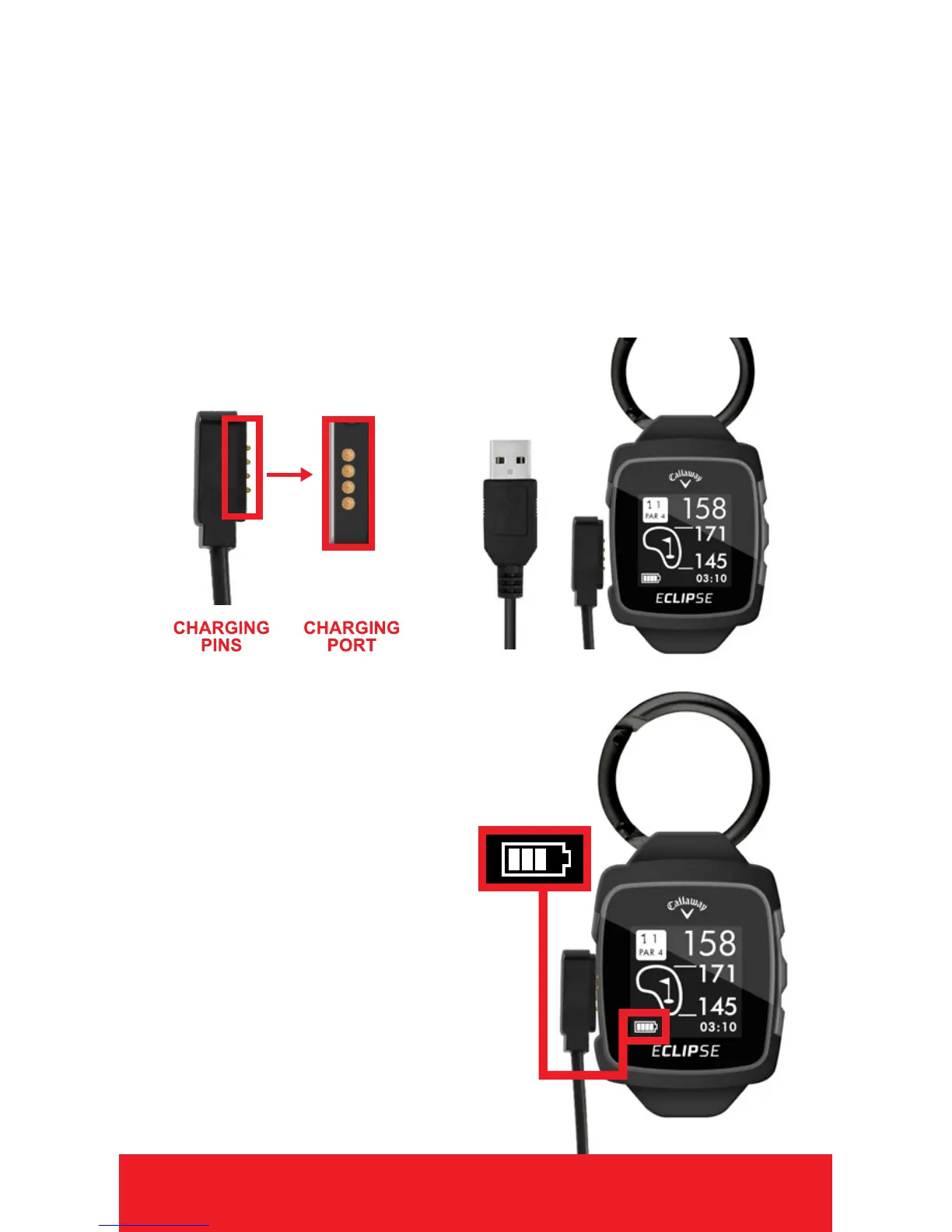
CHARGING
1. Attach the magnetic pins on the charging
cord to the magnetic charging ports located
on the side of the watch.
2. Be sure the pins are aligned, then insert
the other end of the charging cord into a
USB port or AC adapter (not included).
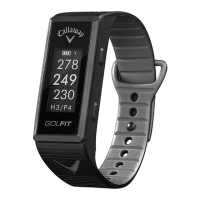
3. When connection is
made, Battery Icon
bars will pulsate to
indicate charging.
Note: Battery Icon bars
will stop pulsating when
charging is complete.
ENGLISH 3


 To Next Page