Button Operating Instructions
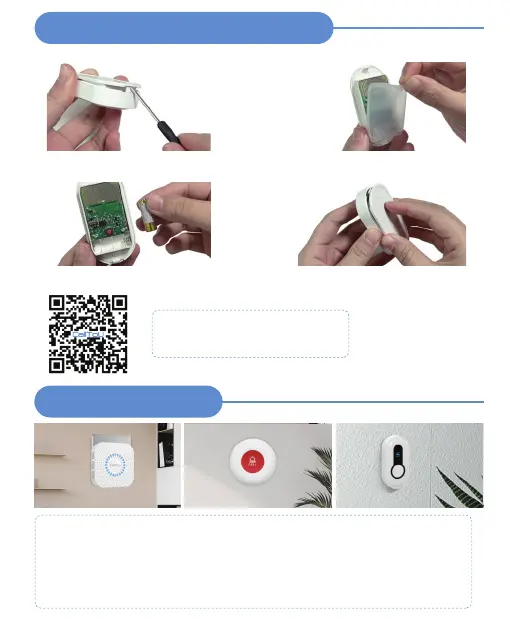
Replace Battery--- DB19WH
STEP 1
Use a tool to lift the plastic shell
STEP 2
Take off the silicone cover
STEP 3
Replace the 23A 12V AIkaline battery
STEP 4
Press the back cover to complete the
battery replacement
Video Guide
Replace Battery --- DB19WH
Battery life depends on how often you use it
Installation Guide
Installation Guide
- Plug the receiver into a mains socket and switch the socket on.
- Test the distance to ensure the range of use (the service distance is
500ft, the distance may vary due to the obstacles of the environment)
- Fix the transmitter in place with (supplied) double-sided adhesive tape. (clean the
wall before sticking)


 To Next Page