Clearing Setting & Change Button Ringtone
Clearing Setting & Change Button Ringtone - CC11WH
Clearing Setting & Change Button Ringtone - VP02
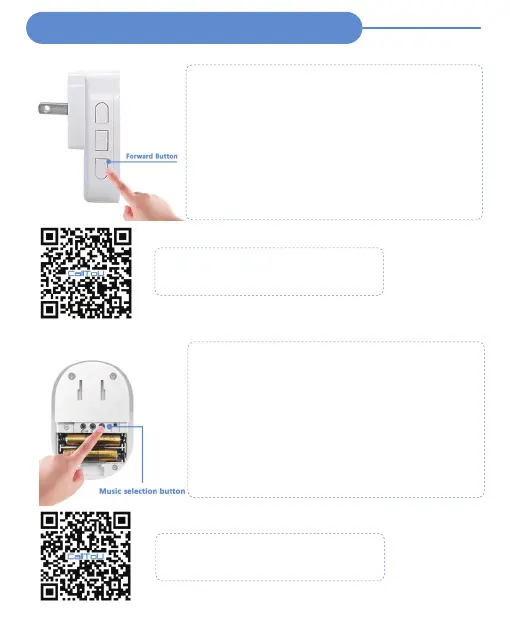
1. Press and hold the"Forward" button on the receiver for
5 seconds
2. Until there is a "Ding", the receiver indicator will flash,
then all the previous settings will be cleared
3. The transmitters will return to default settings (The set
ringtone will default and added/paired transmitters will be
cleared)
※ After clearing all paired transmitters, the receiver will enter
the pairing mode automatically, once you press any
transmitter, they will auto-pair, and after"DingDing", it paired
success.
※ If you want to change the ringtone of the button, you also
need to clear the pairing mode first.
1. Press and hold the"Music Selection" button on the receiver
for 5 seconds
2. Until there is a "Di", the receiver indicator will flash, then all
the previous settings will be cleared
3. The transmitters will return to default settings (The set
ringtone will default and added/paired transmitters will be
cleared)
※ After clearing all paired transmitters, the receiver will enter
the pairing mode automatically, once you press any transmitter,
they will auto-pair, and after"DiDi", it paired success.
※ If you want to change the ringtone of the button, you also
need to clear the pairing mode first.
Video Guide - CC11WH
Clearing Setting & Change Button Ringtone
Auto-pair after clearing the setting
Video Guide - VP02
Clearing Setting & Change Button Ringtone
Auto-pair after clearing the setting


 To Next Page
 Loading...