Calsense
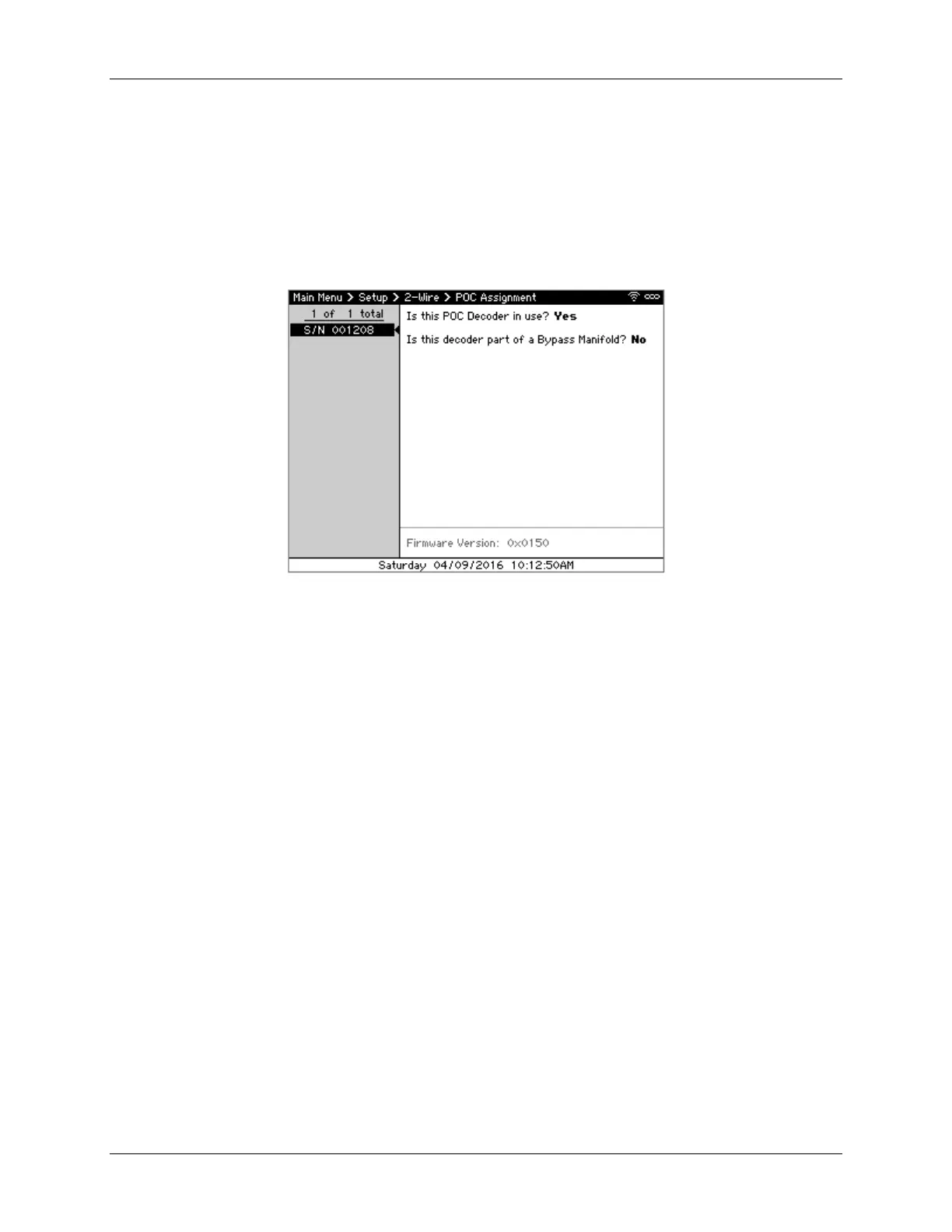
4 CS3000 Quick Start Guide
6. When done, press BACK to return to the Main Menu.
Assigning POCs to 2-Wire POCs Decoders
1. From the 2-Wire dialog, navigate to and select Assign POCs to Discovered Decoder if it doesn’t
automatically appear. The Station Assignment screen displays (Figure 4). The pane on the left
displays the 2-Station and Moisture Sensor decoders discovered while the right shows each’s
station assignments.
Figure 4 – POC Assignment screen
2. Using ↑↓ to highlight a decoder to edit and press SELECT. The cursor moves to the “Is this POC
Decoder In Use” field on the right.
3. Use ←↑→↓ to navigate through the screen and the +/– to select whether the decoder is in
use and whether it’s part of a 2- or 3-stage bypass manifold.
4. Press BACK to save the changes.
5. Repeat steps 2-4 for each decoder attached to the controller.
6. When done, press BACK to return to the Main Menu.
Using Station Groups
Stations that share the same irrigation and/or landscape characteristics are grouped together using
Station Groups. To add and edit Station Groups:
1. From the Main Menu, navigate to Scheduled Irrigation and press SELECT. The Scheduled
Irrigation menu displays.



 To Next Page