
 Need help?
Do you have a question about the Cambium Networks PTP 550 Series and is the answer not in the manual?
Key features, uses, variants, and components of the PTP 550 series.
How the PTP 550 wireless link operates, including modulation, power control, and spectrum management.
How the PTP 550 controls Ethernet data for customer and management networks.
Introduces the PTP 550 management system, including web interface, configuration, and alerts.
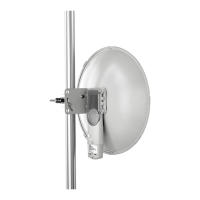
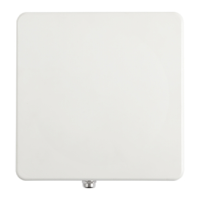
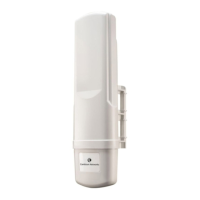
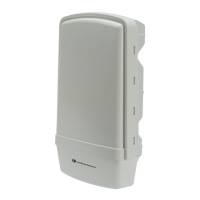
Details the ODU, its variants, and integrated/connectorized models.
Describes the PSU, its interfaces, specifications, and part numbers.
Covers antenna requirements, RF cables, connectors, and accessories for connectorized units.
Explains Ethernet standards, cable lengths, drop cable specifications, and grounding.
Factors for planning link end sites, including grounding, lightning protection, and equipment location.
How to plan PTP 550 links to conform to country-specific regulatory restrictions.
Factors for planning links, including range, obstacles, path loss, and throughput.
How to plan for PTP 550 links to be managed remotely using SNMP.
How to plan for PTP 550 links to operate in secure mode.
Specifies system threshold (dBm) for PTP 550 system across channel bandwidths.
Details the end user license agreement for Cambium Networks software and products.
Lists safety specifications, electrical safety, EMC, and RF exposure guidelines.
Explains PTP 550 compliance with radio regulations in various countries, including type approvals.
Important safety guidelines to be observed during installation and operation of PTP 550 equipment.
Procedures for mounting and grounding integrated or connectorized ODUs.
How to install the copper Cat5e power over Ethernet interface from ODU to PSU.
Procedures for installing a power supply unit for the PTP 550.
How to install optical or copper Cat5e Ethernet interface from ODU SFP port.
Detailed procedures like stripping cables, creating grounding points, and weatherproofing connectors.
Checks to perform before unit configuration and antenna alignment.
How to connect the unit to a management PC and log into the web interface.
Guided configuration for key link parameters in Master and Slave modes.
Overview of main menu options for web interface navigation and their corresponding pages.
Configuration of Radio, System, Network, and Security parameters via the web interface.
Accessing device and network statistics for performance analysis and troubleshooting.
Utilizing tools like Backup/Restore, Spectrum Analyzer, eAlign, Ping, and Traceroute.
Procedures for completing and testing network connections.
Measures for effective troubleshooting, including tools and site data logging.
Procedures for updating PTP 550 system software to gain new features and improvements.
How to test hardware components when they fail on startup or during operation.
Steps to test the link when communication is unreliable or throughput is low.
Procedures for resetting the device using the external button or power cycling.
 General
| Ingress Protection | IP67 |
|---|---|
| IP Rating | IP67 |
| Channel Size | 5 MHz, 10 MHz, 20 MHz, 40 MHz |
| Channel Bandwidth | 5 MHz, 10 MHz, 20 MHz, 40 MHz |
| Modulation | QPSK, QAM16, QAM64, QAM256 |
| Ethernet Ports | 2 x 10/100/1000 Mbps |
| Encryption | AES 128 |



 To Next Page
