Need help?
Do you have a question about the Cambridge Audio ALVA TT and is the answer not in the manual?
Explains connecting turntables via RCA to amplifiers.
Details pairing and connecting the turntable wirelessly via Bluetooth.
Step-by-step guide on how to play vinyl records.
Procedures for safely concluding a record playback.
Information on the automatic standby feature and its management.
Diagnoses issues preventing audio output from one or both channels.
Explains causes and solutions for audio distortion or inconsistency.
Details how to resolve stylus skipping problems.
Addresses problems with Bluetooth pairing, connection, and audio playback.
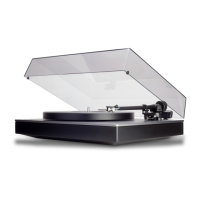
The Alva TT v2 and Alva ST Turntables are designed to provide a high-quality vinyl listening experience with modern connectivity options. This manual outlines the setup, operation, and troubleshooting for both models, ensuring users can get the most out of their turntables.
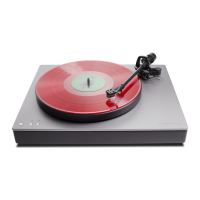
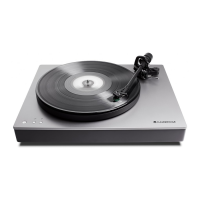
Both the Alva TT v2 and Alva ST are turntables designed for playing vinyl records. They feature a tonearm, platter, and a cartridge to reproduce audio from records. A key feature is the integrated phono stage, which allows for direct connection to a line-level input on an amplifier, eliminating the need for an external phono pre-amplifier. Alternatively, users can bypass the internal phono stage and connect to an external one if preferred. Both models also incorporate Bluetooth connectivity, enabling wireless audio streaming to compatible Bluetooth playback devices.
The setup process for both turntables involves several key steps to ensure optimal performance. First, the platter needs to be placed on the turntable. For the Alva ST, the belt drive must then be installed correctly around the motor. Next, the tonearm counterweight is pushed and rotated onto the tonearm, followed by carefully inserting the headshell into the tonearm.
Once these components are in place, the rubber mat is positioned on the platter. Before proceeding, the tonearm should be released from its rest, and the stylus guard removed. It's crucial to handle the cartridge with care, lowering it gently onto the platter and avoiding dropping it. During this stage, the Anti-Skate dial should be set to '0'.
A critical step is adjusting the tracking force using a tonearm force gauge. The gauge is placed on the platter, and the stylus is carefully lowered onto the "2" mark. The counterweight is then adjusted until the stylus force gauge is in balance. This adjustment is vital because too much pressure can cause distortion, loss of information, and wear on records, while too little pressure can cause the stylus to jump and potentially damage records. The arm should be returned to its armrest to adjust the counterweight, rotating anti-clockwise to increase balance weight or clockwise to decrease it. Once balanced, the anti-skate dial should be set to match the cartridge's tracking force, which is '2' for the factory-fitted cartridge. Finally, the lid hinges are connected to the turntable, and the lid is inserted.
The turntables offer flexible audio output options. For analogue audio connections, an "Output Level (Phono/Line) switch" is located on the rear. When set to 'Line (Alva TT/ST)', the internal phono stage is engaged, and the turntable should be connected to a line-level input on an amplifier. It's important not to connect to an external phono stage in this configuration. Conversely, when the switch is set to 'Phono (External)', the internal phono stage is bypassed, requiring an external phono stage to be used before connecting to the amplifier's line input. Users must ensure connections are made appropriately based on the switch position.
For wireless audio, both turntables feature Bluetooth. The "Bluetooth status with LED On/Off switch" and a "Bluetooth pairing button" are located on the rear. To enter pairing mode, the pairing button is pressed and held for 2 seconds. If connecting to a new device, ensure the Bluetooth device is in pairing mode and no other Bluetooth devices are in pairing mode nearby. The turntable will then automatically pair. To clear existing connections and turn off Bluetooth, the pairing button is pressed and held for 10 seconds. By default, the turntable will attempt to connect to the last paired device. The LED status indicates the Bluetooth mode: fast flashing for pairing, slow flashing for searching, solid for paired, and long solid intervals for aptX/aptX HD codec connection.
To play a record, it is placed over the spindle, and the power button on the top panel is pressed. The desired platter rotation speed (33 or 45 RPM) button is then selected. The tonearm is raised using the lift lever, positioned over the desired groove on the record, and then gently lowered by moving the lift lever towards the front of the turntable.
To stop playback, the tonearm is lifted with the lift lever, moved back to the tonearm rest, and secured with the tonearm clamp. The platter speed button is pressed to stop rotation, and finally, the power button is pressed to enter standby mode.
The turntable includes an Auto Power Down (APD) feature, which automatically switches the unit to standby mode after 20 minutes of inactivity. To disable APD, the power button is pressed and held for 5 seconds while in standby. To re-enable APD, the power button is held down while plugging the mains power cable into the turntable. Note that APD is automatically disabled when the Phono output is selected.
The manual provides a comprehensive troubleshooting section to address common issues:
 General
| Drive Type | Direct Drive |
|---|---|
| Cartridge | Moving Coil |
| Bluetooth | SBC, aptX, aptX HD |
| Platter | Polyoxymethylene (POM) |
| Tonearm | One-piece cast aluminum |
| Built-in Phono Stage | Yes |
| Wireless | Bluetooth |
| Motor | Direct Drive |
| Outputs | RCA, Bluetooth |
| USB Output | No |
| Phono Stage | Built-in |
| Speed | 33 1/3, 45 RPM |
| Dimensions | 435 x 139 x 368 mm |
| Weight | 11 kg |
| Type | Turntable |

 To Next Page