EasyManua.ls Logo

Cambridge Audio Evo 75 - User Manual

Cambridge Audio Evo 75
19 pages
Print Icon
To Next Page IconTo Next Page
Loading...
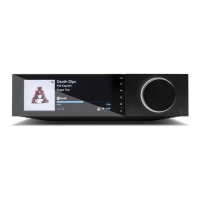
ALL IN ONE PLAYER
Evo 75
Evo
150

Other manuals for Cambridge Audio Evo 75

Question and Answer IconNeed help?

Do you have a question about the Cambridge Audio Evo 75 and is the answer not in the manual?

Summary

Important safety instructions

VENTILATION

Unit gets hot, ensure proper airflow, no stacking.

POSITIONING

Avoid direct sunlight, heat, dust, moisture, unstable surfaces.

POWER SOURCES

Use specified power source, unplug when unused for long periods.

OVERLOADING

Do not overload outlets or cords to prevent fire/shock.

SERVICING

Not user-serviceable; contact dealer for repairs.

Limited warranty

Warranty Terms and Conditions

Covers repair/replacement, proof of purchase, and exclusions.

Rear panel connections

Power and Digital Audio Inputs

AC power socket, CD, TV ARC, Digital Coax/Optical inputs.

Front panel controls

Remote control

Getting connected

CONNECTING TO A WIRED NETWORK

Steps to connect the unit using an Ethernet cable.

CONNECTING TO A WIRELESS NETWORK

Steps to connect the unit to a Wi-Fi network.

ADVANCED USB AUDIO

USB Audio Configuration

Details USB Audio Class configuration for PC, Mac, and Linux.

Operating instructions

Input Sources and Streaming

Various inputs, Bluetooth streaming, Pairing, Spotify, AirPlay, Chromecast.

Settings

Network Configuration

Network setup, Wi-Fi, wired connections, IP settings.

FIRMWARE

Firmware Update and Version

Update firmware and view version information.

AUDIO

Audio Setup and Output

USB Audio Class selection and audio output configuration.

BLUETOOTH AUDIO OUTPUT

Power

Technical specifications

Evo 75 Specifications

Lists technical specifications for the Evo 75 model.

Evo 150 Specifications

Lists technical specifications for the Evo 150 model.

Troubleshooting

Troubleshooting Guide

Provides solutions for common issues with network, UPnP, and USB media playback.

Summary

Important safety instructions

VENTILATION

Unit gets hot, ensure proper airflow, no stacking.

POSITIONING

Avoid direct sunlight, heat, dust, moisture, unstable surfaces.

POWER SOURCES

Use specified power source, unplug when unused for long periods.

OVERLOADING

Do not overload outlets or cords to prevent fire/shock.

SERVICING

Not user-serviceable; contact dealer for repairs.

Limited warranty

Warranty Terms and Conditions

Covers repair/replacement, proof of purchase, and exclusions.

Rear panel connections

Power and Digital Audio Inputs

AC power socket, CD, TV ARC, Digital Coax/Optical inputs.

Front panel controls

Remote control

Getting connected

CONNECTING TO A WIRED NETWORK

Steps to connect the unit using an Ethernet cable.

CONNECTING TO A WIRELESS NETWORK

Steps to connect the unit to a Wi-Fi network.

ADVANCED USB AUDIO

USB Audio Configuration

Details USB Audio Class configuration for PC, Mac, and Linux.

Operating instructions

Input Sources and Streaming

Various inputs, Bluetooth streaming, Pairing, Spotify, AirPlay, Chromecast.

Settings

Network Configuration

Network setup, Wi-Fi, wired connections, IP settings.

FIRMWARE

Firmware Update and Version

Update firmware and view version information.

AUDIO

Audio Setup and Output

USB Audio Class selection and audio output configuration.

BLUETOOTH AUDIO OUTPUT

Power

Technical specifications

Evo 75 Specifications

Lists technical specifications for the Evo 75 model.

Evo 150 Specifications

Lists technical specifications for the Evo 150 model.

Troubleshooting

Troubleshooting Guide

Provides solutions for common issues with network, UPnP, and USB media playback.

Cambridge Audio Evo 75 Specifications

General IconGeneral
BrandCambridge Audio
ModelEvo 75
CategoryTurntable
LanguageEnglish

Related product manuals