
 Need help?
Do you have a question about the Cambridge Audio azur 350A and is the answer not in the manual?
Crucial safety instructions for operating the apparatus safely and preventing hazards.
Explanation of symbols like WEEE, CE, C-Tick, Ross Test Stamp, and FCC regulations.
Ensuring adequate airflow for optimal performance and preventing overheating.
Guidance on selecting a location to avoid heat, sunlight, dust, and vibration.
Operating the unit using the correct power source type and avoiding overloading.
Instructions for fitting or changing the UK mains plug and fuse for safety.
Proper methods for cleaning the unit and disposing of used batteries.
Information on when and how to get the unit serviced, and the limited warranty details.
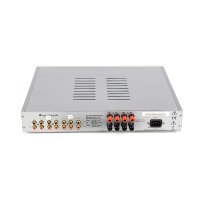
Description of line-level analogue audio inputs for various source devices.
Output sockets for recording and input for monitoring/recording tape devices.
Details on connecting main and secondary speaker sets, including polarity and impedance.
Voltage selector switch and AC power socket for supplying power.
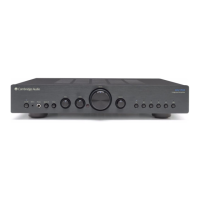
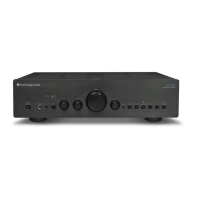
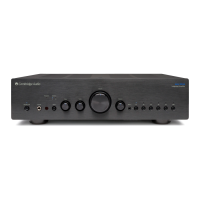
Power On/Off button and source selection buttons (MP3, CD, Tuner, etc.).
Volume, Balance, Bass, and Treble controls for sound tuning.
Headphone jack and Speaker B control for alternative listening.
Direct switch for purer signal path and infrared sensor for remote control.
Mute, Volume, Standby/On, and source selection buttons for amplifier control.
Buttons for Play/Stop/Pause, Skip, Scan, and Track Selection.
Controls for docked iPods and CD player functions like Open/Close.
Adjusts the brightness of the amplifier's display backlight.
Instructions for connecting speakers, including polarity and wire preparation.
Diagram for connecting a CD player and speakers to the amplifier.
Diagram for connecting a tape or MD player for recording and monitoring.
Steps to resolve issues where the unit does not power on.
Solutions for missing audio or sound only in one speaker.
Troubleshooting tips for unwanted noise or distorted audio.
Fixes for problems with tape recording and remote control functionality.
 General
| Input Sensitivity | 300mV |
|---|---|
| Input Impedance | 47k Ohms |
| Damping Factor | > 100 |
| Power Output | 50W per channel (8Ω) |
| Frequency Response | 5Hz - 50kHz |
| Total Harmonic Distortion | < 0.02% |
| Dimensions | 430 x 90 x 320 mm |




 To Next Page
