EasyManua.ls Logo

Cambridge Audio Azur 640A - User Manual

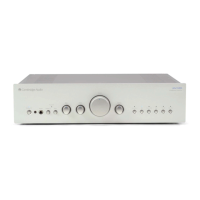
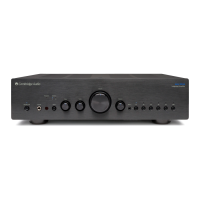
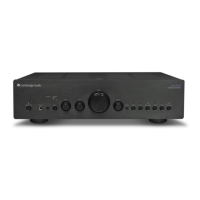
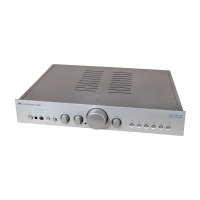
Cambridge Audio Azur 640A
114 pages
Print Icon
To Next Page IconTo Next Page
Loading...
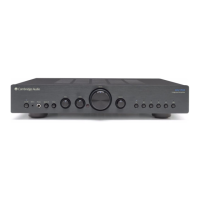
azur 540A/640A
Integrated amplifier / HIFI-Verstärker / Amplificateur intégré / Amplificador integrado / Amplificatore
integrato / Geïntegreerde versterker / Integreret forstærker / Встроенный усилитель
User’s manual / Bedienungsanleitung / Mode d'emploi / Manual del usuario / Manuale per l'utente /
Gebruikershandleiding / Brugermanual / Руководство для пользователя

Table of Contents

Question and Answer IconNeed help?

Do you have a question about the Cambridge Audio Azur 640A and is the answer not in the manual?

Summary

SAFETY PRECAUTIONS

Checking the power supply rating

Instructions on verifying the unit's voltage rating and ensuring correct power connection for safety.

Plug fitting instructions (UK only)

Detailed guide for correctly wiring a UK mains plug, including fuse and wire colour conventions.

INSTALLATION

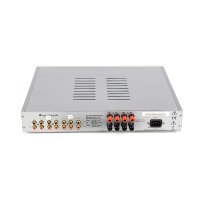
REAR PANEL CONNECTIONS

Loudspeaker connections

Explains how to connect loudspeakers to the amplifier's terminals, including polarity and impedance.

CONNECTING

Bi-amping

OPERATING INSTRUCTIONS

CAP5 - FIVE WAY PROTECTION SYSTEM

Intelligent clipping detection

Explains how CAP5 detects and mitigates clipping to protect speakers and sound quality.

Over temperature detection

Details how CAP5 monitors temperature and switches the unit to a fault mode if it overheats.

Short circuit detection

Describes how CAP5 checks for short circuits on speaker terminals during startup/channel selection.

DC detection

Explains how CAP5 protects speakers from DC voltage faults on the output.

Overvoltage;overcurrent detection

Describes CAP5's V/I protection to keep output transistors within safe operating limits.

TROUBLESHOOTING

There is no power

Lists checks for power cord connection, plug insertion, and fuse status.

There is no sound

Outlines checks for standby mode, source connection, tape monitor, and speaker connections.

Summary

SAFETY PRECAUTIONS

Checking the power supply rating

Instructions on verifying the unit's voltage rating and ensuring correct power connection for safety.

Plug fitting instructions (UK only)

Detailed guide for correctly wiring a UK mains plug, including fuse and wire colour conventions.

INSTALLATION

REAR PANEL CONNECTIONS

Loudspeaker connections

Explains how to connect loudspeakers to the amplifier's terminals, including polarity and impedance.

CONNECTING

Bi-amping

OPERATING INSTRUCTIONS

CAP5 - FIVE WAY PROTECTION SYSTEM

Intelligent clipping detection

Explains how CAP5 detects and mitigates clipping to protect speakers and sound quality.

Over temperature detection

Details how CAP5 monitors temperature and switches the unit to a fault mode if it overheats.

Short circuit detection

Describes how CAP5 checks for short circuits on speaker terminals during startup/channel selection.

DC detection

Explains how CAP5 protects speakers from DC voltage faults on the output.

Overvoltage;overcurrent detection

Describes CAP5's V/I protection to keep output transistors within safe operating limits.

TROUBLESHOOTING

There is no power

Lists checks for power cord connection, plug insertion, and fuse status.

There is no sound

Outlines checks for standby mode, source connection, tape monitor, and speaker connections.

Cambridge Audio Azur 640A Specifications

General IconGeneral
Input Impedance47k Ohms
Damping Factor> 100
Frequency Response5Hz - 50kHz (±1dB)
Total Harmonic Distortion< 0.02% at 1kHz
Dimensions430 x 100 x 310mm (16.9 x 3.9 x 12.2 inches)
Power Consumption500W (max)

Related product manuals