7
Rear panel
Last updated: January 19, 2023 05:56. Revision #10625
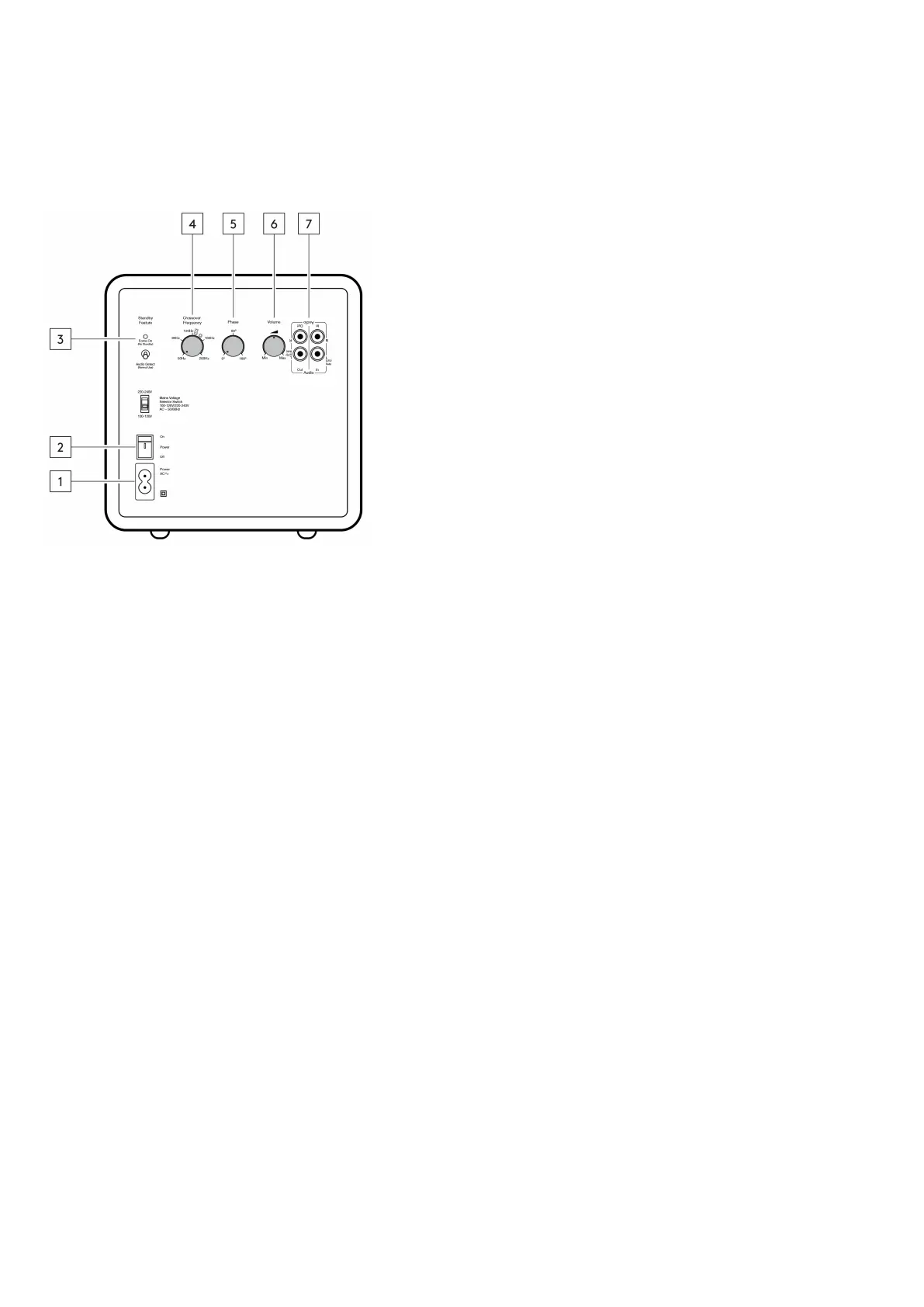
1. AC power socket.
2. Mains power switch – Switch the subwoofer between on and off.
3. Standby switch - Switch between ‘Force On’ (no standby), and ‘Audio Detect’. In audio detect mode the X201 will switch on when it detects an
incoming signal.
4. Crossover frequency control - Adjust the crossover frequency of the subwoofer.
5. Phase control - Adjust the phase settings of the subwoofer.
6. Volume control - Adjust the volume of the subwoofer.
7. Audio in/out.



 To Next Page