CHAPTER 3
REMOTE
CONTROL
Learning
eye
3~5cm
Using The Learning Function
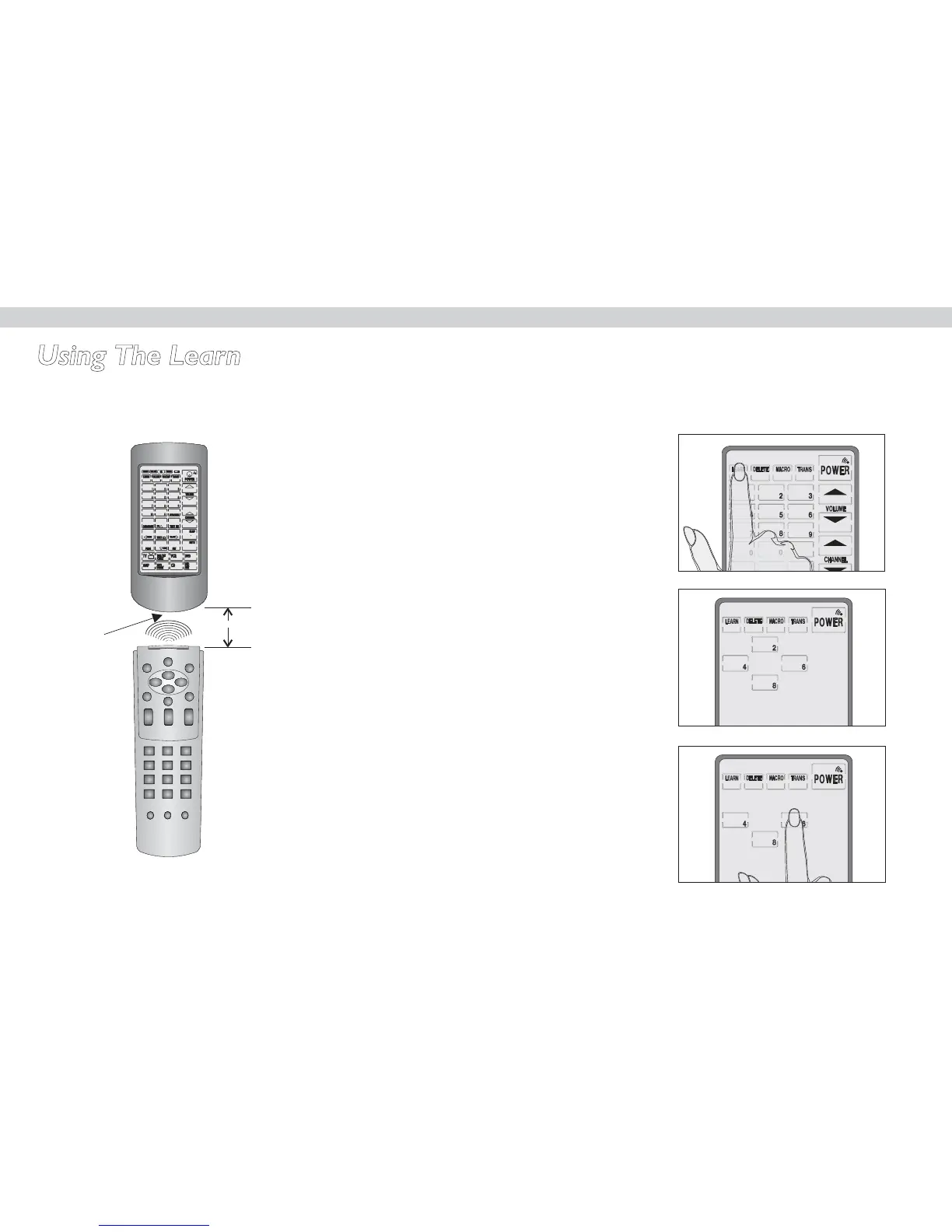
When using the learning function, point your device's remote control at
the M1+'s learning eye as shown in the following illustration:
Figure 3-1 Using the Learning Eye
After you have lined up your remote control with the M1+ learning eye,
you can use the learning function. Follow these instructions:
CHAPTER 3
Press the learning button for
three seconds.
You hear a beep and then you
see the setup mode enable
screen to the right.
Note: This screen prevents you from
accidentally modifying your M1+.
Press each number button
until it disappears.
Press the learning button for
three seconds.
7



 To Next Page