EasyManua.ls Logo

Cambridge Audio MI+ - User Manual

Cambridge Audio MI+
16 pages
Print Icon
To Next Page IconTo Next Page
Loading...
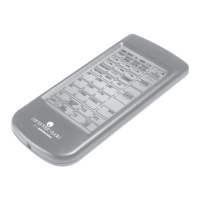
M1+
Multimedia Explorer
Question and Answer IconNeed help?

Do you have a question about the Cambridge Audio MI+ and is the answer not in the manual?

Summary

Introducing your MI+

Unpacking your MI+

MI+ features

Overview of key features like touch screen, macro function, and device control.

Identifying Components

IR Port

Infrared transmitter to send commands to devices.

LCD

Touch screen panel for configuration and operation.

Learning eye

Receiver for learning remote control functions.

Battery cover

Removable cover for accessing four AAA batteries.

Getting Started

Inserting the batteries

Instructions for correctly inserting batteries into the device.

Low Battery

Battery low icon

Icon displayed when battery charge is low.

The LCD

Turning the LCD on

How to activate the LCD panel by tapping the screen.

Touch Screen Precautions

Important guidelines for safely interacting with the touch screen.

Touch Screen Buttons

LCD Panel Layout

Illustration of all functions and icons available on the MI+.

Operating The MI +

Before you use the learning function

Precautions to follow before starting the remote control learning process.

Using The Learning Function

Learning Eye Alignment

Instructions on aligning the remote control with the MI+'s learning eye.

Setup Mode Enable Screen

Screen shown after pressing the learning button, preventing accidental changes.

Using The Learning Function

Mapping Buttons

Process of assigning remote control buttons to MI+ LCD buttons.

Completing Learning

Steps to finish the learning process and exit the mode.

Using The Delete Function

Delete device button

Erasing commands for buttons within a specific device.

Delete icon

Visual indicator for the delete function on the MI+.

Using The Delete Function

OK icon

Icon confirming successful deletion or mapping of buttons.

Bank icon

Icon indicating deletion of all buttons for a device.

Deleting All Devices

Procedure to erase all data and configurations from the MI+.

Changing the LCD Layout

Device Edit Mode

Mode for editing button appearance and icons on the LCD.

Icon Layout Options

Scrolling through available icons or deleting buttons.

Representing Functions with C

Using icon 'C' when no specific icon matches the device function.

Macro

Macro setup

Instructions for creating and configuring macros.

Learning icon

Indicator during macro setup that shows the learning process is active.

Macro

Ending Macro Recording

How to stop recording a macro and exit setup.

Macro Example

Illustrative example to help understand macro recording.

Macro

Macro Example

Example demonstrating setting time delays between macro commands.

LCD Backlight

Adjusting Backlight

Instructions to enable/disable and control LCD backlight duration.

APPENDIX A

Turning off the beep signal

Procedure to disable the audible beep feedback.

Recalling the original LCD layout

How to reset the LCD panel to factory default settings.

APPENDIX B Trouble Shooting

Cannot operate the device

Troubleshooting steps for when the remote fails to control a device.

Error display during learning

Resolving errors that appear during the learning function setup.

Error displays during operation

Troubleshooting errors that occur during normal device operation.

The LCD screen shows nothing

Steps to take if the LCD display remains blank.

Summary

Introducing your MI+

Unpacking your MI+

MI+ features

Overview of key features like touch screen, macro function, and device control.

Identifying Components

IR Port

Infrared transmitter to send commands to devices.

LCD

Touch screen panel for configuration and operation.

Learning eye

Receiver for learning remote control functions.

Battery cover

Removable cover for accessing four AAA batteries.

Getting Started

Inserting the batteries

Instructions for correctly inserting batteries into the device.

Low Battery

Battery low icon

Icon displayed when battery charge is low.

The LCD

Turning the LCD on

How to activate the LCD panel by tapping the screen.

Touch Screen Precautions

Important guidelines for safely interacting with the touch screen.

Touch Screen Buttons

LCD Panel Layout

Illustration of all functions and icons available on the MI+.

Operating The MI +

Before you use the learning function

Precautions to follow before starting the remote control learning process.

Using The Learning Function

Learning Eye Alignment

Instructions on aligning the remote control with the MI+'s learning eye.

Setup Mode Enable Screen

Screen shown after pressing the learning button, preventing accidental changes.

Using The Learning Function

Mapping Buttons

Process of assigning remote control buttons to MI+ LCD buttons.

Completing Learning

Steps to finish the learning process and exit the mode.

Using The Delete Function

Delete device button

Erasing commands for buttons within a specific device.

Delete icon

Visual indicator for the delete function on the MI+.

Using The Delete Function

OK icon

Icon confirming successful deletion or mapping of buttons.

Bank icon

Icon indicating deletion of all buttons for a device.

Deleting All Devices

Procedure to erase all data and configurations from the MI+.

Changing the LCD Layout

Device Edit Mode

Mode for editing button appearance and icons on the LCD.

Icon Layout Options

Scrolling through available icons or deleting buttons.

Representing Functions with C

Using icon 'C' when no specific icon matches the device function.

Macro

Macro setup

Instructions for creating and configuring macros.

Learning icon

Indicator during macro setup that shows the learning process is active.

Macro

Ending Macro Recording

How to stop recording a macro and exit setup.

Macro Example

Illustrative example to help understand macro recording.

Macro

Macro Example

Example demonstrating setting time delays between macro commands.

LCD Backlight

Adjusting Backlight

Instructions to enable/disable and control LCD backlight duration.

APPENDIX A

Turning off the beep signal

Procedure to disable the audible beep feedback.

Recalling the original LCD layout

How to reset the LCD panel to factory default settings.

APPENDIX B Trouble Shooting

Cannot operate the device

Troubleshooting steps for when the remote fails to control a device.

Error display during learning

Resolving errors that appear during the learning function setup.

Error displays during operation

Troubleshooting errors that occur during normal device operation.

The LCD screen shows nothing

Steps to take if the LCD display remains blank.

Cambridge Audio MI+ Specifications

General IconGeneral
BrandCambridge Audio
ModelMI+
CategoryRemote Control
LanguageEnglish

Related product manuals