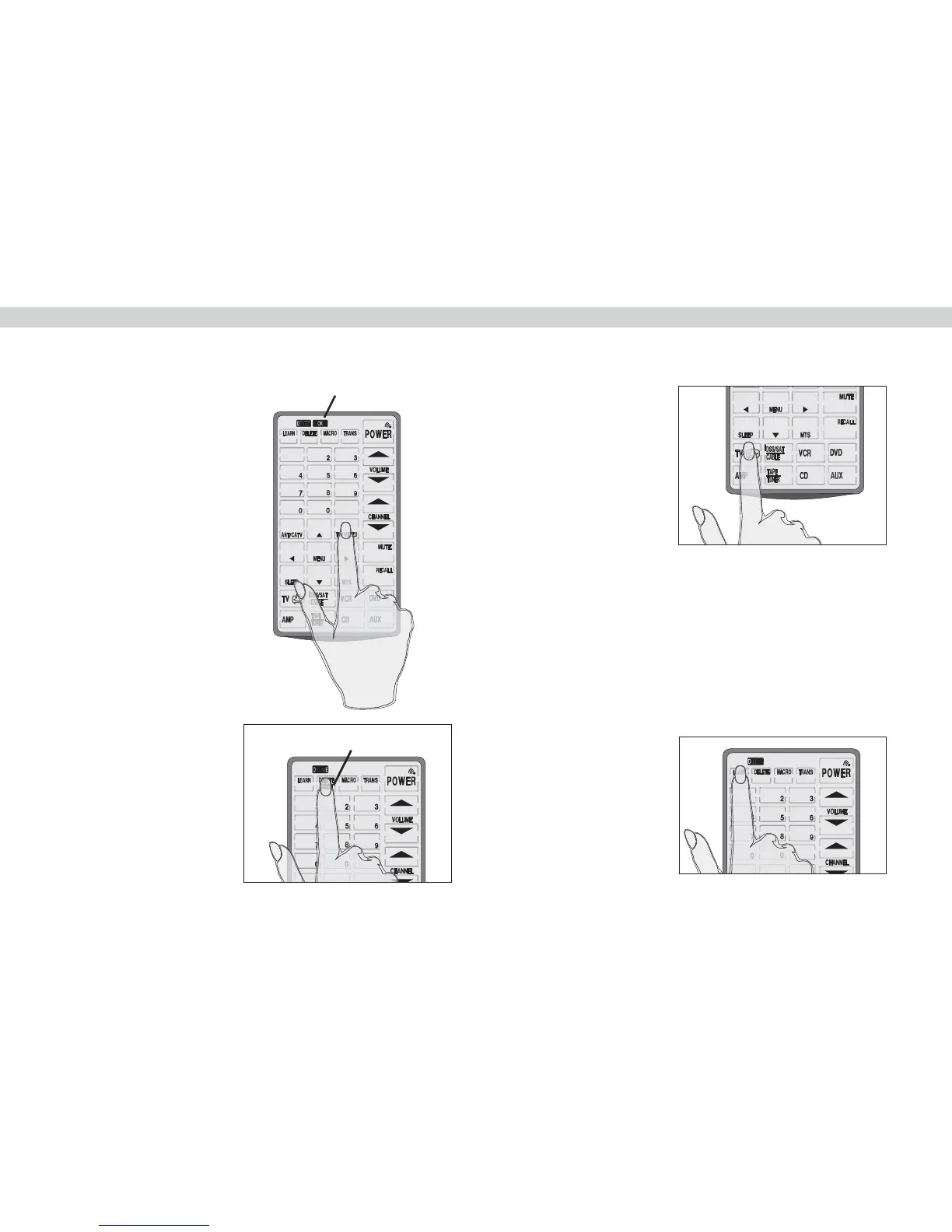
Bank icon
Press the button whose data
you want to delete. You hear a
beep and see the OK icon.
The button's data has been deleted.
Note: Pressing the button only deletes the
mapped data; it doesn't remove the button.
To learn how to remove buttons refer to :
Changing the LCD layout on page 11.
If you want to delete the data
for all of a device's buttons,
press the delete button while
in delete mode. The BANK
icon appears under the delete
button
.
Press the device whose data
you want to delete.
You hear two beeps and see
the OK icon. The buttons for
this device have had their
data erased.
To delete the data for all the devices, press the delete button
for three seconds. The display will flash and you will hear six
beeps. All data has been erased.
When you have finished
making your deletions, press
the learn button to exit the
delete function and return
to normal operation.
10


 To Next Page