Cambridge Engineering, Inc. 40 S-Series Technical Manual
1. Switch the keyswitch on the front of the enclosure to
the desired operating mode. Allow ten seconds before
proceeding.
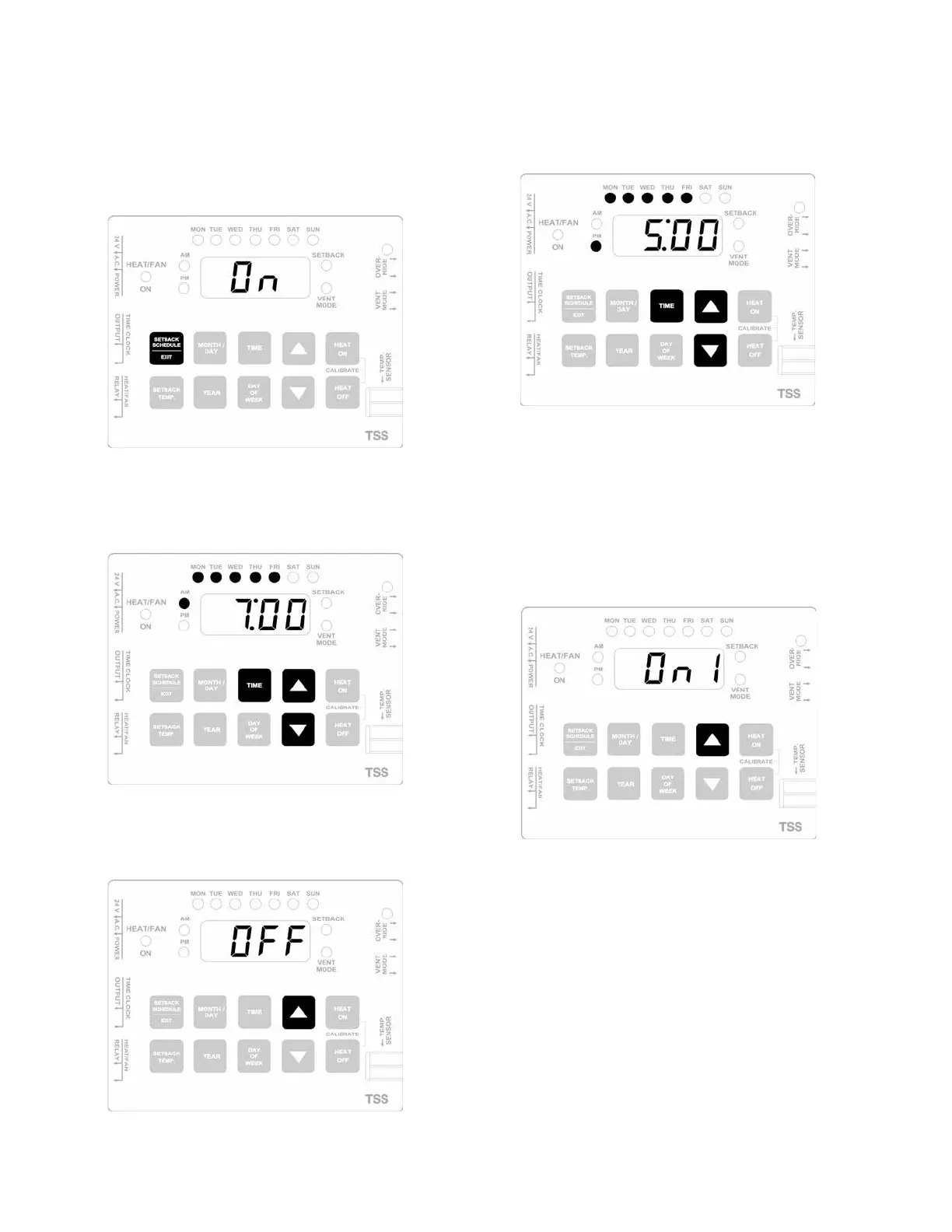
2. Press the SETBACK SCHEDULE/EXIT button to enter
the scheduling program at the first ON cycle.
3. Press and bold the TIME button while pressing the UP
or the DOWN button to scroll to the desired ON time
for Monday through Friday.
4. Press the UP button once to step to the first OFF
cycle.
5. Press and bold the TIME button while pressing the UP
or the DOWN button to scroll to the desired OFF time
for Monday through Friday.
6. If Monday through Friday is the only schedule
required, proceed to Step 14. If any additional pro-
gramming is required, proceed with the following
steps. Remember that subsequent program cycles must
not overlap with the ON and OFF times set above.
7. Press the UP button once to step to the next ON cycle.
8. Press and bold the TIME button while pressing the UP
or the DOWN button to scroll to the desired ON time.
9. Press and bold the DAY OF WEEK button while
pressing the UP or the DOWN button until the light
for the desired day is illuminated.



 To Next Page