8
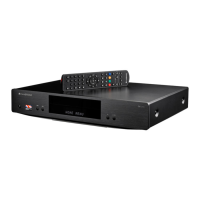
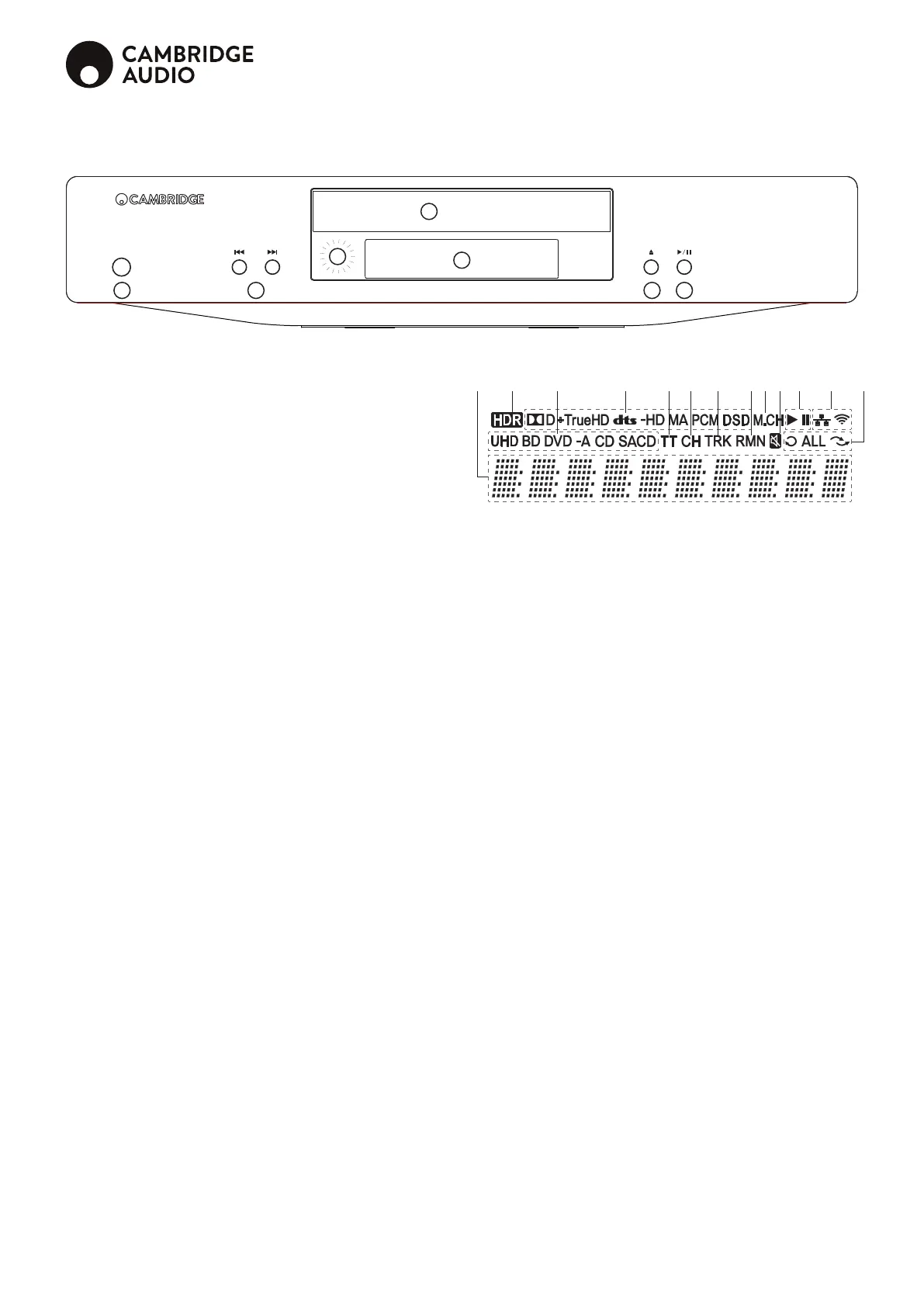
Front panel controls
1. Standby/On
Switches the unit between Standby mode (indicated by a dim power LED) and On
(indicated by a bright power LED). Standby is a low power mode where the power
consumption is <0.5W. The unit should be left in Standby mode when not in use.
2. Skip
Press once to skip between tracks/chapters.
3. IR sensor
Receives IR commands from the supplied Navigator remote control. A clear
unobstructed line of sight between the remote control and the sensor is required.
4. Disc tray
Use the Stop/Eject button to activate.
5. Display
Used to display the CXUHD's functions and playback state, etc. Please refer to the
front panel display section below for more information.
6. Eject
Press to eject the disc.
7. Play/Pause
Plays the disc and pauses playback.
Display
1. Main display – Text messages and numeric display
2. HDR Icon – Indicates the current playing content is High-Dynamic Range.
3. Disc Type Indication – Indicates the currently playing disc type
4. Audio Type Indication – Indicates the type of audio tracks being played
5. Title – When illuminated, the displayed time applies to a title
6. Chapter – When illuminated, the displayed time applies to a chapter
7. Track – When illuminated, the displayed time applies to a track
8. Remaining – When illuminated, the displayed time is the remaining play
time
9. Multi-channel Indication – Indicates the audio being played is multi-
channel surround
10. Mute Icon – Indicates that the audio is muted
11. Playback Status – Indicates playback status such as Play, Pause
12. Network Status – Indicates that the player is connected to a wired /
wireless network
13. Playback Modes – Indicates playback modes such as Repeat, Repeat
All, and Random Mode
2 3 4 5 6 7 8 9 11 12
CX UHD
10
1 2
3
6 7
4
5
1 13


 To Next Page
 Loading...