3
3 A
4
3 B
1
2
3
4
5
6
7
8
9
10
1
2
3
4
5
6
7
8
9
10
3 C
y
5
6
beep
PROG
B
B
>3’’
<6’’
1
+
7
1-2-3
12345
beep
8
+ +
2
Page 12 - Manual FB00865-EN- ver. 1 - 08/2017- © Came S.p.A. - The contents of the manual are to be considered as subject to change at any time and without the need for any advance warning.
PROGRAMMING ENTRY PANELS WITH VAS/100.30 or VAS/101
First Programming
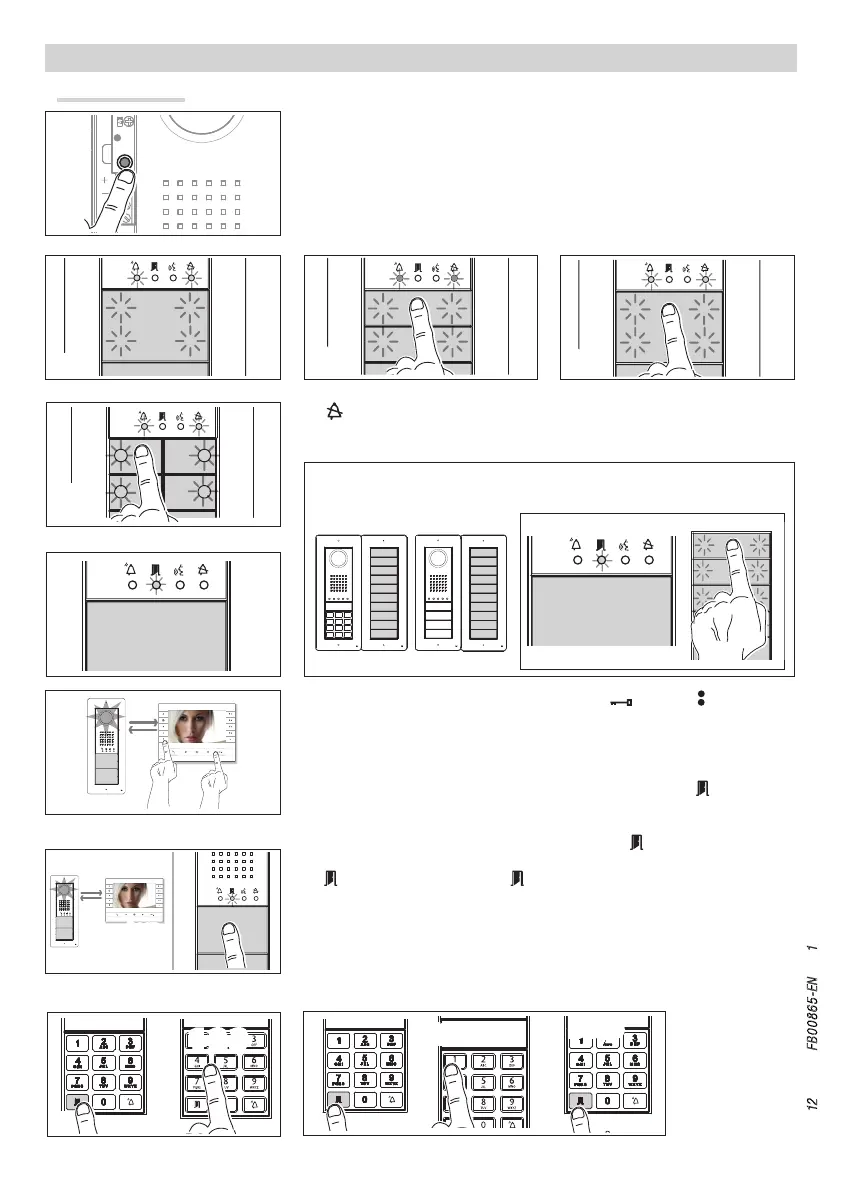
Entering Programming Mode. Press the PROG key 1 for at least 3 seconds and
release within 6 seconds. If the PROG LED immediately goes out it means there is a
malfunction. Check the connections and return to programming. The LEDS on the entry
panels light up as shown in figure 2. Wait 5 seconds for the auto test to be completed
and continue as shown below.
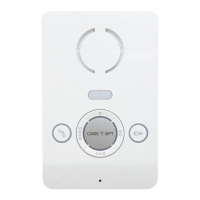
Programming Type of Keys. Press the first key on the entry panel 3/3A/3B until
the LED stops flashing along with the backlighting LEDs 4.
Programming the call keys. Press the door release and AUX2 buttons 5. On
the entry panel, press the call key to be linked to the receiver 6: a beep will confirm
that the setting has been stored. Continue, repeating the same operations for all the
other receivers.
Programming the door release code and relay with DNA. Press and key in the
relay code you wish to programme (press key 1 to activate the door opening control in
the entry panel; press key 2 to activate relay 1 on the VLS/2 relay module; press key 3
to activate relay 2 on the VLS/2 relay module) 7. Press once again and key in the
desired code (from 3 to 5 figures). Once programming has been completed, by pressing
the key plus the desired code and it is possible to activate the door opening control
and relay 1 or 2 8.
Exiting Programming. Briefly press the PROG key I: the PROG LEDs and entry panel
LEDs will go out. NOTE. If no action is performed, the procedure will end automatically
after 30 minutes.
Should call keys be present ONLY ON ADDITIONAL BUTTON PANELS, the op-
eration shown in figure 3 is carried out on these as shown in figure 3C.






 To Next Page