MTMA/IP
MTMV/IP
A
A
4
D
C
C
❷
❷
Page 2 - Manual FA01031-IT - 08/2019 - © CAME S.p.A. - The contents of this manual may be changed, at any time, and without notice. - Translation of the original instructions
Page 2 - Manual FA01401-EN - 10/2019 - © CAME S.p.A. - The contents of this manual may be changed, at any time, and without notice. - Translation of the original instructionsPage 2 - Manual FA01401-EN - 10/2019 - © CAME S.p.A. - The contents of this manual may be changed, at any time, and without notice. - Original instructions
General warnings
• Important personal safety instructions: READ CAREFULLY!
• Installation, programming, commissioning and maintenance must only be performed by qualifi ed and experienced
personnel in compliance with applicable regulations.
• Wear antistatic shoes and clothing if working on the control board.
• Keep hold of these warnings.
• Always disconnect the electrical power supply during cleaning or maintenance.
• This product should only be used for the purpose for which it was explicitly designed. Any other use is consi-
dered dangerous.
• The manufacturer declines all liability for any damage as a result of improper, incorrect or unreasonable use.
• This device complies with Part 15 of the FCC Rules. Operation is subject to the following two conditions:
1 - This device may not cause harmful interference.
2 - This device must accept any interference received, including interference that may cause undesired operation.
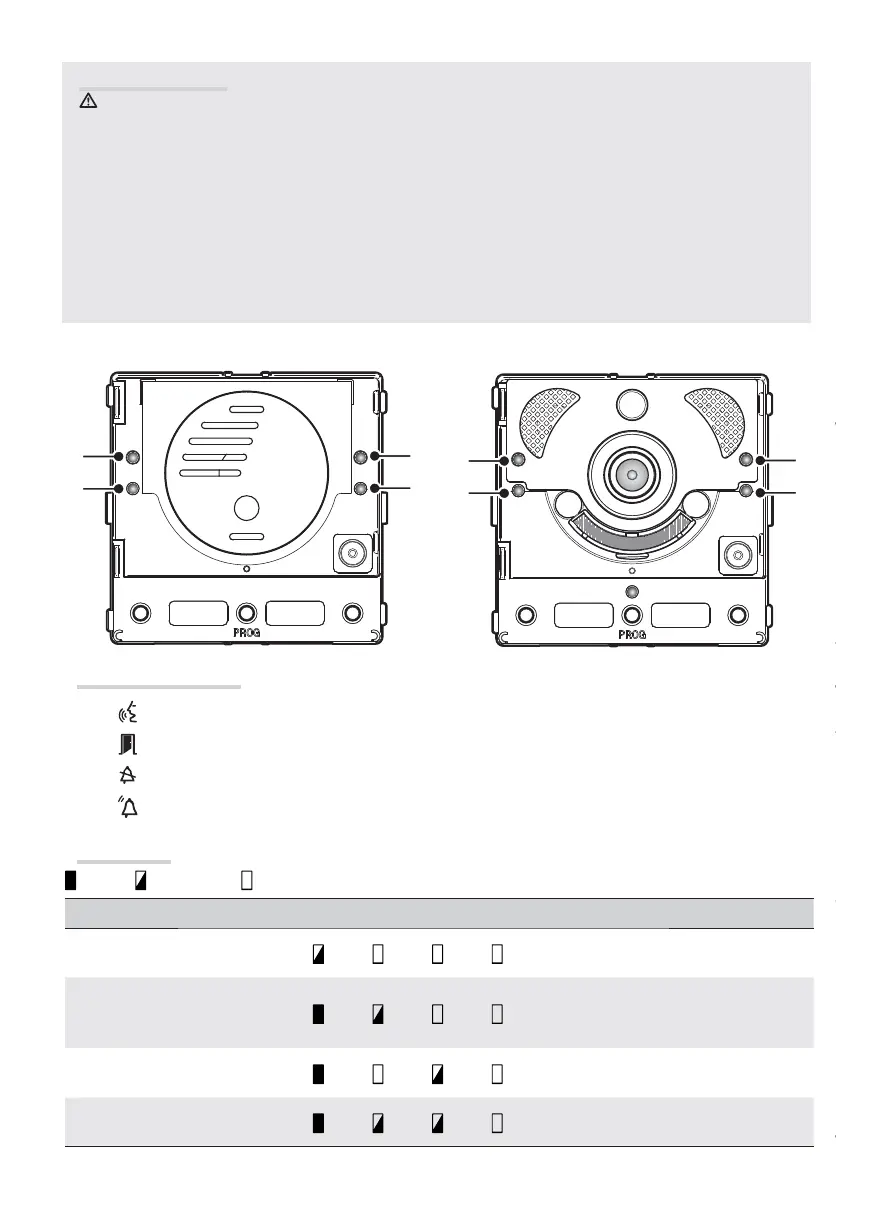
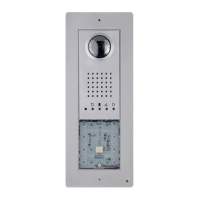
Description of LEDs
A
Yellow LED - Conversation in progress.
B
Green LED - Door open.
C
Blue LED - System busy.
4
Red LED - Call in progress.
Error alerts
LED on, LED fl ashing, LED o
Problem Red Green Yellow Blue Possible causes
High temperature
Incorrect installation, near heat sources,
hardware failure
Ethernet connection
CAT5 cable interrupted or not connected,
incorrect DATA connection, switch not
connected, faulty Ethernet port
Error in confi guration data
Incorrect confi guration, partial or incom-
plete programming
Audio or video service unavai-
lable, SIP registration failed
Server cannot be reached or is switched
o , incorrect SIP account





 To Next Page