EasyManua.ls Logo

CAME CONNECT RETH001 - User Manual

CAME CONNECT RETH001
32 pages
Go to English
Print Icon
To Next Page IconTo Next Page
Loading...
CAME S.p.A.
Via Martiri Della Libertà, 15
31030 Dosson di Casier - Treviso - Italy
tel. (+39) 0422 4940 - fax. (+39) 0422 4941
RETH001
FA01024M4A
IT
Italiano
EN
English
FR
Fraais
RU
Pусский

Questions and Answers

CAME CONNECT RETH001 Specifications

General IconGeneral
BrandCAME
ModelCONNECT RETH001
CategoryGateway
LanguageEnglish

Summary

General Precautions

Module Description and Indicators

Product Overview

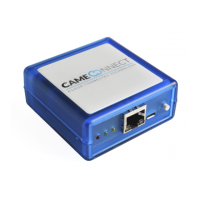
Module for remotely controlling CAME operators via CAMEConnect.

Component Identification

Details the numbered parts and connectors of the RETH001 module.

LED Status Indicators

Explains the meaning of different LED states and their patterns.

Alert Meanings and Technical Data

Alert LED Meanings

Explains the status of POWER, NETWORK, and CONNECT LEDs.

Technical Specifications

Lists key technical data for the RETH001 module.

Module Installation (DHCP Setup)

DHCP Network Setup

Steps for configuring the module on networks using DHCP.

Module Installation (Static IP Setup)

Static IP Network Setup

Steps for configuring the module on networks requiring a static IP.

Factory Settings and IP Identification

Restoring Factory Settings

Procedure to reset the module to its default factory settings.

Identifying Module IP Address

Method to find the module's IP address on a connected network.

Web Interface Configuration

Network Page Configuration

Information on accessing and configuring network settings like MAC, IP, DHCP.

Info Page Details

Provides information on module connection, signal strength, and associated slave modules.

User Page Management

Allows changing the user password for network access.

System Page Information

Displays device keycode and firmware version.

Maintenance and Firmware Update

Module Maintenance Operations

Covers restarting and factory resetting the RETH001 module.

Firmware Update Procedure

Steps for updating the firmware of RETH001 and RSLV001 modules.

Troubleshooting

Related product manuals