Page 29 - Manual FA01693M4A - 06/2022
- © CAME S.p.A.. - Translation of the original instructions
The contents of this manual may change, at any time, and without notice.
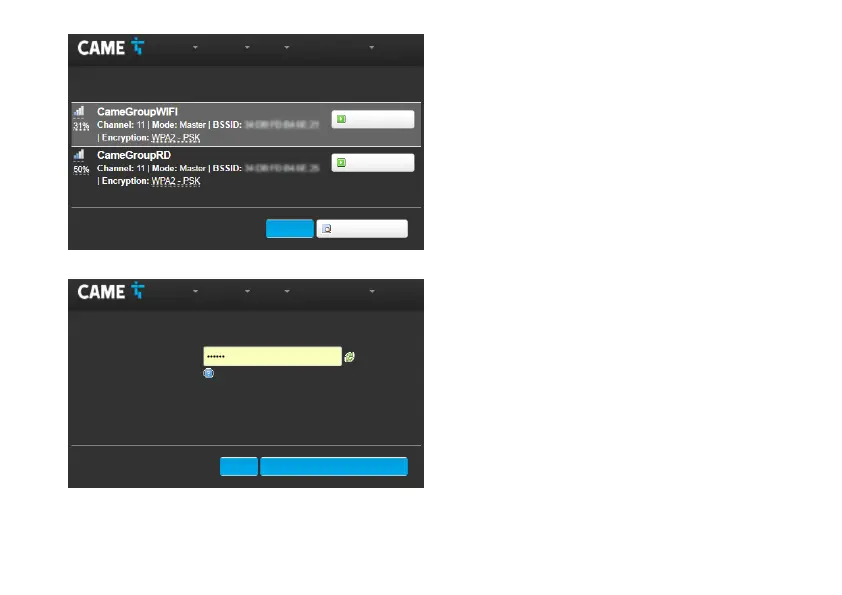
Wi-Fi networks scan
The screen displays the networks detected.
Select a network to connect to.
Wi-Fi network association
If the network is protected, enter the password for the WiFi
network to get access.
F Press the button to continue.
Status System Network General Options Exit
Status System Network General Options Exit
Add Network: Wi-Fi scan
Associate Network: "CameGroupRD"
Add Network
Add Network
Repeat scan
Back
Send Return to the scan results
Password
Specify the encryption key here.
FF



 To Next Page