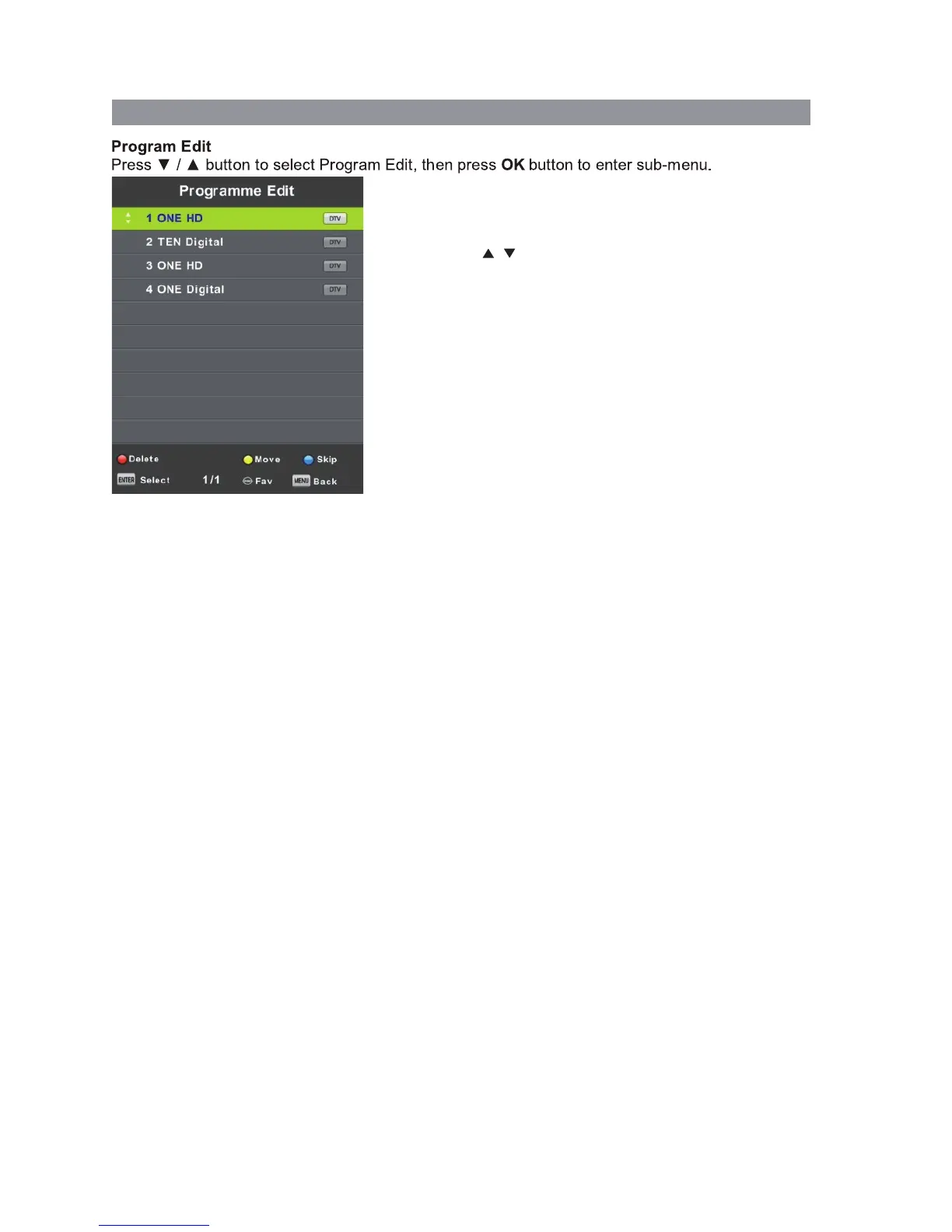
Use the coloured buttons on the remote to edit the channels.
First press the / buttons on the remote to highlight the
channel you want to select, then:
Press the button to delete the channel from the program list.Red
Press the button to move the channel in the list.Yellow
Press the button to skip the selected channel (this channel Blue
will be skipped when using channel up/down on the remote.
Press the Fav button (see pgs 8-10) on the remote to add or
remove the channel from your favourite list.
DTV TUNING cont’d
Signal Information
This displays the current signal information of the TV Signal. This option can be useful to help
you position your RV’s antenna.
LCN (Logical Channel Number)
This setting makes sure that the Channels tuned in to the TV represent the actual channel
number. For example, the main Channel 7 feed will be tuned in as Channel number 7 on the
TV, rather than the order the Channel is Tuned in. It is recommended that this setting is always
set to “Yes”.
Software Update (USB)
Software updates may become available for this TV from time to time. To update the Software,
copy the updated Software file on to an empty USB drive and insert in to the TV.
Press the ▼/▲ buttons and OK to start the update process. The power LED on the TV will
begin to flash slowly. When it starts flashing fast, disconnect the power from the TV,
remove the USB drive, reconnect power and turn the TV back on.
16


 To Next Page