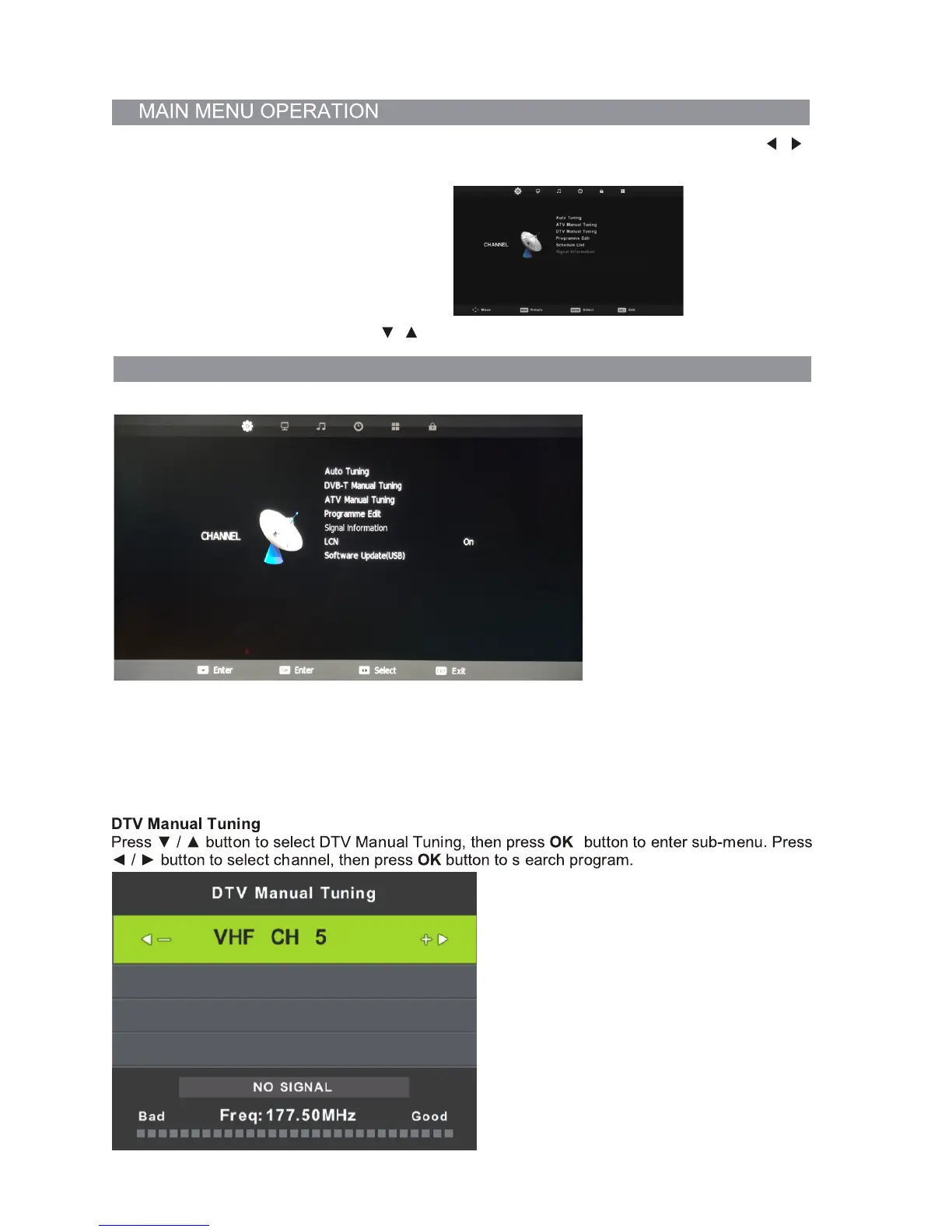
Channel Menu (when DTV is selected as the source)
Auto Tuning
Press the ▼/▲ buttons to select Auto Tuning. After pressing the OK button, the auto tuning
interface will be displayed. Auto Tuning can also be activated by pressing the “QT” button
on the remote control while in DTV mode.
NOTE: You will need to press OK on the remote to confirm the country and language selection
first before starting the Auto tune process.
Press the Menu button on the remote to select the Main Menu. From there, you can use the /
buttons to select between the following sub-menus:
- Channel
- Picture
- Sound
- Time
- Option
- Lock
Once you select a sub-menu, use the / buttons to select an option in the sub-menu.
CHANNEL SUB-MENU
15


 To Next Page