SOUND SUB-MENU - BLUETOOTH cont’d
Disconnect
Press the ▼/
▲ buttons to select the Disconnect and OK to select. Use this option to
Disconnect the currently paired Bluetooth device, but not turn off the TV’s Bluetooth
transmitter. This will also re-activate the TV’s internal speakers.
Bluetooth Reset
Should your Bluetooth device stop working or its operation become intermittent, or you wish to
clear some of the Bluetooth devices from the Paired List, then press the ▼/
▲ buttons to select
Bluetooth Reset and OK to select.
This will clear the Paired List so you wil
l need to go back to the Bluetooth Pair sub-menu to
search for the Bluetooth device you wist to pair.
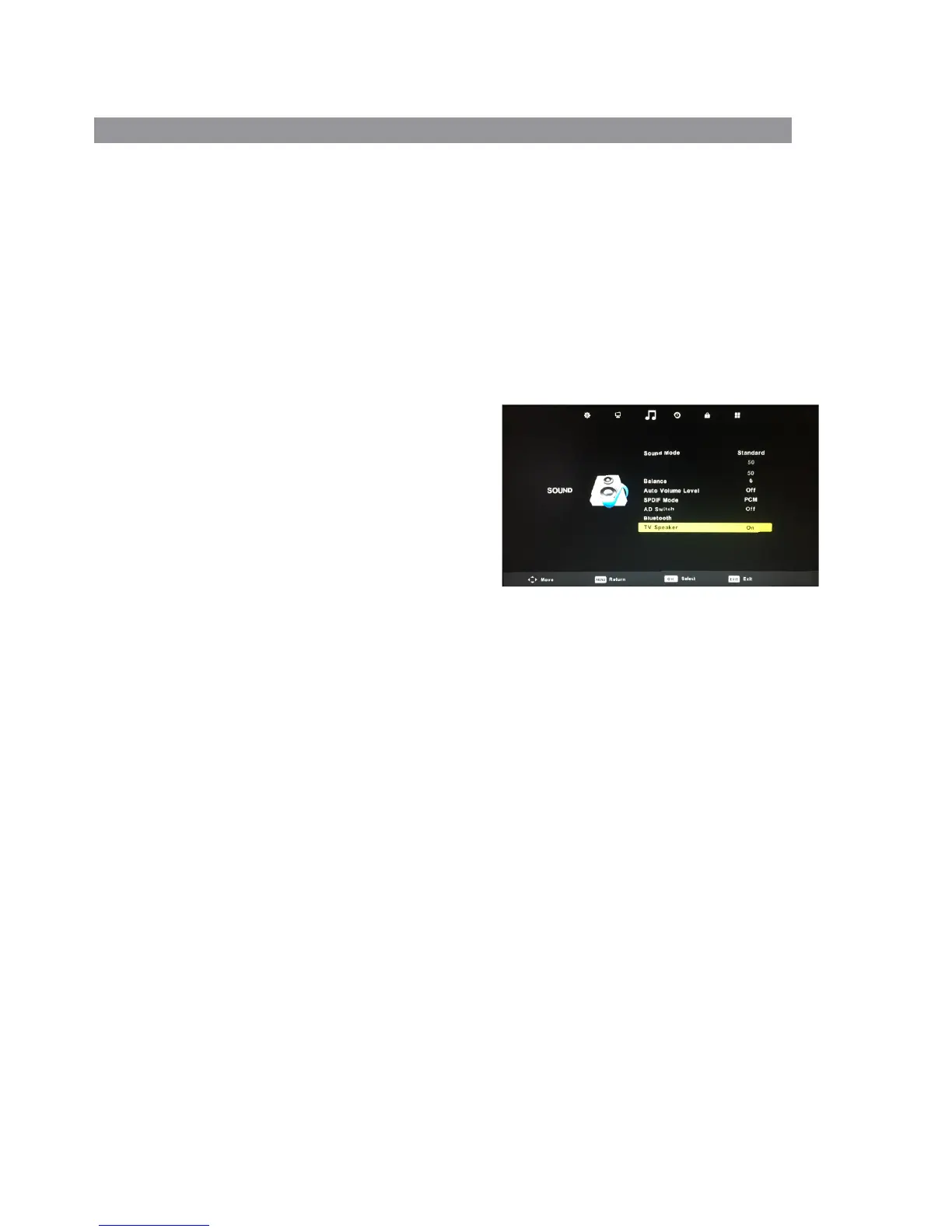
TV Speaker
This option in the Sound Menu allows you to turn the
TV’s internal speakers on or off.
Press the ▼/
▲ buttons to select the TV Speaker
then press the buttons to turn the TV speaker ◄ / ►
on or off.
This is a particularly useful feature in conjunction
with Bluetooth operation as, for example, if you are
using a Bluetooth speaker that is outside the RV,
you can turn on the TV speaker so the TV
programme can be heard both inside and outside
the RV.
20
5KHz
10KHz


 To Next Page