SMART TV CONFIGURATION
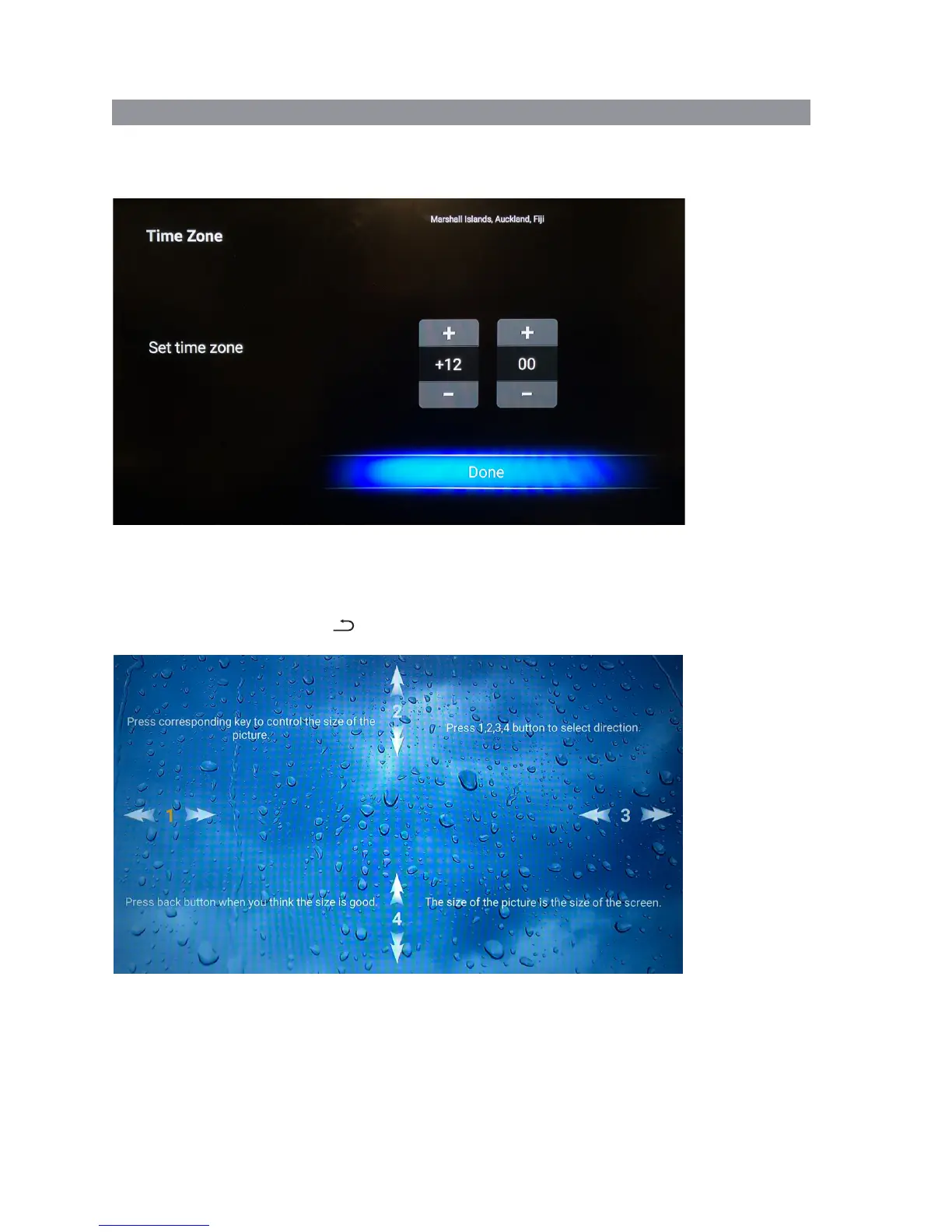
Next you will be presented with the Date & Time screens. If you are connected to the Internet, this
information should be automatically completed so just press the OK button on the remote to cycle
through these screens.
Next press Ok to complete the setup to move on to the calibration screen. You should not need to
make any adjustments on this screen but if you want to change the Smart TV screen’s size, cycle
options 1-4 using the arrow keys corresponding to the number highlighted in orange to move the
picture left/right/up and down. Press OK on the remote to cycle through each number and press
the back button on the remote when you are finished, or if you don’t need to make any
changes.
31


 To Next Page