EasyManua.ls Logo

Cameo HYDRABEAM 400 - User Manual

Cameo HYDRABEAM 400
44 pages
Print Icon
To Next Page IconTo Next Page
Loading...
1
USER´S MANUAL
BEDIENUNGSANLEITUNG
MANUEL D`UTILISATION
MANUAL DE USUARIO
INSTRUKCJA OBSŁUGI
MANUALE D‘ USO
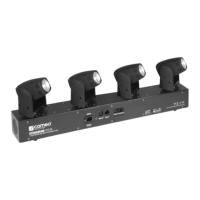
4 HEAD MOVING BAR HYDRABEAM 400
CLHB400W
CLHB400RGBW
Question and Answer IconNeed help?

Do you have a question about the Cameo HYDRABEAM 400 and is the answer not in the manual?

Summary

Introduction and Features

Control Functions

Lists DMX channel modes and operational modes.

Product Features

Lists key product specifications and included accessories.

Operation Overview

Describes basic operation modes (DMX, Master/Slave, Music).

Device Controls and Connectivity

Panel Overview

Explains the LED display and the function of control buttons.

DMX Ports

Describes the DMX IN and DMX OUT XLR connectors.

Power Input

Details the IEC power socket and its associated fuse holder.

Device Operation Modes

Setting DMX Address and Mode

How to set the DMX start address and select the DMX mode.

Slave, Automatic, and Music Control

How to set Slave mode, Automatic, and Music Control operations.

Advanced DMX Operation Settings

How to reverse movement directions and access system settings.

DMX Technology and Connections

DMX-512 Protocol

Explains the DMX-512 protocol for device communication.

DMX Connection and Cabling

Details DMX connection methods, cables, terminators, and adapters.

Summary

Introduction and Features

Control Functions

Lists DMX channel modes and operational modes.

Product Features

Lists key product specifications and included accessories.

Operation Overview

Describes basic operation modes (DMX, Master/Slave, Music).

Device Controls and Connectivity

Panel Overview

Explains the LED display and the function of control buttons.

DMX Ports

Describes the DMX IN and DMX OUT XLR connectors.

Power Input

Details the IEC power socket and its associated fuse holder.

Device Operation Modes

Setting DMX Address and Mode

How to set the DMX start address and select the DMX mode.

Slave, Automatic, and Music Control

How to set Slave mode, Automatic, and Music Control operations.

Advanced DMX Operation Settings

How to reverse movement directions and access system settings.

DMX Technology and Connections

DMX-512 Protocol

Explains the DMX-512 protocol for device communication.

DMX Connection and Cabling

Details DMX connection methods, cables, terminators, and adapters.

Cameo HYDRABEAM 400 Specifications

General IconGeneral
LED Colour SpectrumRGBW
Beam Angle
DMX Input3-pin XLR
DMX Output3-pin XLR
Pan Movement540°
Tilt Movement270°
Power Consumption65 W
Operating Voltage100 - 240 V AC, 50/60 Hz
Housing MaterialMetal
Color MixingRGBW
Power ConnectorIEC
ControlDMX512, Standalone, Master/Slave
EffectsStrobe, Dimmer
Product TypeLED Moving Head

Related product manuals