EasyManua.ls Logo

Cameo OPUS Series - User Manual

Cameo OPUS Series
100 pages
Print Icon
To Next Page IconTo Next Page
Loading...
USER´S MANUAL
BEDIENUNGSANLEITUNG
MANUEL D´UTILISATION
MANUAL DE USUARIO
INSTRUKCJA OBSŁUGI
MANUALE D´USO
OPUS
®
SP5 FC
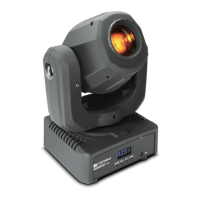
PROFILE SPOT MOVING HEAD
CLOSP5FC
ANIMATION WHEEL

Table of Contents

Question and Answer IconNeed help?

Do you have a question about the Cameo OPUS Series and is the answer not in the manual?

Summary

PREVENTIVE MEASURES

General Safety Instructions

Covers essential safety guidelines for equipment usage and installation.

Power Connection Safety

Safety precautions for connecting the device to the mains power supply.

CONNECTIONS, CONTROL AND DISPLAY ELEMENTS

Power and Network Interfaces

Details on power input/output, fuse, and network connectors.

DMX and Wireless Connectivity

Information on DMX ports and the W-DMX antenna.

USER INTERFACE AND OPERATION

LC Display and Touch Controls

Description of the device's LC display and touch-sensitive control buttons.

Firmware Update Procedure

Instructions for updating the device firmware via USB.

DEVICE OPERATION AND CONTROL

Transport Locks and Basic Operation

How to use mechanical locks and start basic device operation.

Control Field and Display Functionality

Mapping of control fields and display elements for operation.

CONTROL MENU AND DMX SETTINGS

Main Display Overview

Explanation of information shown on the main display screen.

DMX Configuration

Steps to set DMX start address and operating mode.

NETWORK AND WIRELESS CONFIGURATION

Network Settings

Configuration options for Art-Net and SACN network protocols.

W-DMX Wireless Settings

Setup and management of W-DMX wireless connectivity.

STAND-ALONE AND SLAVE MODES

Stand-Alone Mode Configuration

Setting up static and auto-programmed stand-alone operation.

Slave Mode Operation

Connecting and operating the device in slave mode with a master unit.

SYSTEM SETTINGS

Display and DMX Fail Settings

Adjusting display behavior and DMX signal loss response.

Dimmer Curve and Device Settings

Configuring dimmer curves, LED frequency, and device parameters.

SERVICE MENU

Calibration and Testing

Procedures for calibrating components and performing manual tests.

Motor and System Resets

Instructions for resetting motors, firmware, and factory settings.

DEVICE INFO (Info)

System Information and Errors

Viewing error logs and system status information.

Temperature, Runtime, and Firmware

Accessing device temperature, operating time, and firmware details.

SETUP AND INSTALLATION

Mounting and Safety Precautions

Guidelines for physically mounting the spotlight and ensuring safety.

DMX Technology Overview

Explanation of DMX-512 protocol and connection principles.

DMX CABLE MANAGEMENT

DMX Cable Specifications

Details on DMX cable types, pin assignments, and terminators.

DMX Adapters and Connectors

Information on using DMX adapters for different connector types.

TECHNICAL SPECIFICATIONS

Network and DMX Specifications

Detailed specifications for network and DMX connectivity.

Control, Power, and Physical Specs

Specifications for control, power, environment, and physical dimensions.

MANUFACTURERS DECLARATIONS

Warranty, Disposal, and Compliance

Information on warranty, product disposal, and regulatory compliance.

DMX CHANNEL ASSIGNMENTS

Pan, Tilt, Dimmer, Strobe Functions

DMX channel mapping for movement, intensity, and strobe effects.

Color, Gobo, and CTC Functions

DMX channel mapping for color mixing, gobos, and color temperature.

Zoom, Focus, Iris, Prism, Frost

DMX channel mapping for beam shaping and effects.

Framing, Movement Macros, and Device Settings

DMX channel mapping for framing, macros, and device settings.

Summary

PREVENTIVE MEASURES

General Safety Instructions

Covers essential safety guidelines for equipment usage and installation.

Power Connection Safety

Safety precautions for connecting the device to the mains power supply.

CONNECTIONS, CONTROL AND DISPLAY ELEMENTS

Power and Network Interfaces

Details on power input/output, fuse, and network connectors.

DMX and Wireless Connectivity

Information on DMX ports and the W-DMX antenna.

USER INTERFACE AND OPERATION

LC Display and Touch Controls

Description of the device's LC display and touch-sensitive control buttons.

Firmware Update Procedure

Instructions for updating the device firmware via USB.

DEVICE OPERATION AND CONTROL

Transport Locks and Basic Operation

How to use mechanical locks and start basic device operation.

Control Field and Display Functionality

Mapping of control fields and display elements for operation.

CONTROL MENU AND DMX SETTINGS

Main Display Overview

Explanation of information shown on the main display screen.

DMX Configuration

Steps to set DMX start address and operating mode.

NETWORK AND WIRELESS CONFIGURATION

Network Settings

Configuration options for Art-Net and SACN network protocols.

W-DMX Wireless Settings

Setup and management of W-DMX wireless connectivity.

STAND-ALONE AND SLAVE MODES

Stand-Alone Mode Configuration

Setting up static and auto-programmed stand-alone operation.

Slave Mode Operation

Connecting and operating the device in slave mode with a master unit.

SYSTEM SETTINGS

Display and DMX Fail Settings

Adjusting display behavior and DMX signal loss response.

Dimmer Curve and Device Settings

Configuring dimmer curves, LED frequency, and device parameters.

SERVICE MENU

Calibration and Testing

Procedures for calibrating components and performing manual tests.

Motor and System Resets

Instructions for resetting motors, firmware, and factory settings.

DEVICE INFO (Info)

System Information and Errors

Viewing error logs and system status information.

Temperature, Runtime, and Firmware

Accessing device temperature, operating time, and firmware details.

SETUP AND INSTALLATION

Mounting and Safety Precautions

Guidelines for physically mounting the spotlight and ensuring safety.

DMX Technology Overview

Explanation of DMX-512 protocol and connection principles.

DMX CABLE MANAGEMENT

DMX Cable Specifications

Details on DMX cable types, pin assignments, and terminators.

DMX Adapters and Connectors

Information on using DMX adapters for different connector types.

TECHNICAL SPECIFICATIONS

Network and DMX Specifications

Detailed specifications for network and DMX connectivity.

Control, Power, and Physical Specs

Specifications for control, power, environment, and physical dimensions.

MANUFACTURERS DECLARATIONS

Warranty, Disposal, and Compliance

Information on warranty, product disposal, and regulatory compliance.

DMX CHANNEL ASSIGNMENTS

Pan, Tilt, Dimmer, Strobe Functions

DMX channel mapping for movement, intensity, and strobe effects.

Color, Gobo, and CTC Functions

DMX channel mapping for color mixing, gobos, and color temperature.

Zoom, Focus, Iris, Prism, Frost

DMX channel mapping for beam shaping and effects.

Framing, Movement Macros, and Device Settings

DMX channel mapping for framing, macros, and device settings.

Cameo OPUS Series Specifications

General IconGeneral
Pan/Tilt540° / 270°
StrobeYes
Product TypeMoving Head
Power Supply100 V AC - 240 V AC / 50 - 60 Hz
Housing MaterialAluminum
TypeMoving Head
DisplayYes

Related product manuals